

 README

README

MJPEG
Important. For stream in MJPEG format, your source MUST contain the MJPEG codec. If your stream has an MJPEG codec, you can receive MJPEG stream or JPEG snapshots via API.
You can receive an MJPEG stream in several ways:
- some cameras support MJPEG codec inside RTSP stream (ex. second stream for Dahua cameras)
- some cameras have an HTTP link with MJPEG stream
- some cameras have an HTTP link with snapshots - go2rtc can convert them to MJPEG stream
- you can convert H264/H265 stream from your camera via FFmpeg integraion
With this example, your stream will have both H264 and MJPEG codecs:
streams:
  camera1:
    - rtsp://rtsp:12345678@192.168.1.123/av_stream/ch0
    - ffmpeg:camera1#video=mjpeg
API examples
MJPEG stream
http://192.168.1.123:1984/api/stream.mjpeg?src=camera1`
JPEG snapshots
http://192.168.1.123:1984/api/frame.jpeg?src=camera1
- You can use
width/wand/orheight/hparams. - You can use
rotateparam with90,180,270or-90values. - You can use
hardware/hwparam read more. - You can use
cacheparam (1m,10s, etc.) to get a cached snapshot.- The snapshot is cached only when requested with the
cacheparameter. - A cached snapshot will be used if its time is not older than the time specified in the
cacheparameter. - The
cacheparameter does not check the image sizes from the cache and those specified in the query.
- The snapshot is cached only when requested with the
Stream as ASCII to Terminal
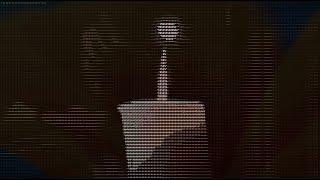
Tips
- this feature works only with MJPEG codec (use transcoding)
- choose a low frame rate (FPS)
- choose the width and height to fit in your terminal
- different terminals support different numbers of colours (8, 256, rgb)
- escape text param with urlencode
- you can stream any camera or file from a disc
go2rtc.yaml - transcoding to MJPEG, terminal size - 210x59 (16/9), fps - 10
streams:
  gamazda: ffmpeg:gamazda.mp4#video=mjpeg#hardware#width=210#height=59#raw=-r 10
API params
color- foreground color, values: empty,8,256,rgb, SGR- example:
30(black),37(white),38;5;226(yellow)
- example:
back- background color, values: empty,8,256,rgb, SGR- example:
40(black),47(white),48;5;226(yellow)
- example:
text- character set, values: empty, one char,block, list of chars (in order of brightness)- example:
%20(space),block(keyword for block elements),ox(two chars)
- example:
Examples
% curl "http://192.168.1.123:1984/api/stream.ascii?src=gamazda"
% curl "http://192.168.1.123:1984/api/stream.ascii?src=gamazda&color=256"
% curl "http://192.168.1.123:1984/api/stream.ascii?src=gamazda&back=256&text=%20"
% curl "http://192.168.1.123:1984/api/stream.ascii?src=gamazda&back=8&text=%20%20"
% curl "http://192.168.1.123:1984/api/stream.ascii?src=gamazda&text=helloworld"
 Documentation

Documentation

 Source Files
Click to show internal directories.
Click to hide internal directories.