

 README

README


diny
from git diff to clean commits
diny is a tiny dinosaur that writes your git commit messages for you.
It looks at your staged changes and generates clear, conventional-friendly messages.
🔓 No API key required • 🔌 Plug and play • ⚡ Fast and reliable • 🌟 Open source

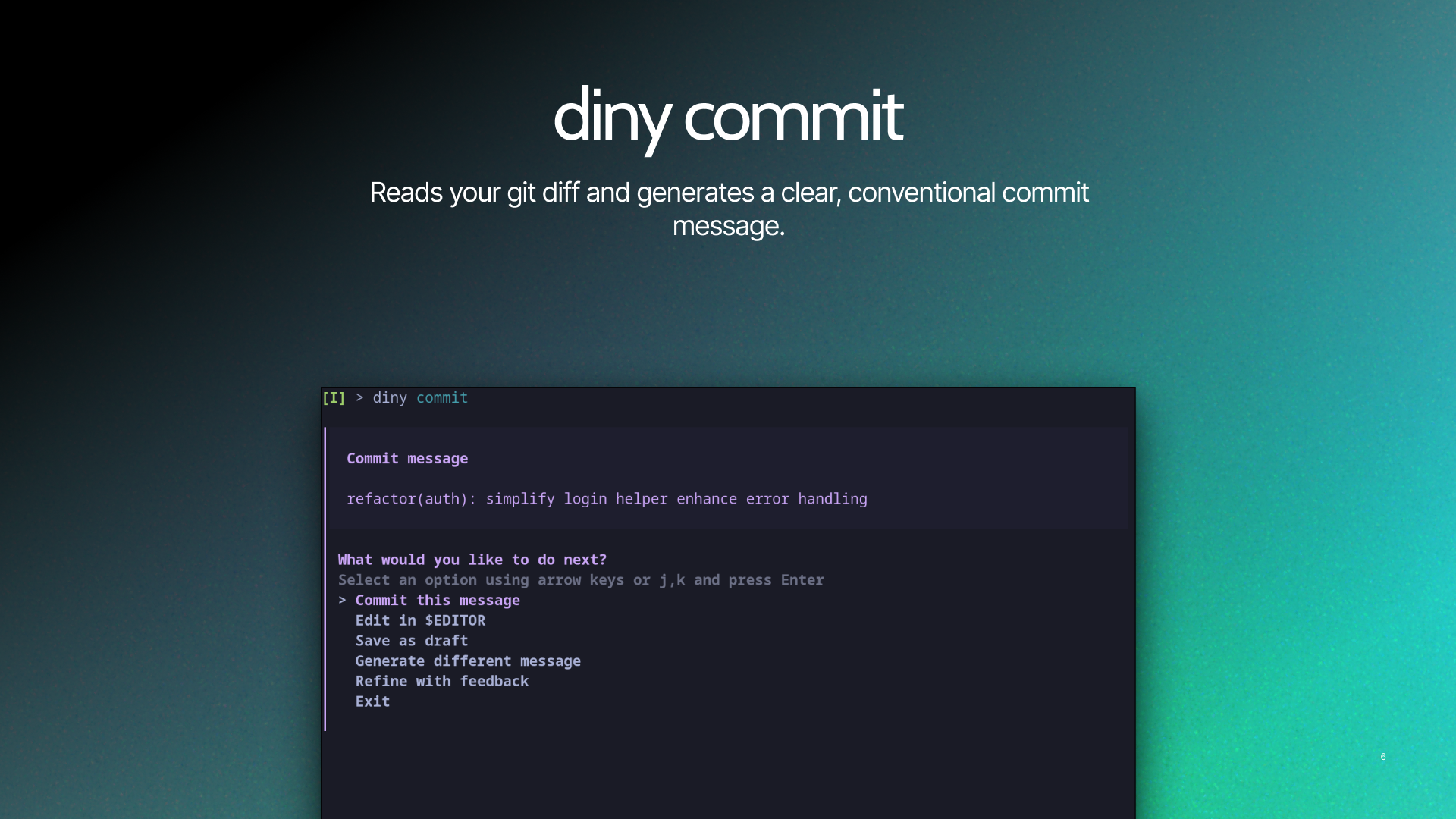
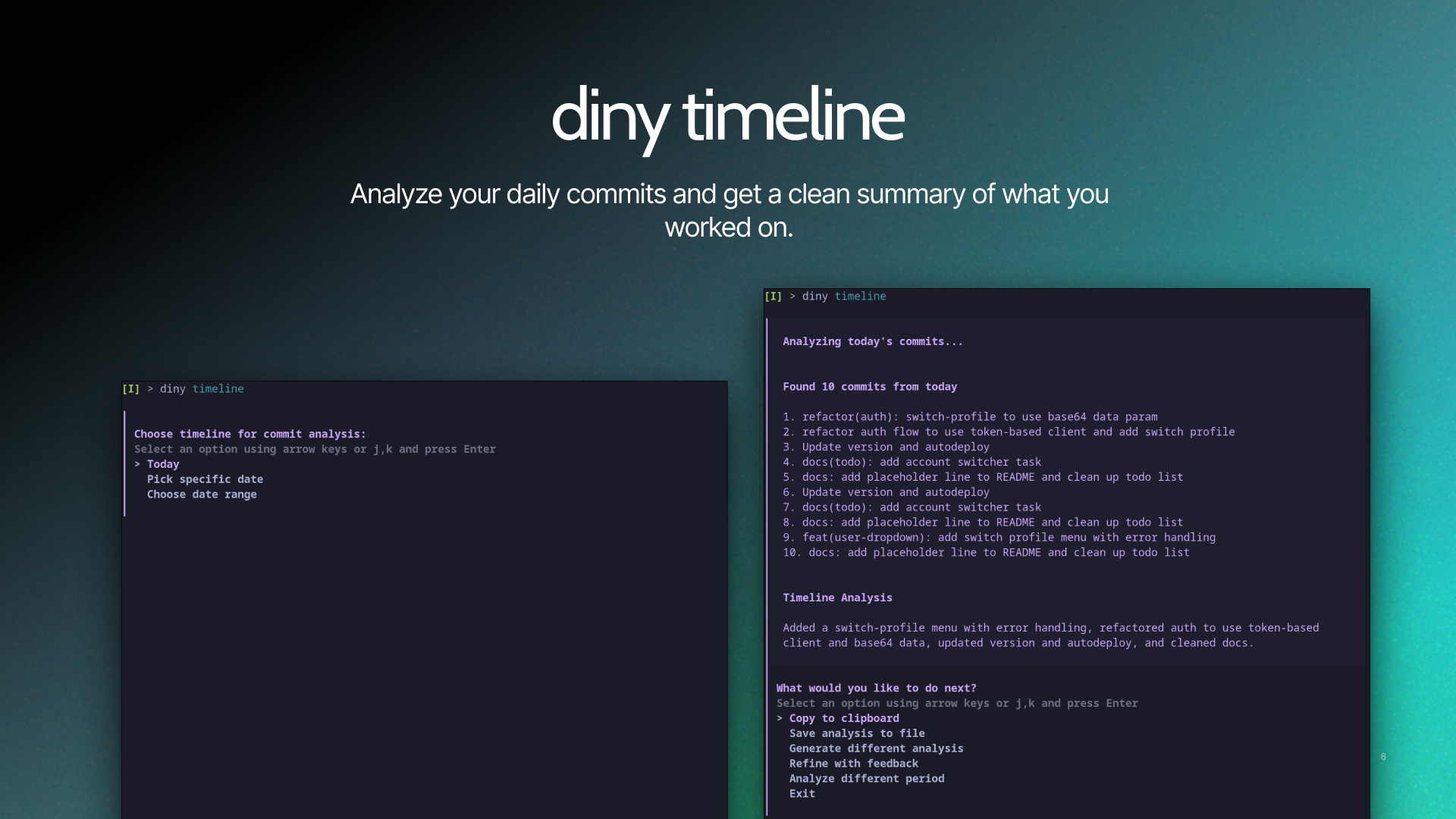
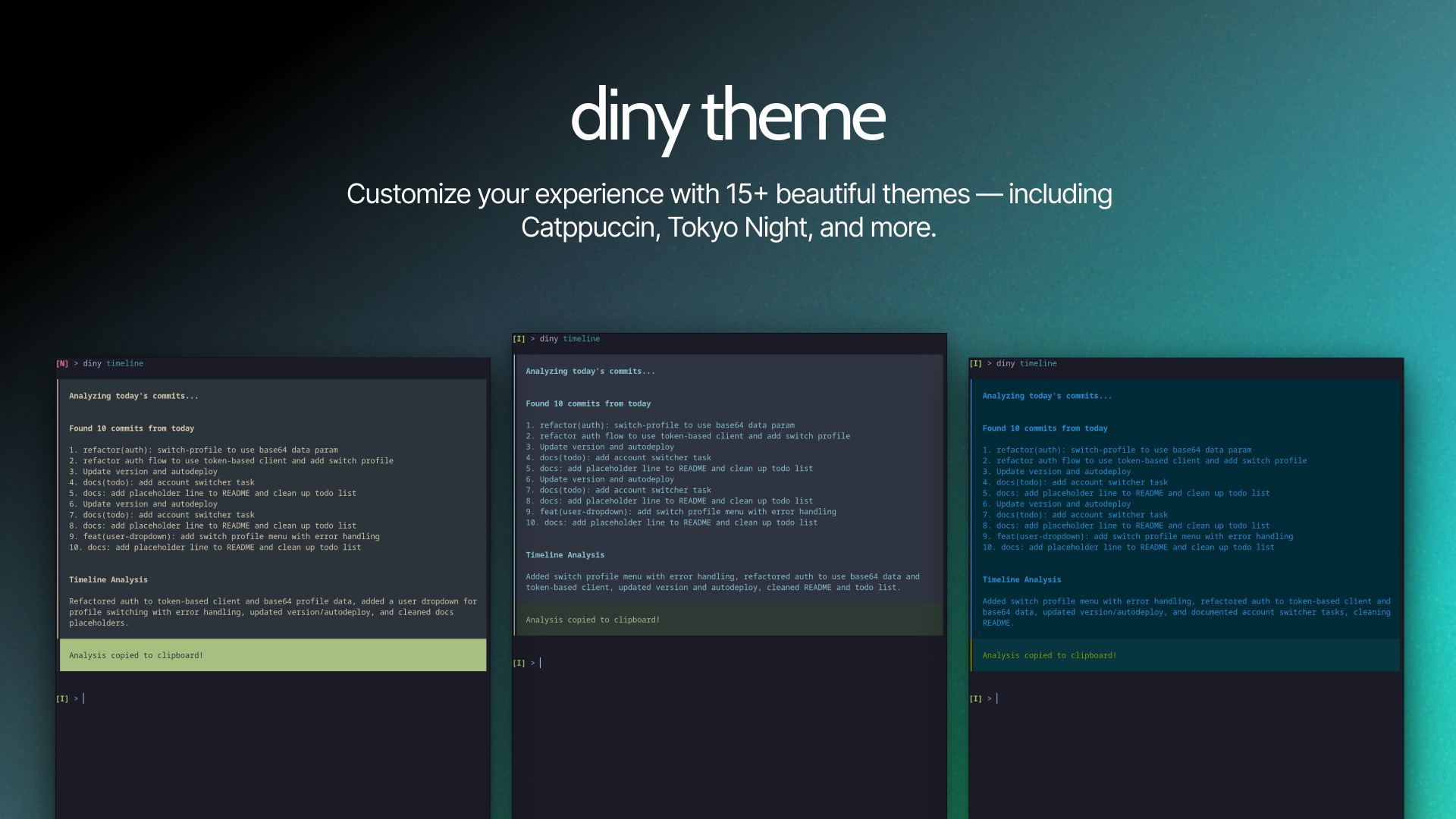
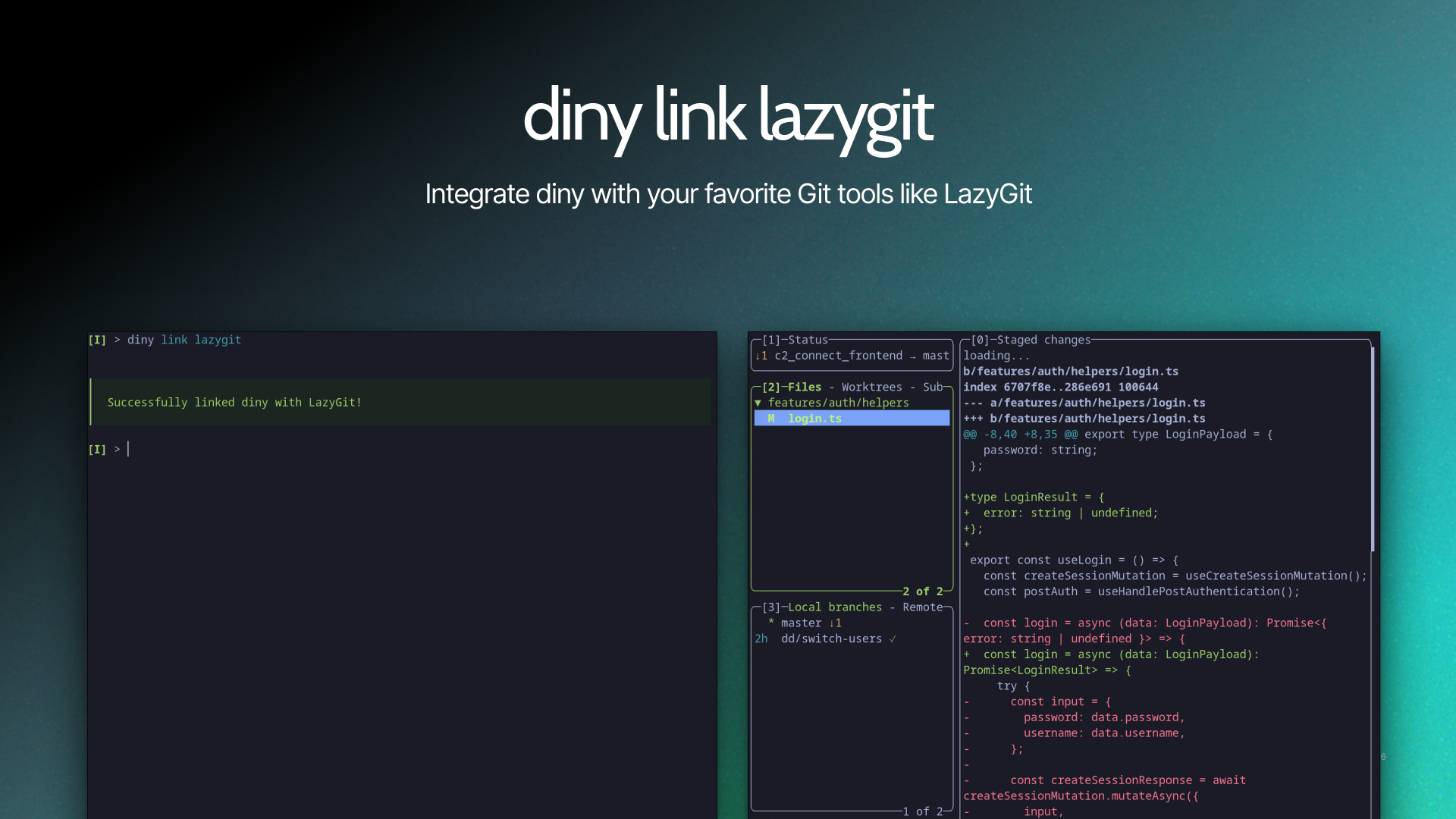
Features
- 🔍 Reads staged changes with
git diff - 🧹 Filters out noise (lockfiles, binaries, build artifacts)
- ⚡ Generates commit messages via AI
- 📝 Produces concise, consistent messages
- 🔄 Interactive workflow with multiple options
- 🧠 Smart regeneration that learns from previous attempts
- ✍️ Custom feedback system for precise message refinement
- 🧷 Save to file (stash the generated message for later)
- 📝 Draft mode (prepare a commit message without committing)
- ✏️ Edit in your editor before committing
- 📊 Timeline analysis of commit history and message patterns
- 📋 AI-powered changelog generation between tags or commits
- 🎨 Customizable UI themes (10+ dark and light themes)
- ⚙️ Three-tier config system (global, project-shared, project-private)
Install
macOS / Linux
brew install dinoDanic/tap/diny
Windows
Scoop (Recommended)
scoop bucket add dinodanic https://github.com/dinoDanic/scoop-bucket
scoop install diny
Manual Installation
Download pre-built binaries from GitHub Releases
Usage
Stage your changes, then run:
git add             # Stage files
diny commit
Auto Command (Git Alias)
Set up a git alias that creates a git auto command for diny-generated commit messages.
diny auto          # Set up the git auto alias
diny auto remove   # Remove the git auto alias
After setup, you can run:
git auto # uses diny to generate commit message
LazyGit Integration
Integrate diny directly into LazyGit for seamless commit message generation from the LazyGit UI.
diny link lazygit
This adds a custom command to LazyGit's configuration, allowing you to generate commit messages with diny without leaving LazyGit.
Commands
diny comes with a handful of simple commands. Each one is designed to fit naturally into your git workflow:
diny auto                                 # Set up a git alias so you can run `git auto`

diny commit                               # Generate a commit message from your staged changes
diny commit  --no-verify                  # Commit without running git hooks
diny commit  --print                      # Print generated message to stdout only
diny commit  --print | git commit -F -    # Pipe generated message to git commit
diny commit  --length short               # Force short commit message length (-l short)
diny commit  --length normal              # Force normal commit message length (-l normal)
diny commit  --length long                # Force long commit message length (-l long)
diny commit  --custom "mention ticket"    # One-off custom instruction for the AI (-c "mention ticket")

diny yolo                                 # Stage all changes, generate commit, and push (fully automated)

diny changelog                            # Generate an AI-powered changelog (by tag or by commit)
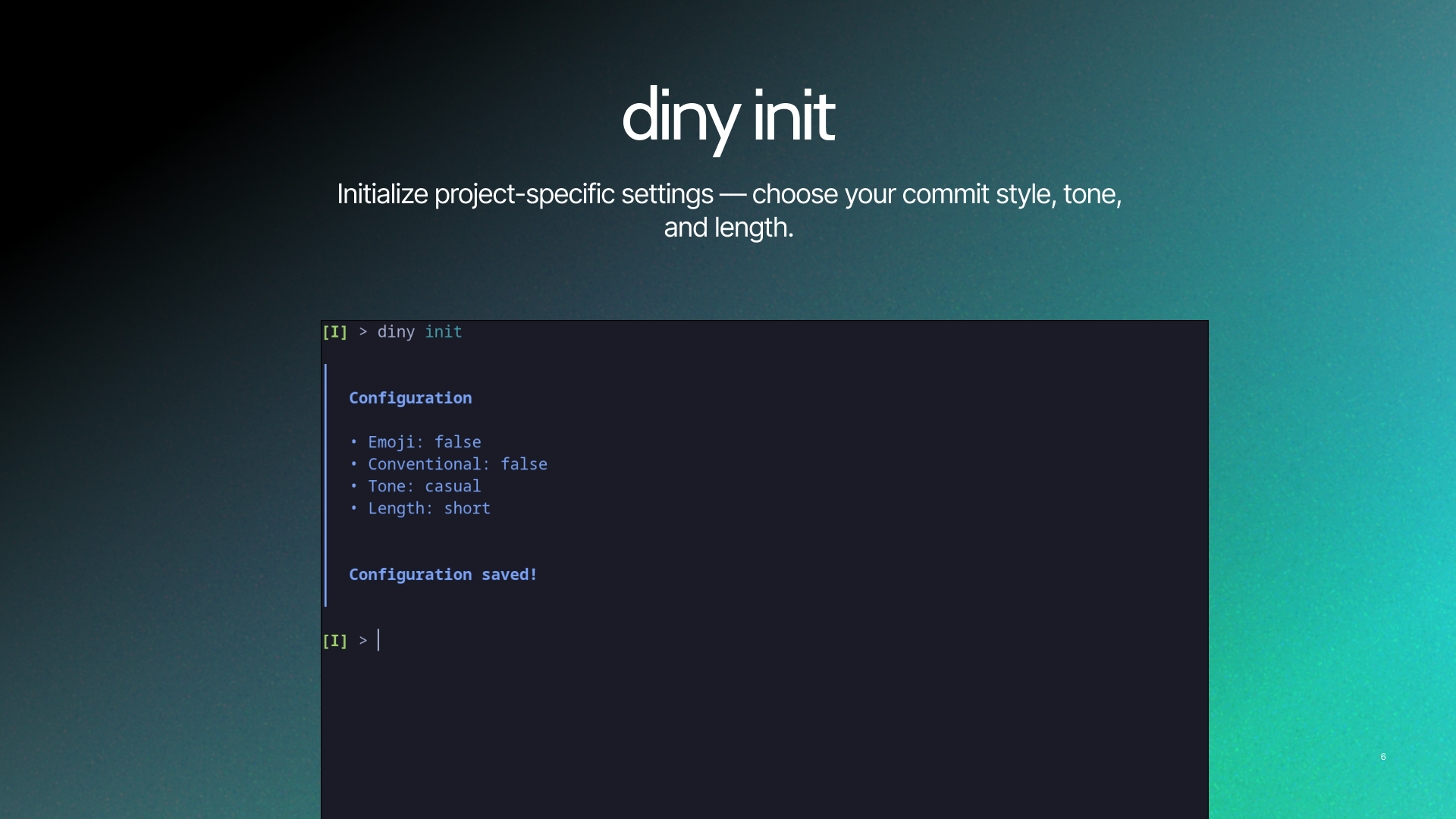
diny config                               # Open config file in your editor
diny link lazygit                         # Integrate diny with LazyGit
diny theme                                # List all available UI themes
diny timeline                             # Summarize and analyze your commit history
diny update                               # Update diny to the latest version
Configuration
diny supports a three-tier configuration system that allows you to customize settings globally, per-project (shared with your team), or per-project (private to you).
Configuration Levels
When you run diny config in a git repository, you can choose between three config levels:
| Level | Location | Description | Committed? |
|---|---|---|---|
| Global | ~/.config/diny/config.yaml |
Your default settings for all projects | No |
| Project (Versioned) | .diny.yaml |
Team-shared settings for this project | Yes ✓ |
| Project (Local) | <gitdir>/diny/config.yaml |
Your personal overrides for this project | No |
Priority: Local > Versioned > Global (higher priority overrides lower)
Outside a git repository: Only global config is available.
When to Use Each Level
- Global: Your personal defaults across all projects (e.g., preferred theme, tone)
- Versioned: Team standards everyone should follow (e.g., conventional commits, emoji usage)
- Local: Your personal preferences on a specific project (e.g., different tone or length)
Project configs only need to specify settings you want to override—they automatically inherit from lower levels.
Options
| Option | Description | Values |
|---|---|---|
theme |
UI color theme | catppuccin, tokyo, nord, dracula, gruvbox-dark, onedark, monokai, solarized-dark, solarized-light, github-light, etc. |
ai.mode |
AI generation mode | remote (default) / local / custom |
ai.local_url |
Local AI server URL | e.g. http://localhost:11434 (required for local mode) |
ai.api_url |
Custom API endpoint | e.g. https://api.openai.com/v1/chat/completions (required for custom mode) |
ai.api_key |
API key for custom API | Your API key (required for custom mode) |
ai.model |
Model name | e.g. llama3, gpt-4 (optional, for local/custom modes) |
commit.conventional |
Use conventional commit format | true / false |
commit.conventional_format |
Commit types to use | ['feat', 'fix', 'docs', 'chore', ...] |
commit.emoji |
Add emoji prefix | true / false |
commit.emoji_map |
Emoji for each type | feat: 🚀, fix: 🐛, ... |
commit.tone |
Message tone | professional / casual / friendly |
commit.length |
Message length | short / normal / long |
commit.custom_instructions |
Custom AI guidance | Any text, e.g. "Always mention ticket number" |
commit.hash_after_commit |
Show and copy commit hash | true / false |
AI Generation Modes
diny supports three AI generation modes, configurable via the ai.mode setting:
| Mode | Description | Privacy | Setup |
|---|---|---|---|
| remote | Uses the diny cloud server (default) | Diff sent to diny server | Zero-config |
| local | Uses a local AI like Ollama | Everything stays on your machine | Requires local AI server |
| custom | Uses any OpenAI-compatible API | Diff sent to your chosen provider | Requires API key |
Local mode blocks all external network requests, ensuring your code never leaves your machine. Only requests to the configured local_url are permitted.
Local Mode (Ollama)
ai:
  mode: local
  local_url: "http://localhost:11434"
  model: "llama3"
Make sure Ollama is running: ollama serve
Custom API Mode
ai:
  mode: custom
  api_url: "https://api.openai.com/v1/chat/completions"
  api_key: "sk-your-key-here"
  model: "gpt-4"
Works with any OpenAI-compatible API (OpenAI, Anthropic via proxy, Groq, Together, etc.)
Example Config
theme: tokyo

ai:
  mode: remote

commit:
  conventional: true
  conventional_format: ['feat', 'fix', 'docs', 'chore']
  emoji: true
  emoji_map:
    feat: 🚀
    fix: 🐛
    docs: 📚
    chore: 🔧
  tone: casual
  length: short
  custom_instructions: "Include JIRA ticket from branch name"
  hash_after_commit: true
Update
Built-in update command
diny update
Manual update
macOS/Linux:
brew update && brew upgrade dinoDanic/tap/diny
Windows (Scoop):
scoop update diny
Why diny exists
I'm terrible at commit messages. I type fast, make mistakes, and my history ends up full of gems like "fix stuff" and "ui thing." Not great when you need to remember what you actually did.
I built diny because I wanted my commits to be useful without thinking about them. It reads your changes, writes a decent message, and has a timeline feature that summarizes your day. Super handy for client updates or just remembering what you worked on when your brain already moved on.
It's AI doing what it's actually good at—handling the repetitive stuff I'd rather not think about.
 Documentation
 Source Files
 Directories