

 README

README

EPOS Open Source CLI
A command-line tool for deploying the EPOS Platform locally using Docker Compose or K8s.
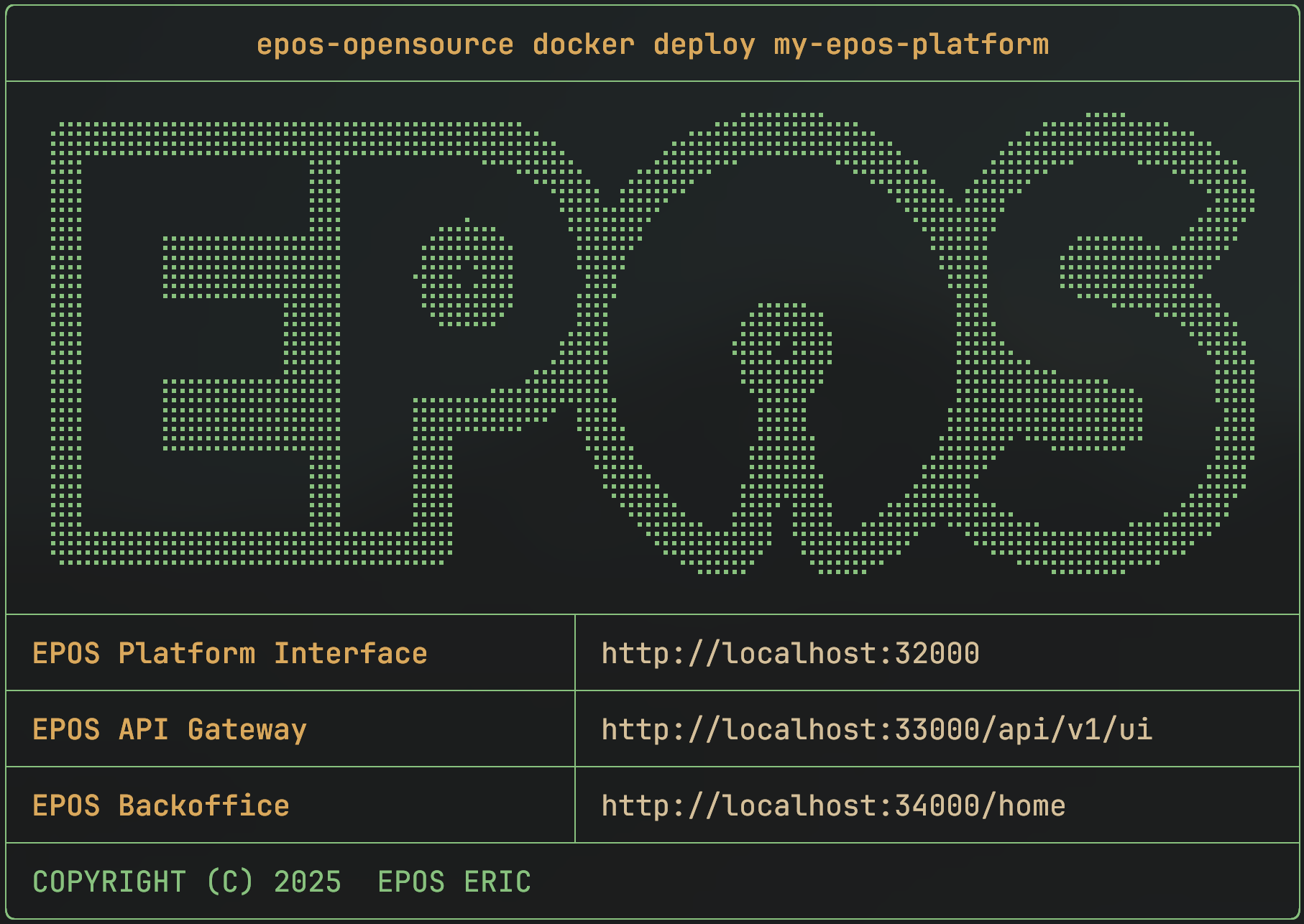
🚀 Quick Start
Run the CLI without arguments to launch the interactive TUI, or use subcommands for CLI operations.
Install the CLI (Linux/macOS/WSL):
curl -fsSL https://raw.githubusercontent.com/EPOS-ERIC/epos-opensource/main/install.sh | bash
Check installation:
epos-opensource --version
Terminal User Interface (TUI)
For an interactive experience, just run
epos-opensource
to launch the TUI. This provides a menu-driven interface for managing environments, equivalent to CLI commands but with intuitive navigation and visuals.
Deploy a local environment with Docker Compose:
epos-opensource docker deploy myenv
Populate it with your own data:
epos-opensource docker populate myenv /path/to/ttl/files
What is EPOS Open Source CLI?
A command-line tool to easily deploy and manage EPOS Platform environments on your computer or in the cloud, using either Docker Compose or K8s.
Usage Requirements
- Docker and Docker Compose (for Docker-based setups)
- kubectl and access to a K8s cluster (for K8s-based setups)
Installation
Easiest: Installation Script
curl -fsSL https://raw.githubusercontent.com/EPOS-ERIC/epos-opensource/main/install.sh | bash
This script works on Linux, macOS, and WSL. It will update the CLI if already installed.
[!IMPORTANT] ALWAYS REVIEW SCRIPTS YOURSELF BEFORE EXECUTING THEM ON YOUR SYSTEM!
Using Go
go install github.com/EPOS-ERIC/epos-opensource@latest
Make sure $GOPATH/bin or $HOME/go/bin is in your $PATH.
Pre-built Binaries
-
Download the appropriate archive from the releases.
-
Make the binary executable and move it to your
$PATH:chmod +x epos-opensource-{your version} mv epos-opensource-{your version} /usr/local/bin/epos-opensource -
Verify the installation:
epos-opensource --version
Build from source
Build using make with Go 1.25.4 or later:
make build
Commands
The CLI is organized into two main commands: docker and k8s. Each has its own set of subcommands for managing environments. These commands work in both CLI and TUI modes.
Docker Commands
| Command | Description |
|---|---|
deploy |
Create a new environment using Docker Compose. |
populate |
Ingest TTL files from directories or files into an environment. |
clean |
Clean the data of an environment. |
delete |
Stop and remove Docker Compose environments. |
export |
Export the default environment files to a directory. |
list |
List installed Docker environments. |
update |
Recreate an environment with new settings. |
Example:
# Deploy a new Docker environment named "my-test"
epos-opensource docker deploy my-test

# Populate it with data
epos-opensource docker populate my-test /path/to/my/data
K8s Commands
| Command | Description |
|---|---|
deploy |
Create and deploy a new K8s environment in a dedicated namespace. |
populate |
Ingest TTL files from directories or files into an environment. |
clean |
Clean the data of an environment. |
delete |
Removes K8s environmentas and all their namespaces. |
export |
Export default environment files and manifests. |
list |
List installed K8s environments. |
update |
Update and redeploy an existing K8s environment. |
Example:
# Deploy a new K8s environment named "my-cluster"
epos-opensource k8s deploy my-cluster

# Populate it with data
epos-opensource k8s populate my-cluster /path/to/my/data
Getting Help
For more details on any command, use the --help flag:
epos-opensource --help
epos-opensource docker --help
epos-opensource k8s deploy --help
Troubleshooting & Tips
- Docker/K8s not found: Make sure Docker and/or kubectl are installed and running.
- Environment/Directory already exists: Use a new name, or delete the old environment first.
- Problems with
.ttlfiles: Make sure the directory exists and contains valid.ttlfiles and that their path are valid (no spaces, weird symbols, ...). - Environment not found/Does not exists: Make sure to be running the commands as the same user, the cli uses an user level sqlite database to store the environment information.
If you get stuck, run with --help for more info, or feel free to open an issue.
Development
Follow these steps to set up your local development environment and enable the shared Git hooks.
Prerequisites
- Go 1.25.4+
- Make
- golangci‑lint
Clone & Enter the Repo
git clone https://github.com/EPOS-ERIC/epos-opensource.git
cd epos-opensource
Install the Shared Git Hooks
We include a set of pre‑commit hooks under .githooks/ that will automatically run your Makefile checks before each commit:
git config core.hooksPath .githooks
Makefile Targets
Our Makefile provides common commands for development like:
-
make buildCompile the CLI binary. -
make testRun all tests. -
make lintExecute linters (usinggolangci-lint).
Workflow
- Edit code in your favorite editor.
- Run your chosen
maketargets to verify everything passes. - Commit: the pre‑commit hook will automatically invoke
make lint test. - Push your changes when you're ready.
Contributions Welcome
We welcome all contributions, including bug reports, feature ideas, documentation, or code changes.
If you have questions or are unsure how to get started, feel free to open an issue. We are happy to assist!
Contributing
- Fork the repository and clone it locally.
- Create a new branch from
mainordevelop. - Make your changes and follow the existing code style.
- Add or update tests and documentation as needed.
- Commit your changes using clear, present-tense messages.
- Push your branch and open a pull request.
Before submitting:
- Pull the latest changes from upstream.
- Squash commits if needed.
- Ensure all tests pass.
After submitting:
- Address any feedback on your pull request.
- Update your branch until it is approved and merged.
Thank you for your contribution!
 Documentation

Documentation


There is no documentation for this package.
 Source Files
 Directories

Directories

| Path | Synopsis |
|---|---|
|
docker
Package docker contains the internal functions used by the docker cmd to manage environments
|
Package docker contains the internal functions used by the docker cmd to manage environments |
|
docker/dockercore
Package dockercore contains the internal functions used by the docker cmd to manage the environments
|
Package dockercore contains the internal functions used by the docker cmd to manage the environments |
|
k8s
Package k8s contains the cobra cmd implementation for the k8s management
|
Package k8s contains the cobra cmd implementation for the k8s management |
|
k8s/k8score
Package k8score contains the internal functions used by the k8s cmd to manage the environments
|
Package k8score contains the internal functions used by the k8s cmd to manage the environments |
|
Package command provides utilities for running external commands with proper stdout/stderr handling across different platforms.
|
Package command provides utilities for running external commands with proper stdout/stderr handling across different platforms. |
|
Package common contains common functions used throughout the cli commands.
|
Package common contains common functions used throughout the cli commands. |
|
Package config provides configuration management for epos-opensource, including platform-specific application data directory path and user-configurable settings.
|
Package config provides configuration management for epos-opensource, including platform-specific application data directory path and user-configurable settings. |
|
Package db manages the SQLite database for epos-opensource.
|
Package db manages the SQLite database for epos-opensource. |
|
Package display provides simple, colorful console output functions for CLI applications.
|
Package display provides simple, colorful console output functions for CLI applications. |
|
Package tui provides a terminal user interface for managing EPOS environments.
|
Package tui provides a terminal user interface for managing EPOS environments. |