

 README

README

Slack Project --> AWS ChatBot
AWSChatBot
awsChatbot can listen to slash commands initiated by user from configured slack channel to interact with supported AWS services and provide required result. Currently it supports AWS Services like EC2, S3, SecurityGroup, ELBv1, ELBv2, RDS DB.
Supported AWS Services (v1.0)
- AWS EC2
- AWS S3
- AWS SecurityGroup
- AWS ELBv1 (Classic LoadBalancer)
- AWS ELBv2 (Application or Network LoadBalancer)
- AWS RDS DB Instances
Build Application from Command Line Terminal and Run Locally
go build

./awsChatbot
Environment Variables
- AWSBOT_PORT : Application Port (default : "9090")
- AWSBOT_DEBUG_AWS_REQUESTS : Debug Request True or False(default : "false")
- AWSBOT_SLASH_COMMAND : Slack Slash Command (default : "/awschatbot")
- AWSBOT_SLACK_SIGNING_SECRET : Slack Signining Secrets.Get one by creating your slack api application from https://api.slack.com/apps
- AWSBOT_SLACK_TOKEN : Slack BOT TOKEN. Get from your application OAuth & Permissions(starts with: xoxb-xxxxxxx)
- AWSBOT_SLACK_CHANNEL : Slack Channel ID. Get it from your slack channel settings
- AWS_ACCESS_KEY_ID : AWS ACCESS KEY ID for IAM User(Can Skip if using IAM Assume Role)
- AWS_SECRET_ACCESS_KEY : AWS SECRET KEY ID for IAM User(Can Skip if using IAM Assume Role)
- AWS_REGION : AWS REGION(default : eu-central-1)
Prerequisites to run application in kubernetes
- Locally running kubernetes cluster(minikube) or production running kubernetes cluster in your environment
- Basic kubernetes tools like kubectl (to interact with kubernetes cluster), helm(for deployment)
- CLI terminal to run all the commands
- Access service health-check endpoint from any browser
Installation
-
To install kubernetes with minikube
-
To Install kubectl
-
To install Helm(Package Manager) & Tiller(Helm Server) for kubernetes cluster
Important Note:
-
Please configure kubectl command to interact with correct kubernetes cluster using kubernetes-context
-
Get Current Context using below command
kubectl config get-contexts
Example Output:
$ kubectl config get-contexts
CURRENT   NAME                 CLUSTER                      AUTHINFO             NAMESPACE
*         minikube             minikube                     minikube
Build your own docker images and deploy to kubenetes using helm run below commands
-
docker build -t <image-repository/application-name>:v1.0 .(Build Docker Image) -
docker login && docker push <image-repository/application-name>:v1.0(Push Docker Image) -
kubectl create serviceaccount tiller -n kube-system(Create Service Account for Tiller) -
kubectl create clusterrolebinding tiller-cluster-rule --clusterrole=cluster-admin --serviceaccount=kube-system:tiller(Authorize Permission to Tiller) -
helm init --service-account tiller --upgrade(Initialize Helm) -
kubectl create ns awschatbot(Create Kubernetes Namespace) -
kubectl apply -f awschatbot-helm/secrets.yaml -n awschatbot(Create Secrets, Add your base64 secrets in secrets.yaml file) -
helm upgrade --install awschatbot-helm awschatbot-helm --namespace awschatbot(Helm Deploy awschatbot application)
Access health check endpoint of application on web browser
http://localhost:9090/awschatbot/v1/health
Example Slack Slash Commands
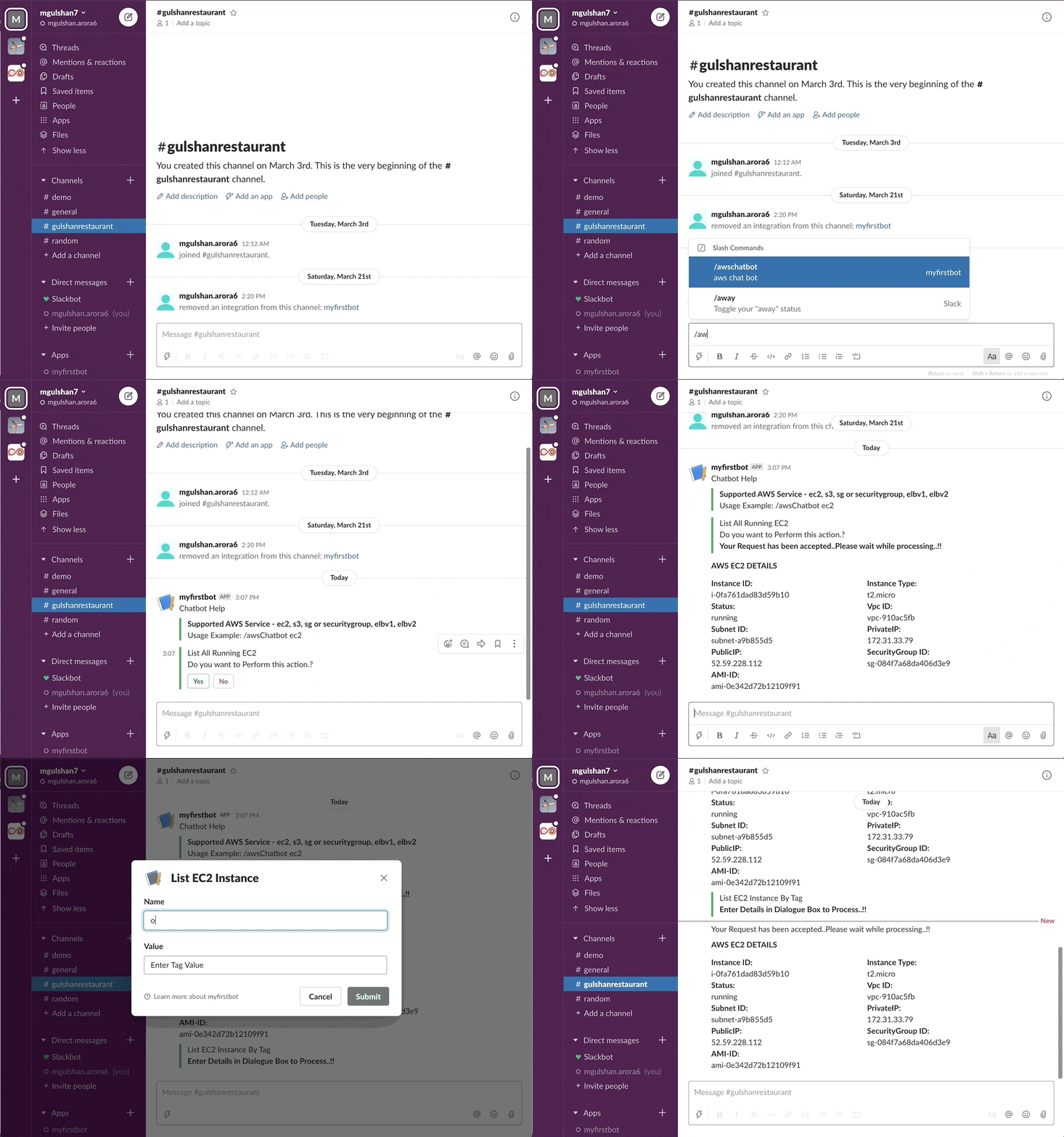
- Get EC2 Instance Details
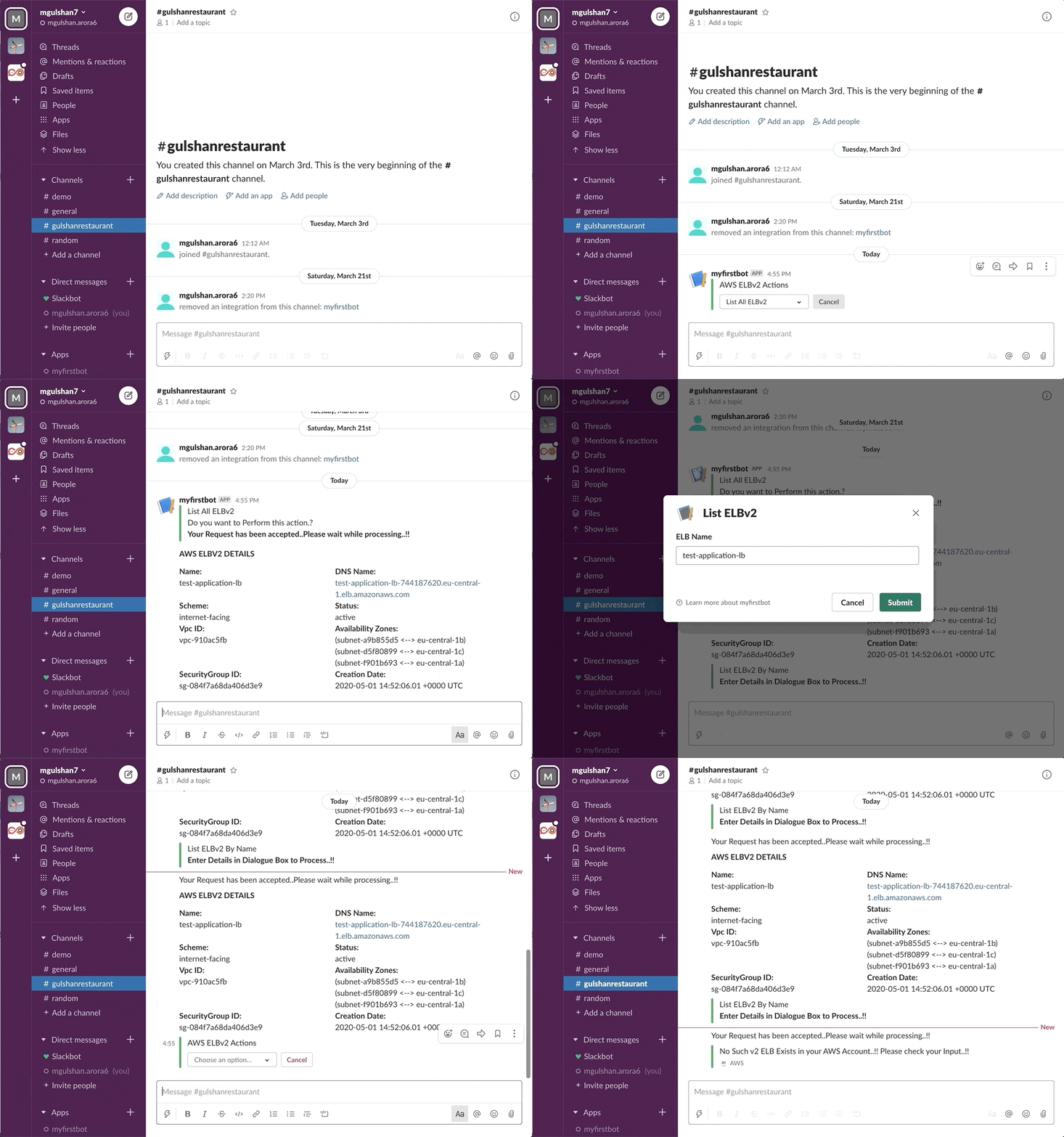
- Get ELB Details
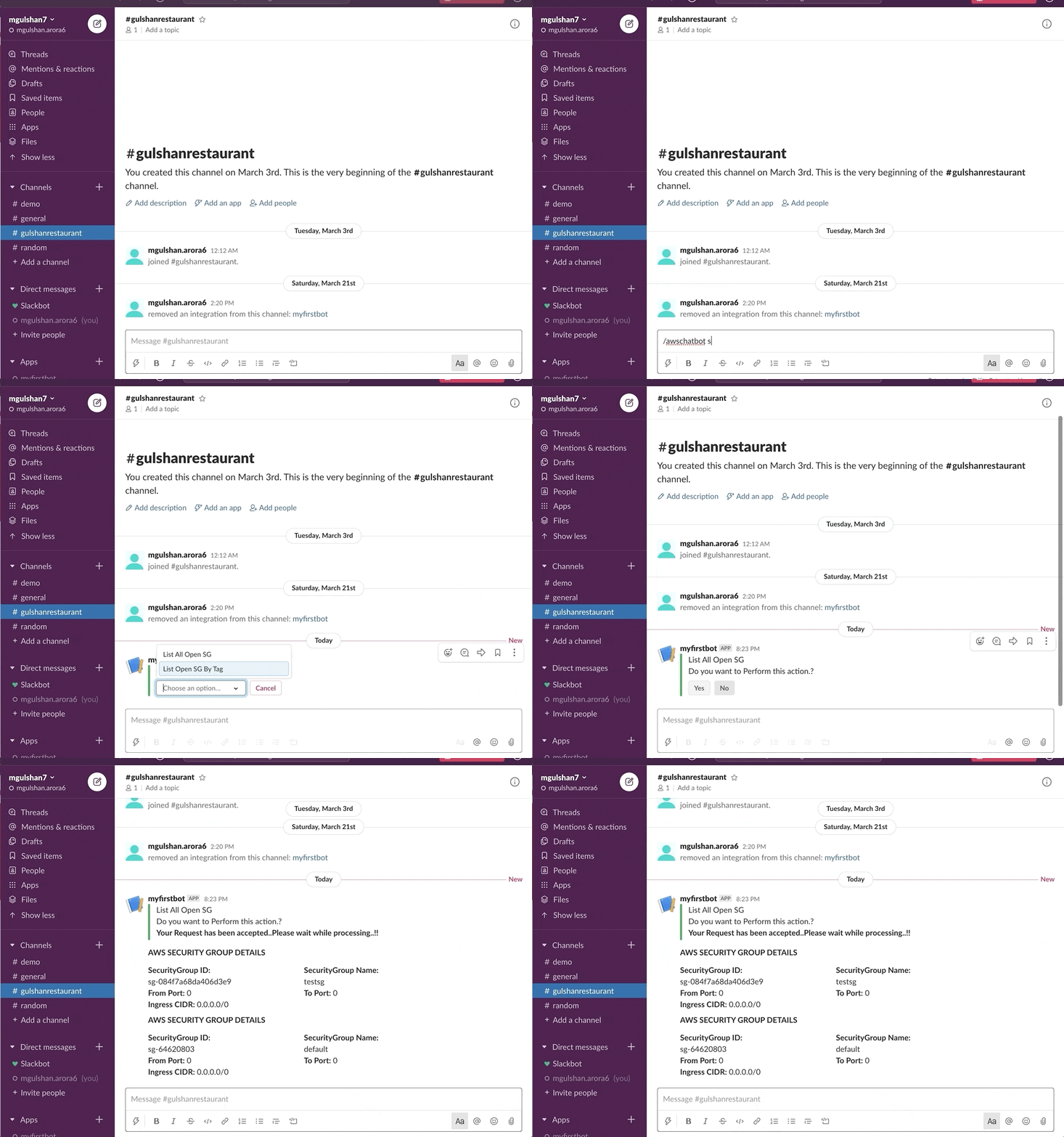
- Get SecurityGroup Details
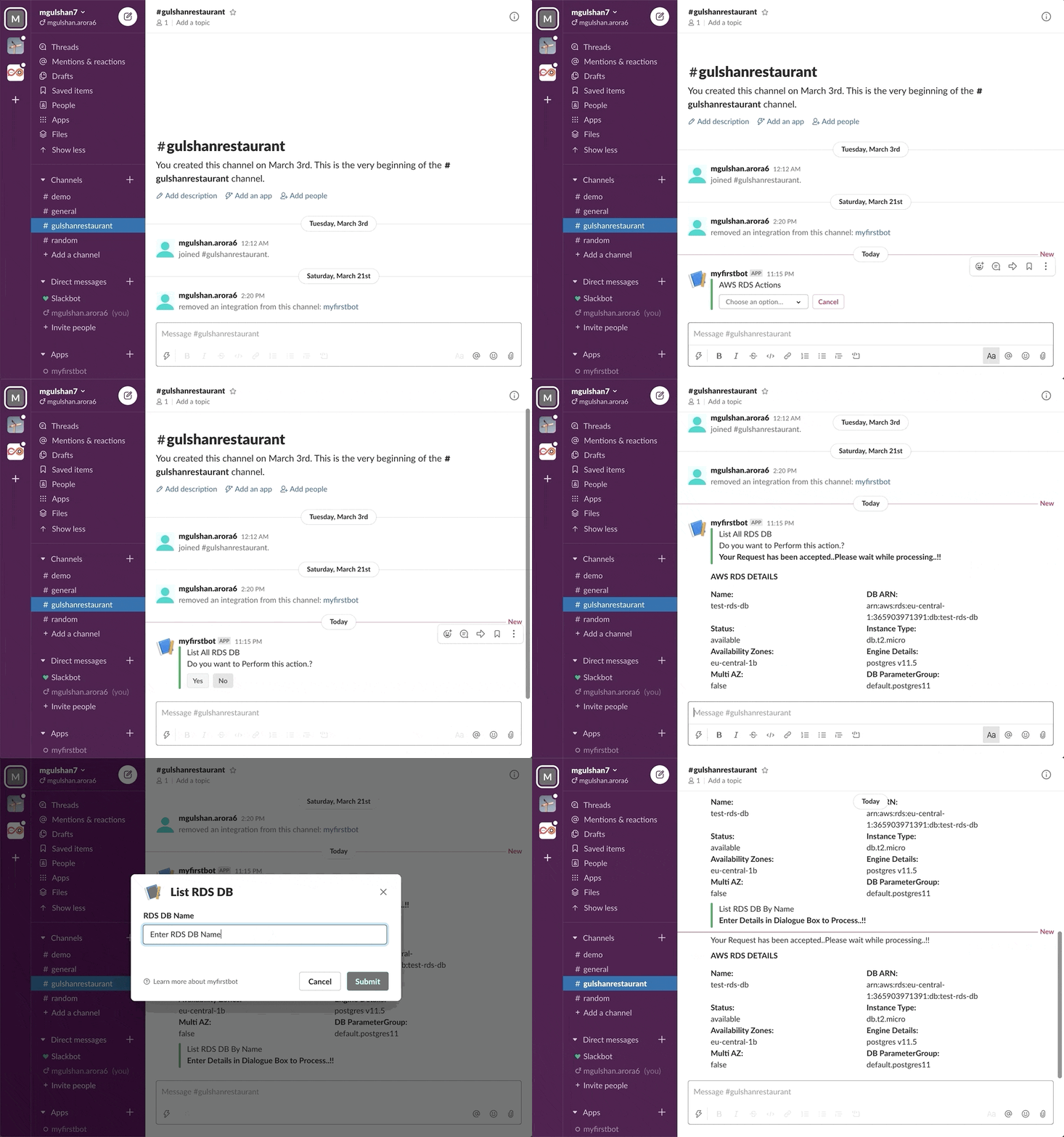
- Get RDS Details
Reference Links
 Documentation

Documentation


There is no documentation for this package.
 Source Files
 Directories