

 README

README

Read this in other languages: Deutsch | Español | Français | Português | Русский | 繁體中文





F2 - Command-Line Batch Renaming
F2 is a cross-platform command-line tool for batch renaming files and directories quickly and safely. Written in Go!
What does F2 do differently?
Compared to other renaming tools, F2 offers several key advantages:
-
Dry Run by Default: It defaults to a dry run so that you can review the renaming changes before proceeding.
-
Variable Support: F2 allows you to use file attributes, such as EXIF data for images or ID3 tags for audio files, to give you maximum flexibility in renaming.
-
Comprehensive Options: Whether it's simple string replacements or complex regular expressions, F2 provides a full range of renaming capabilities.
-
Safety First: It prioritizes accuracy by ensuring every renaming operation is conflict-free and error-proof through rigorous checks.
-
Conflict Resolution: Each renaming operation is validated before execution and detected conflicts can be automatically resolved.
-
High Performance: F2 is extremely fast and efficient, even when renaming thousands of files at once.
-
Undo Functionality: Any renaming operation can be easily undone to allow the easy correction of mistakes.
-
Extensive Documentation: F2 is well-documented with clear, practical examples to help you make the most of its features without confusion.
⚡ Installation
If you're a Go developer, F2 can be installed with go install (requires v1.23
or later):
go install github.com/ayoisaiah/f2/v2/cmd/f2@latest
Other installation methods are documented here or check out the releases page to download a pre-compiled binary for your operating system.
📃 Quick links
- Installation
- Getting started tutorial
- Real-world example
- Built-in variables
- File pair renaming
- Renaming with a CSV file
- Sorting
- Resolving conflicts
- Undoing renaming mistakes
- CHANGELOG
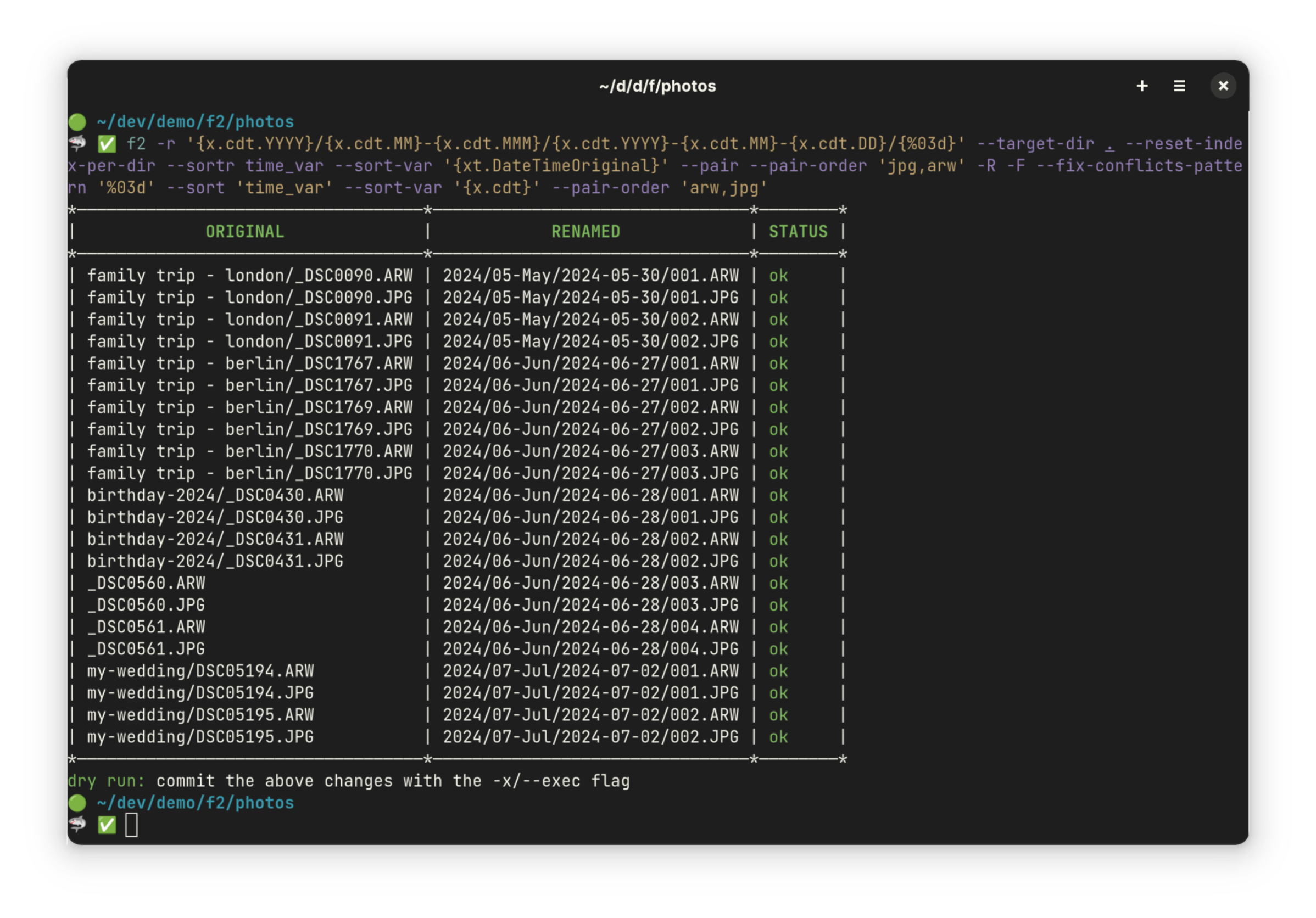
💻 Screenshots
🤝 Contribute
Bug reports and feature requests are much welcome! Please open an issue before creating a pull request.
⚖ Licence
Created by Ayooluwa Isaiah and released under the terms of the MIT Licence.
 Documentation

Documentation

 Source Files
 Directories

Directories

| Path | Synopsis |
|---|---|
|
cmd
|
|
|
f2
command
|
|
|
Package find is used to find files that match the provided find pattern or CSV file.
|
Package find is used to find files that match the provided find pattern or CSV file. |
|
internal
|
|
|
config
Package config is responsible for setting the program config from command-line arguments
|
Package config is responsible for setting the program config from command-line arguments |
|
sortfiles
Package sort is used to sort file changes in a variety of ways Alphabetical order is the default
|
Package sort is used to sort file changes in a variety of ways Alphabetical order is the default |
|
Package rename handles the actual file renaming operations and manages backups for potential undo operations.
|
Package rename handles the actual file renaming operations and manages backups for potential undo operations. |
|
Package replace substitutes each match according to the configured replacement directives which could be plain strings, builtin variables, or regex capture variables
|
Package replace substitutes each match according to the configured replacement directives which could be plain strings, builtin variables, or regex capture variables |
|
Package report provides details about the renaming operation in table or json format
|
Package report provides details about the renaming operation in table or json format |
|
Package validate is used to ensure that the renaming operation cannot result in conflicts before the operation is carried out.
|
Package validate is used to ensure that the renaming operation cannot result in conflicts before the operation is carried out. |