

 README

README

SpoofDPI 🛡️
A simple, fast, and cross-platform anti-censorship proxy designed to bypass Deep Packet Inspection (DPI). SpoofDPI works by fragmenting TLS Client Hello packets and providing flexible DNS and proxy options to evade censorship systems.
Usage 🚀
Usage: spoofdpi [options...]
  -addr string
        listen address (default "127.0.0.1")
  -debug
        enable debug output
  -dns-addr string
        dns address (default "8.8.8.8")
  -dns-ipv4-only
        resolve only version 4 addresses
  -dns-port value
        port number for dns (default 53)
  -enable-doh
        enable 'dns-over-https'
  -pattern value
        bypass DPI only on packets matching this regex pattern; can be given multiple times
  -port value
        port (default 8080)
  -silent
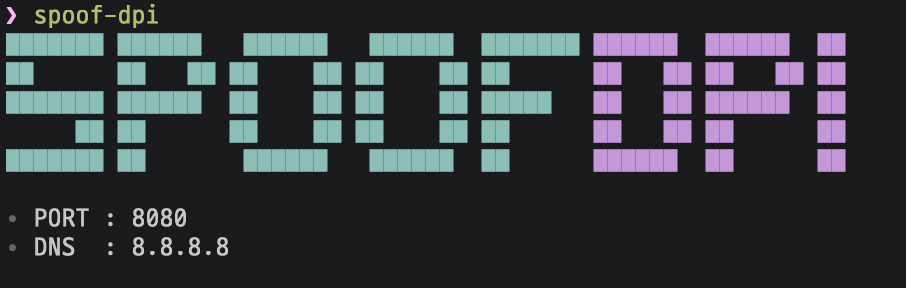
        do not show the banner and server information at start up
  -system-proxy
        enable system-wide proxy (default true)
  -timeout value
        timeout in milliseconds; no timeout when not given
  -v    print spoofdpi's version; this may contain some other relevant information
  -window-size value
        chunk size, in number of bytes, for fragmented client hello,
        try lower values if the default value doesn't bypass the DPI;
        when not given, the client hello packet will be sent in two parts:
        fragmentation for the first data packet and the rest
Features ✨
- Bypass DPI: Fragments TLS Client Hello to evade DPI-based censorship.
- System Proxy Integration: Automatically sets system-wide proxy on macOS (and optionally on Linux).
- Flexible DNS: Supports system DNS, custom DNS, and DNS-over-HTTPS (DoH).
- Pattern-based Whitelisting: Only bypass DPI for domains matching user-defined regex patterns.
- IPv4/IPv6 Support: Optionally restrict DNS to IPv4 only.
- Configurable Timeout & Window Size: Fine-tune fragmentation and connection behavior.
- Silent & Debug Modes: Control output verbosity.
- Docker Support: Run easily in containers.
Installation 📦
Using Makefile (Cross-Platform - Recommended) 🚀
The easiest way to install and manage SpoofDPI on macOS and Ubuntu/Linux is using the included Makefile, which provides automated cross-platform service management:
macOS (launchd service)
# Clone the repository
git clone https://github.com/bariiss/SpoofDPI.git
cd SpoofDPI

# Complete setup (automatically installs Go via Homebrew)
make all

# Or step by step:
make check-deps      # Install Go via Homebrew if needed
make build           # Build the binary
make install         # Install to ~/go/bin
make service-install # Create launchd service (.plist)
make service-start   # Start the service
Ubuntu/Linux (systemd service)
# Clone the repository
git clone https://github.com/bariiss/SpoofDPI.git
cd SpoofDPI

# Complete setup (automatically installs Go via APT)
make all

# Or step by step:
make check-deps      # Install Go via apt if needed
make build           # Build the binary
make install         # Install to ~/go/bin
make service-install # Create systemd service (.service)
make service-start   # Start the service
Service Management Commands (Both Platforms)
make service-start      # Start the service
make service-stop       # Stop the service
make service-restart    # Restart the service
make service-status     # Check service status
make service-logs       # View service logs
make service-reload     # Reload service configuration
make service-uninstall  # Remove service completely
make help               # Show all available commands
make show-config        # Display current configuration and OS info
Browser Launch Commands (Both Platforms)
Automatically launch browsers with proxy configuration:
make browser            # Launch browser with current proxy settings
make browser-custom     # Launch browser with custom proxy settings

# Configuration with current service settings:
make browser-custom PORT=9090 ADDR=127.0.0.1

# Development workflow:
make dev-run                   # Run without service (for development)
make dev-test                  # Run tests
Supported Browsers:
- macOS: Google Chrome (with isolated user profile)
- Ubuntu/Linux: Google Chrome → Chromium → Firefox (automatic detection and fallback)
Browser Features:
- Profile Isolation: Creates separate browser profiles for proxy usage
- Automatic Configuration: Sets HTTP/HTTPS proxy settings automatically
- Background Execution: Browsers launch without blocking the terminal
- Dynamic Settings: Uses current service configuration or custom parameters
#### Custom Configuration
You can configure the service with custom parameters on both platforms:
```bash
# Configure with custom settings
make service-config PORT=8080 ENABLE_DOH=false SYSTEM_PROXY=true

# Available parameters:
# PORT=8080                   - Proxy port
# DNS=8.8.8.8                 - DNS server
# ADDR=0.0.0.0                - Bind address
# WINDOW_SIZE=1               - TLS fragmentation window size
# ENABLE_DOH=false            - Enable DNS over HTTPS
# SYSTEM_PROXY=false          - Enable system-wide proxy

# Development commands
make dev-run                    # Run binary directly without service
make dev-test                   # Run tests
make show-config                # Display current configuration
Platform-Specific Features:
- macOS: Uses Homebrew for Go installation, launchd for service management
- Ubuntu/Linux: Uses APT for Go installation, systemd for service management
- Both: Automatic OS detection, user-level services, personalized service names
Default Configuration:
- Port: 8080
- DNS Server: 8.8.8.8 (Google DNS)
- Bind Address: 0.0.0.0 (all interfaces)
- DoH: Disabled by default
- System Proxy: Disabled by default
- Window Size: 1 (for TLS fragmentation)
The Makefile automatically:
- Detects your operating system (macOS/Linux)
- Installs Go via the appropriate package manager
- Creates platform-specific service configuration
- Manages service lifecycle using native tools (launchd/systemd)
- Handles service logs (
/tmp/spoofdpi.logand/tmp/spoofdpi.err) - Provides unified command interface across platforms
Pre-built Binary
A detailed installation guide is available in _docs/INSTALL.md.
Quick install (macOS/Linux):
curl -fsSL https://raw.githubusercontent.com/bariiss/SpoofDPI/main/install.sh | bash -s <platform>
Replace <platform> with one of: darwin-amd64, darwin-arm64, linux-amd64, linux-arm, linux-arm64, linux-mips, linux-mipsle.
Go
go install github.com/bariiss/SpoofDPI/cmd/spoofdpi@latest
Docker 🐳
# Using Makefile
make docker-build    # Build Docker image
make docker-run      # Run Docker container

# Manual Docker usage
docker run --rm -it \
  -e WINDOW_SIZE=1 \
  -e APP_PORT=8080 \
  -e APP_ADDR=0.0.0.0 \
  -e DOH_ENABLED=false \
  -e DNS_ADDR=8.8.8.8 \
  -e DNS_PORT=53 \
  -e SYSTEM_PROXY=false \
  -e DEBUG_MODE=true \
  -p 8080:8080 \
  ghcr.io/bariiss/spoofdpi:latest
A sample docker-compose.yml is provided in the repository.
Quick Start 🚀
Cross-Platform with Makefile (Recommended)
Works on both macOS and Ubuntu/Linux with automatic OS detection:
# Clone and setup as a service
git clone https://github.com/bariiss/SpoofDPI.git
cd SpoofDPI
make all

# Check service status
make service-status

# Launch browser with proxy configuration
make browser

# View logs if needed
make service-logs

# Complete workflow example:
# 1. Configure custom settings
make service-config PORT=9090 DNS=8.8.8.8 ENABLE_DOH=true
# 2. Restart to apply changes
make service-restart
# 3. Launch browser with new settings
make browser-custom PORT=9090
Platform-Specific Details
macOS
- Automatic: Uses Homebrew for Go installation and launchd for service management
- Service: Creates
com.<username>.spoofdpi.plistin~/Library/LaunchAgents/ - Browser: Launches Google Chrome with isolated profile using
open -na "Google Chrome" - Manual: Just run the
spoofdpicommand. The proxy will be set up automatically.
Ubuntu/Linux
- Automatic: Uses APT for Go installation and systemd for service management
- Service: Creates
com.<username>.spoofdpi.servicein~/.config/systemd/user/ - Browser: Auto-detects and launches Chrome → Chromium → Firefox with proxy settings
- Manual: Start
spoofdpiand launch your browser with the following command:
google-chrome --proxy-server="http://127.0.0.1:8080"
Command Line Options ⚙️
Usage: spoofdpi [options...]
  -addr string           listen address (default "127.0.0.1")
  -port value            port (default 8080)
  -dns-addr string       dns address (default "8.8.8.8")
  -dns-port value        port number for dns (default 53)
  -dns-ipv4-only         resolve only version 4 addresses
  -enable-doh            enable 'dns-over-https'
  -pattern value         bypass DPI only on packets matching this regex pattern; can be given multiple times
  -window-size value     chunk size, in number of bytes, for fragmented client hello
  -timeout value         timeout in milliseconds; no timeout when not given
  -system-proxy          enable system-wide proxy (default true)
  -debug                 enable debug output
  -silent                do not show the banner and server information at start up
  -v                     print spoofdpi's version and exit
How It Works 🔍
- HTTP: Serves as a proxy for HTTP requests (no DPI bypass, as most censorship targets HTTPS).
- HTTPS: Fragments the TLS Client Hello packet (either in two parts or user-defined window size) to evade DPI systems that inspect only the first chunk.
- DNS: Supports system DNS, custom DNS, and DNS-over-HTTPS for flexible name resolution.
- Pattern Matching: DPI bypass is only applied to domains matching the provided regex patterns (if any).
Configuration & Advanced Usage 🛠️
Cross-Platform Service Management
When using the Makefile approach, SpoofDPI runs as a persistent service on both platforms:
# View all available commands (works on both macOS and Linux)
make help

# Show current configuration and detected OS
make show-config

# Configure service with custom parameters
make service-config PORT=9090 DNS=8.8.8.8 ENABLE_DOH=true

# Apply configuration changes
make service-restart

# Monitor service
make service-status
make service-logs

# Launch browser with proxy configuration
make browser
make browser-custom PORT=9090 ADDR=127.0.0.1

# Development mode (run without service)
make dev-run

# Test the code
make dev-test

# Docker workflow
make docker-build              # Build Docker image
make docker-run                # Run container with default settings
Platform-Specific Service Behavior:
macOS (launchd):
- Starts on system boot (
RunAtLoad=true) - Restarts if it crashes (
KeepAlive=true) - Uses
launchctlcommands - Service location:
~/Library/LaunchAgents/com.<username>.spoofdpi.plist
Ubuntu/Linux (systemd):
- Starts on user login (
WantedBy=default.target) - Restarts if it crashes (
Restart=always) - Uses
systemctl --usercommands - Service location:
~/.config/systemd/user/com.<username>.spoofdpi.service
Both Platforms:
- Logs to
/tmp/spoofdpi.logand/tmp/spoofdpi.err - Uses your username in the service name (
com.<username>.spoofdpi) - User-level services (no sudo required)
Manual Configuration
- System Proxy: On macOS, system proxy is set automatically (may require admin privileges). On Linux, set your browser's proxy manually.
- Allowed Patterns: Use
-patternmultiple times to specify regexes for domains to bypass DPI. - Window Size: Use
-window-sizeto control TLS fragmentation granularity. - Debugging: Use
-debugfor verbose logs. - Silent Mode: Use
-silentto suppress banner and info output.
Browser Management
The Makefile provides cross-platform browser integration with automatic proxy configuration:
Basic Usage:
make browser            # Launch with current service settings
make browser-custom PORT=9090 ADDR=127.0.0.1  # Launch with custom settings
Platform-Specific Browser Support:
macOS:
- Google Chrome: Primary browser with isolated user profile
- Profile:
~/.chrome-proxy-{PORT}for session isolation - Command: Uses
open -na "Google Chrome"with proxy arguments
Ubuntu/Linux:
- Google Chrome: Preferred browser if available
- Chromium: Fallback if Chrome not found
- Firefox: Final fallback with custom profile and proxy preferences
- Auto-detection: Automatically finds and configures available browsers
Browser Features:
- Isolated Profiles: Separate browser profiles prevent interference with existing sessions
- Automatic Configuration: HTTP/HTTPS proxy settings applied automatically
- Background Launch: Browsers start without blocking the terminal
- Custom Settings: Override default port and address as needed
Troubleshooting 🔧
Cross-Platform Service Issues
# Check if service is running (works on both platforms)
make service-status

# View service logs
make service-logs

# Restart service if having issues
make service-restart

# Completely reinstall service
make service-uninstall
make service-install
make service-start

# Check platform-specific service status directly
# macOS:
launchctl print gui/$(id -u)/com.$(whoami).spoofdpi

# Ubuntu/Linux:
systemctl --user status com.$(whoami).spoofdpi.service
Platform-Specific Troubleshooting
macOS Issues:
- Homebrew not found: Install Homebrew first or install Go manually
- launchctl errors: Check if service file exists in
~/Library/LaunchAgents/ - Permission issues: May need admin privileges for system proxy settings
- Chrome won't launch: Ensure Google Chrome is installed, try
make browser-custom
Ubuntu/Linux Issues:
- systemd not available: Ensure systemd is installed and running
- Go installation fails: Run
sudo apt updatefirst or install Go manually - Service not starting: Check
systemctl --user statusfor detailed error messages - No browsers found: Install Chrome, Chromium, or Firefox for automatic browser launch
Common Issues (Both Platforms)
- Permission denied: Make sure
~/go/binis in your PATH and the binary has execute permissions - Service won't start: Check logs with
make service-logsand ensure no other process is using the configured port - DNS issues: Try different DNS servers with
make service-config DNS=8.8.8.8(Cloudflare) orDNS=8.8.8.8(Google) - Connection problems: Adjust window size with
make service-config WINDOW_SIZE=2 - Browser issues: If
make browserfails, manually configure your browser to use proxy at the displayed address - OS not supported: The Makefile supports macOS and Ubuntu/Linux. For other systems, use
make dev-runfor manual execution
Docker Compose Example 🐳
See docker-compose.yml for a ready-to-use configuration.
Project Structure 📁
Makefile: Cross-platform service management and build automationcmd/spoofdpi/: Main entrypointproxy/: Proxy server logic (HTTP/HTTPS, handlers)dns/: DNS resolver logic (system, custom, DoH)packet/: HTTP/TLS packet parsing and manipulationutil/: Utilities (args, config, logging, OS integration)version/: Versioning_docs/: Additional documentationdocker-compose.yml: Docker container configuration
Technical Details 🔧
- Go Version: Built with Go 1.24.2
- License: Apache License 2.0
- Dependencies:
- github.com/miekg/dns v1.1.65
- github.com/pterm/pterm v0.12.80
- github.com/rs/zerolog v1.34.0
License 📄
This project is licensed under the Apache License 2.0. See LICENSE for details.
Inspirations 💡
- Green Tunnel by @SadeghHayeri
- GoodbyeDPI by @ValdikSS
Contributing 🤝
Pull requests and issues are welcome! Please see the code and documentation for contribution guidelines.
 Directories