




 README

README

provider-gitlab
Overview
provider-gitlab is the Crossplane infrastructure provider for
Gitlab. The provider that is built from the source code
in this repository can be installed into a Crossplane control plane and adds the
following new functionality:
- Custom Resource Definitions (CRDs) that model Gitlab resources
- Controllers to provision these resources in Gitlab based on the users desired state captured in CRDs they create
- Implementations of Crossplane's portable resource abstractions, enabling Gitlab resources to fulfill a user's general need for Gitlab configurations
Getting Started and Documentation
Create a Personal Access Token on your GitLab instance with the scope set to api and fill in the corresponding Kubernetes secret:
kubectl create secret generic gitlab-credentials -n crossplane-system --from-literal=token="<PERSONAL_ACCESS_TOKEN>"
Configure a ProviderConfig with a baseURL pointing to your GitLab instance:
apiVersion: gitlab.crossplane.io/v1beta1
kind: ProviderConfig
metadata:
  name: gitlab-provider
spec:
  baseURL: https://gitlab.com/
  credentials:
    source: Secret
    method: PersonalAccessToken
    secretRef:
      namespace: crossplane-system
      name: gitlab-credentials
      key: token
kubectl apply -f examples/providerconfig/provider.yaml
Namespaced ProviderConfig credentials
A namespaced ProviderConfig (gitlab.m.crossplane.io) reads its credentials
Secret from its own namespace. credentials.secretRef.namespace,
credentials.fs and credentials.env are accepted but ignored; the v1beta1
schema still declares them, and dropping them would break server-side apply on
that version, see
#468. Use a
ClusterProviderConfig (gitlab.crossplane.io) for a Secret in another
namespace or for the Filesystem and Environment sources.
Poll intervals
The provider checks every managed resource for drift on a timer. These provider flags set the timer:
| Flag | Default | Description |
|---|---|---|
--poll |
1m |
How often the provider checks each resource. |
--min-poll-interval |
10s |
The shortest interval a resource can request with the crossplane.io/poll-interval annotation. The provider also reads it from MIN_POLL_INTERVAL. Set it to 0s to remove the minimum. |
--sync |
1h |
How often the provider reconciles all resources, whatever their poll interval. |
To poll one resource at a different interval, set the
crossplane.io/poll-interval annotation to a Go duration such as 5m or 24h.
If the value is shorter than --min-poll-interval, the provider polls at
--min-poll-interval. Each poll makes at least one GitLab API call. Many
resources with a short interval can use up the rate limit of the ProviderConfig
token, and GitLab then throttles every resource that uses that ProviderConfig.
To change a flag, add it to the args of the package-runtime container in a
DeploymentRuntimeConfig.
Observing groups and projects by full path
Set the crossplane.io/external-name annotation of an observe-only Group or
Project to its full path when you do not know the numeric ID:
apiVersion: groups.gitlab.crossplane.io/v1alpha1
kind: Group
metadata:
  name: example-group-observed
  annotations:
    crossplane.io/external-name: path/to/example-group
spec:
  managementPolicies:
    - Observe
  forProvider:
    path: "" # required by the CRD, not used for the lookup
  providerConfigRef:
    name: gitlab-provider
A full path is only accepted with the management policies [Observe] or
[Observe, LateInitialize], which require the provider flag
--enable-management-policies. Any other policy reports an error, since a
write through a moved path could change the wrong resource.
Other resources can reference an observed Group or Project as usual. The
reference resolves to the numeric ID once the resource has been observed, and
by default the referencing resource keeps that ID.
Keep in mind:
- GitLab still finds a renamed project by its old path, but not a renamed group. Update the annotation after renaming an observed group.
- If another group or project takes over the path, the resource observes that one instead.
- A top-level group whose path is only digits, such as
1234, is looked up as a numeric ID.
Self-rotating service account tokens
The namespaced groups.gitlab.m.crossplane.io/v1alpha1 ServiceAccountAccessToken
resource can keep a short-lived token alive by rotating it before it expires.
It supports two modes, selected automatically:
- Owner mode (default): the
ProviderConfigis a group owner. The token is created, observed, rotated and revoked through the group service-account endpoints. - Self-managed mode: the
ProviderConfigauthenticates with the very token this resource manages — i.e. theProviderConfig.credentials.secretRefpoints at the same secret in the ProviderConfig's own namespace (name andtokenkey) that the resource writes viawriteConnectionSecretToRef. The provider then acts as the service account itself and uses the self endpoints (GET/POST /personal_access_tokens/self). This lets a short-lived token reconcile a whole group and keep itself alive by self-rotating. ASelfManagedstatus condition reports the active mode.
Bootstrap secret type. In self-managed mode the rotated token is written back into the secret the
ProviderConfigreads. Crossplane only writes connection secrets it controls, so a hand-created bootstrap secret must use the connection secret typeconnection.crossplane.io/v1alpha1— a defaultOpaquesecret (e.g. fromkubectl create secret generic, which has no--typeflag) is rejected withrefusing to modify uncontrolled secret of type "Opaque". Create it from a manifest:apiVersion: v1 kind: Secret metadata: name: gitlab-self-rotating-token namespace: default type: connection.crossplane.io/v1alpha1 stringData: # a service account PAT with at least the `api` and `self_rotate` scopes token: "<PERSONAL_ACCESS_TOKEN>"Alternatively, bootstrap in owner mode first (Crossplane then creates and owns a correctly typed connection secret), and switch
providerConfigRefto the selfProviderConfigafterwards.
See examples/groups/serviceaccountaccesstoken.yaml
for full examples of both modes.
Project service account tokens
The namespaced projects.gitlab.m.crossplane.io/v1alpha1 ServiceAccountAccessToken
resource provides the same capability for project service accounts (also
available with at least a Premium license). It is keyed by projectId +
serviceAccountId, and supports the same two modes:
- Owner mode (default): the token is created, observed, rotated and revoked
through the project service-account endpoints. This mode requires a
ProviderConfigthat is a project owner/maintainer. - Self-managed mode: identical to the group resource — once bootstrapped, the
self-rotating loop runs on the service account's own credential. Detection and
the
SelfManagedstatus condition work the same way.
A companion projects.gitlab.m.crossplane.io/v1alpha1 ServiceAccount resource
manages the project service account itself. The bootstrap-secret note above
applies unchanged. See
examples/projects/serviceaccountaccesstoken.yaml
for full examples of both modes.
Instance service account tokens
The namespaced instance.gitlab.m.crossplane.io/v1alpha1 ServiceAccountAccessToken
resource provides the same capability for instance service accounts (only
available on self-managed GitLab with at least a Premium license). It is keyed by
serviceAccountId instead of a group, and supports the same two modes:
- Owner mode (default): instance service-account tokens have no dedicated
endpoints, so the token is created, observed, rotated and revoked through the
admin personal access tokens API. This mode therefore requires a
ProviderConfigthat authenticates with an instance-admin token. - Self-managed mode: identical to the group resource — once bootstrapped, the
self-rotating loop runs on the service account's own credential and needs no
admin token. Detection and the
SelfManagedstatus condition work the same way.
The bootstrap-secret note above applies unchanged. See
examples/instance/serviceaccountaccesstoken.yaml
for full examples of both modes.
Self-rotating group and project access tokens
The namespaced groups.gitlab.m.crossplane.io/v1alpha1 and
projects.gitlab.m.crossplane.io/v1alpha1 AccessToken resources support the
same self-rotation capability. A group or project access token is backed by a
bot-user personal access token, so the generic self endpoints
(GET/POST/DELETE /personal_access_tokens/self) apply. Both modes are selected
automatically:
- Owner mode (default): the
ProviderConfigis a group/project owner or maintainer. The token is created, observed, rotated and revoked through the group/project access-token endpoints. ThegroupId/projectIdscopes every call server-side, so there is no cross-scope reach and no additional identity check is required. - Self-managed mode: the
ProviderConfigauthenticates with the very token this resource manages — i.e. itscredentials.secretRefpoints at the same secret in the ProviderConfig's own namespace (name andtokenkey) that the resource writes viawriteConnectionSecretToRef. The provider then acts as the token's bot user and uses the self endpoints, keeping the token alive by self-rotating before expiry. ASelfManagedstatus condition reports the active mode.
Identity guard. In self-managed mode the provider adopts whatever token the credential authenticates as. The self-inform response does not expose the token's group/project binding, so the only spec-derived identity signal is the token name: the resource refuses to manage a token whose name does not match
spec.forProvider.name. Include theself_rotatescope (plusapi) so the token can rotate itself.
The bootstrap-secret note above applies unchanged. See
examples/groups/accesstoken.yaml and
examples/projects/accesstoken.yaml for
full examples of both modes.
Delete a namespace that holds managed resources
When you delete a namespace, Kubernetes deletes all of its content at once. That
includes a namespaced ProviderConfig, its credentials Secret, and the
ProviderConfigUsage objects that keep the ProviderConfig in use. A managed
resource that must still delete its GitLab resource then has no credentials. It
reports cannot get referenced ProviderConfig ... not found or
Cannot find referenced secret and keeps its finalizer. The namespace stays in
Terminating, and the GitLab resource can remain. See
crossplane/crossplane-runtime#1049.
crossplane/crossplane-runtime#1113
keeps the ProviderConfig until its managed resources are gone. The change is
merged but not released. This provider uses crossplane-runtime v2.4.2, which
does not include it. The change also does not protect the credentials Secret.
crossplane/crossplane#7801
tracks protection for the Secret.
To delete a namespace with its managed resources, use one of these options:
- Reference a
ClusterProviderConfigfrom managed resources in a namespace that you delete as a whole. A managed resource withoutproviderConfigRefuses theClusterProviderConfignameddefault. Keep its credentialsSecretin a namespace that you do not delete, for examplecrossplane-system. A terminating namespace refuses to create a newProviderConfigUsage. The provider ignores that refusal while the managed resource is being deleted. See crossplane/crossplane-runtime#1150. #450 tracks removing this workaround once the provider uses a crossplane-runtime release that includes crossplane/crossplane-runtime#1113. - Delete the managed resources first and wait until they are gone. Then delete the namespace.
If a namespace is already stuck, point each stuck managed resource at a
ClusterProviderConfig whose token can manage its GitLab resource. The managed
resource then deletes its GitLab resource and releases the namespace. If the
token cannot see the project or group, GitLab answers 404. The managed resource
then removes its finalizer and leaves the GitLab resource in place.
Patch each resource by the full name that the first command prints, for example
variable.projects.gitlab.m.crossplane.io/my-variable. A short name such as
variable matches several API groups.
kubectl get managed -n <namespace> -o name | grep '\.gitlab\.m\.crossplane\.io/'
kubectl patch -n <namespace> <full-name> --type=merge \
  -p '{"spec":{"providerConfigRef":{"kind":"ClusterProviderConfig","name":"<cluster-provider-config>"}}}'
If you have no ClusterProviderConfig, remove the finalizer of each stuck
managed resource by hand as a last resort. The namespace then finishes deleting.
[!WARNING] Kubernetes deletes the managed resource, but the GitLab resource stays. Before you patch, note the
crossplane.io/external-nameannotation. Then delete the GitLab resource by hand.
kubectl patch -n <namespace> <full-name> --type=merge \
  -p '{"metadata":{"finalizers":null}}'
Contributing
provider-gitlab is a community driven project and we welcome contributions. See the Crossplane Contributing guidelines to get started.
Report a Bug
For filing bugs, suggesting improvements, or requesting new features, please open an issue.
Contact
Please use the following to reach members of the community:
- Slack: Join our slack channel
- Forums: crossplane-dev
- Twitter: @crossplane_io
- Email: info@crossplane.io
Governance and Owners
provider-gitlab is run according to the same Governance and Ownership structure as the core Crossplane project.
Code of Conduct
provider-gitlab adheres to the same Code of Conduct as the core Crossplane project.
Licensing
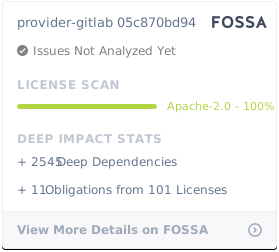
provider-gitlab is under the Apache 2.0 license.
 Directories

Directories

| Path | Synopsis |
|---|---|
|
apis
|
|
|
cluster
Package apis contains Kubernetes API for GitLab API.
|
Package apis contains Kubernetes API for GitLab API. |
|
cluster/v1beta1
Package v1beta1 contains the core resources of the gitlab provider.
|
Package v1beta1 contains the core resources of the gitlab provider. |
|
common/v1alpha1
Package v1alpha1 contains common types shared across multiple resources.
|
Package v1alpha1 contains common types shared across multiple resources. |
|
namespaced
Package apis contains Kubernetes API for GitLab API.
|
Package apis contains Kubernetes API for GitLab API. |
|
namespaced/groups/v1alpha1
Package v1alpha1 contains managed resources for Gitlab Groups +kubebuilder:object:generate=true +groupName=groups.gitlab.m.crossplane.io +versionName=v1alpha1
|
Package v1alpha1 contains managed resources for Gitlab Groups +kubebuilder:object:generate=true +groupName=groups.gitlab.m.crossplane.io +versionName=v1alpha1 |
|
namespaced/instance/v1alpha1
Package v1alpha1 contains the instance resources of the gitlab provider.
|
Package v1alpha1 contains the instance resources of the gitlab provider. |
|
namespaced/projects/v1alpha1
Package v1alpha1 contains managed resources for Gitlab Projects +kubebuilder:object:generate=true +groupName=projects.gitlab.m.crossplane.io +versionName=v1alpha1
|
Package v1alpha1 contains managed resources for Gitlab Projects +kubebuilder:object:generate=true +groupName=projects.gitlab.m.crossplane.io +versionName=v1alpha1 |
|
namespaced/v1beta1
Package v1beta1 contains the core resources of the gitlab provider.
|
Package v1beta1 contains the core resources of the gitlab provider. |
|
namespaced/v1beta2
Package v1beta2 contains the core resources of the gitlab provider.
|
Package v1beta2 contains the core resources of the gitlab provider. |
|
cmd
|
|
|
provider
command
|
|
|
pkg
|
|
|
namespaced/controller/groups/groupshares
Package groupshares reconciles GitLab group shares: one group giving the members of another group access.
|
Package groupshares reconciles GitLab group shares: one group giving the members of another group access. |