

 README

README

omm
✨ Overview
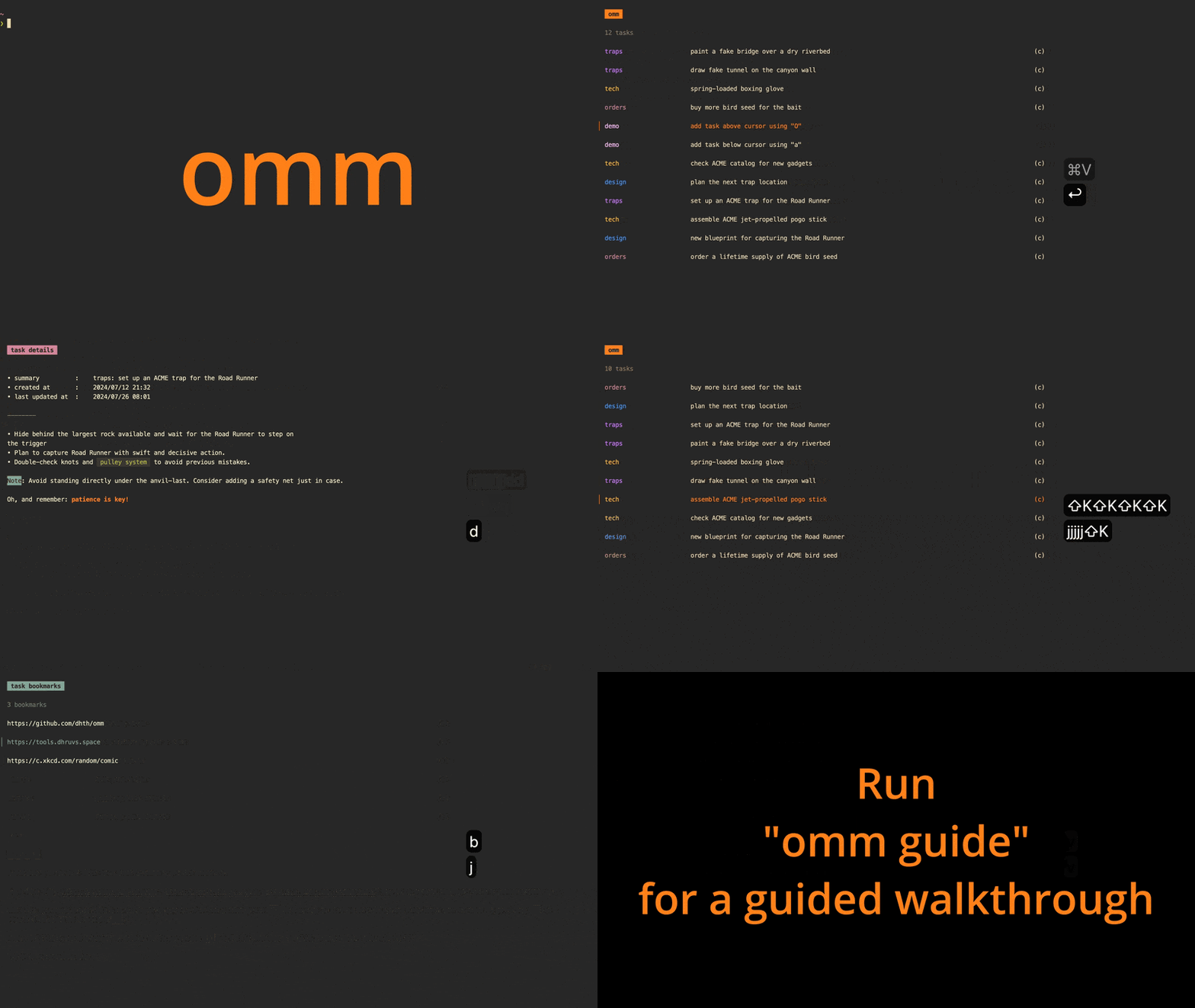
omm (stands for "on-my-mind") is a keyboard-driven task manager for the
command line.
omm is intended for those who need to frequently rearrange tasks in their
to-do list. It lets you move any item to the top of the list, add tasks at
specific positions, and adjust task priorities up or down, all via one or two
keypresses.
🤔 Motivation
The fundamental idea behind omm is that while we might have several tasks on
our to-do list — each with its own priority — we typically focus on one task at
a time. Priorities frequently change, requiring us to switch between tasks.
omm lets you visualize this shifting priority order with a very simple list
interface that can be managed entirely via the keyboard.
💾 Installation
homebrew:
brew install dhth/tap/omm
go:
go install github.com/dhth/omm@latest
Or get the binaries directly from a release.
⚡️ Usage
TUI
omm's TUI allows you to do the following (all with one or two key presses):
- create/update tasks at a specific position in the priority list
- add a task at the start/end of the list
- move a task to the top of the list (indicating that it takes the highest priority at the moment)
- move task up/down based on changing priorities
- archive/unarchive a task
- view archived tasks
- delete a task


Tweaking the TUI
The list colors and the task list title can be changed via CLI flags.
omm \
    --tl-color="#b8bb26" \
    --atl-color="#fb4934" \
    --title="work"
Importing tasks
Multiple tasks can be imported from stdin using the import subcommand.
cat << 'EOF' | omm import
Order new ACME rocket skates
Draw fake tunnel on the canyon wall
Assemble ACME jet-propelled pogo stick
EOF
Tip: Vim users can import tasks into omm by making a visual selection and
running :'<,'>!omm import<CR>.
Adding a single task
When an argument is passed to omm, it saves it as a task, instead of opening
up the TUI.
omm "Install spring-loaded boxing glove"
Outputting tasks
Tasks can be outputted to stdout using the tasks subcommand.
omm tasks
⌨️ Keymaps
j/↓:    move cursor down
k/↑:    move cursor up
o/a:    add task below cursor
O:      add task above cursor
I:      add task at the top
A:      add task at the end
J:      move task one position down
K:      move task one position up
[2-9]:  move task at index "x" to top
⏎:      move task to the top
ctrl+d: archive/unarchive task
ctrl+x: delete task
g:      go to the top
G:      go to the end
tab:    move between views
q/esc:  go back/quit
Acknowledgements
omm is built using bubbletea, and is released using goreleaser, both
of which are amazing tools.
 Documentation

Documentation


There is no documentation for this package.
 Source Files
 Directories