

 README

README

Donkey VPN - Low-Cost Ephemeral Wireguard VPN Servers
DonkeyVPN is a serverless Telegram-Powered Bot that manages the creation of ephemeral, low-cost Wireguard VPN servers.

DonkeyVPN Demo
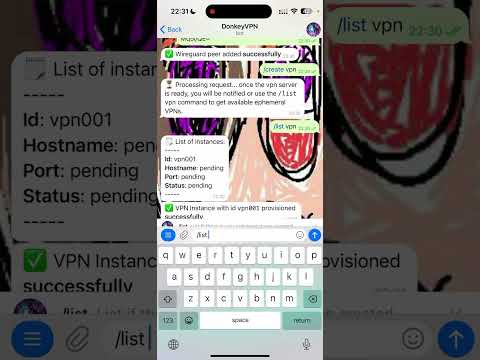
Here is a Youtube demo I recorded on how to use DonkeyVPN after it was installed:
Manuals
- Installation
- Running on Android
- Running on iOS
- Running on Linux
- Running on Windows (TODO)
- Running on MacOS (TODO)
- Local Development
Roadmap
- Make the changes acordingly to support testing, this is very important
- Create missing documentation for Windows and MacOS
- Add an AWS cron job event to notify if there are instances that have been running for more than an hour.
Design
There are two main entities:
- A VPN instance which has a logical representation in a DynamoDB table and a physical representation in an EC2 instance as part of an Autoscaling Group.
- A Peer which is a Wireguard peer that will be added to the VPN instance when launched.
DonkeyVPN has its business logic managed by a Golang Lambda function which processes all the commands sent to the Telegram Bot.f
If there is a VPN-related command such as /create vpn <vpn_id> or /list vpn it will interact mainly with the Autoscaling group and a DynamoDB table. If there is a peer related command such as /create peer <ip> <pub-key> or /list peers it will interact mainly with a DynamobDB table.
The two main workflows:
VPN creation:
sequenceDiagram
  participant User
  participant TelegramBot
  participant DonkeyVPN_Backend
  participant AutoScalingGroup
  participant VPN_Instance
  participant DynamoDB

  User->>TelegramBot: /create vpn
  TelegramBot->>DonkeyVPN_Backend: webhook trigger

  DonkeyVPN_Backend->>DonkeyVPN_Backend: check if max instances reached
  alt max not reached
    DonkeyVPN_Backend->>AutoScalingGroup: increase desired capacity
    DonkeyVPN_Backend->>DynamoDB: create vpn entry (status: pending)

    AutoScalingGroup->>VPN_Instance: launch new instance
    VPN_Instance->>VPN_Instance: run userdata script
    VPN_Instance->>DonkeyVPN_Backend: register instance
    VPN_Instance->>DonkeyVPN_Backend: get peers config
    DonkeyVPN_Backend->>DynamoDB: update entry (status: ready)

  else max reached
    DonkeyVPN_Backend-->>TelegramBot: send error: max instances reached
  end
VPN Deletion
sequenceDiagram
  participant User
  participant TelegramBot
  participant DonkeyVPNBackend
  participant DynamoDB
  participant AutoScalingGroup
  participant VPNInstance

  User->>TelegramBot: /delete vpn <vpn_id>
  TelegramBot->>DonkeyVPNBackend: webhook request with command

  DonkeyVPNBackend->>DynamoDB: delete VPN entry <vpn_id>
  alt VPN entry exists
    DonkeyVPNBackend->>AutoScalingGroup: terminate instance <vpn_id>
    alt Termination successful
      AutoScalingGroup-->>VPNInstance: stop instance
      AutoScalingGroup-->>AutoScalingGroup: update desired capacity
      DonkeyVPNBackend-->>TelegramBot: reply - VPN deleted
      TelegramBot-->>User: VPN <vpn_id> deleted successfully
    else Termination failed
      DonkeyVPNBackend-->>TelegramBot: reply - error terminating instance
      TelegramBot-->>User: Error deleting VPN <vpn_id>
    end
  else VPN entry not found
    DonkeyVPNBackend-->>TelegramBot: reply - VPN not found
    TelegramBot-->>User: VPN <vpn_id> does not exist
  end
AWS architecture

 Directories
Click to show internal directories.
Click to hide internal directories.