

 README

README


Jujutsu UI
jjui is a terminal user interface for working with Jujutsu version control system. I have built it according to my own needs and will keep adding new features as I need them. I am open to feature requests and contributions.
If you are new jjui, have a look at previously on jjui.
Features
Change revset with auto-complete
You can change revset while enjoying auto-complete and signature help while typing.

Rebase
You can rebase a revision or a branch onto another revision in the revision tree.

See Rebase for detailed information.
Squash
You can squash revisions into one revision, by pressing S. The following revision will be automatically selected. However, you can change the selection using j and k.

Show revision details
Pressing l (as in going right into the details of a revision) will open the details view of the revision you selected.
In this mode, you can:
- Restore selected files using
r(pressiin the dialog for interactive chunk restore) - Split selected files using
s - View diffs of the highlighted by pressing
d

For detailed information, see Details wiki page.
Bookmarks
You can move bookmarks to the revision you selected.

Op Log
You can switch to op log view by pressing o. Pressing r restores the selected operation. For more information, see Op log wiki page.

Preview
You can open the preview window by pressing p. If the selected item is a revision, then the output of jj show command is displayed. Similarly, jj diff output is displayed for selected files, and jj op show output is displayed for selected operations.
While the preview window is showing, you can press; ctrl+n to scroll one line down, ctrl+p to scroll one line up, ctrl+d to scroll half a page down, ctrl+u to scroll half a page up.
Additionally, you can press d to show the contents of preview in diff view.
For detailed information, see Preview wiki page.

Custom Commands
You can configure custom commands with lua scripts to set up jjui for you special use case.
See Custom Command ‐ Lua Scripting for Lua API documentation and custom command examples.
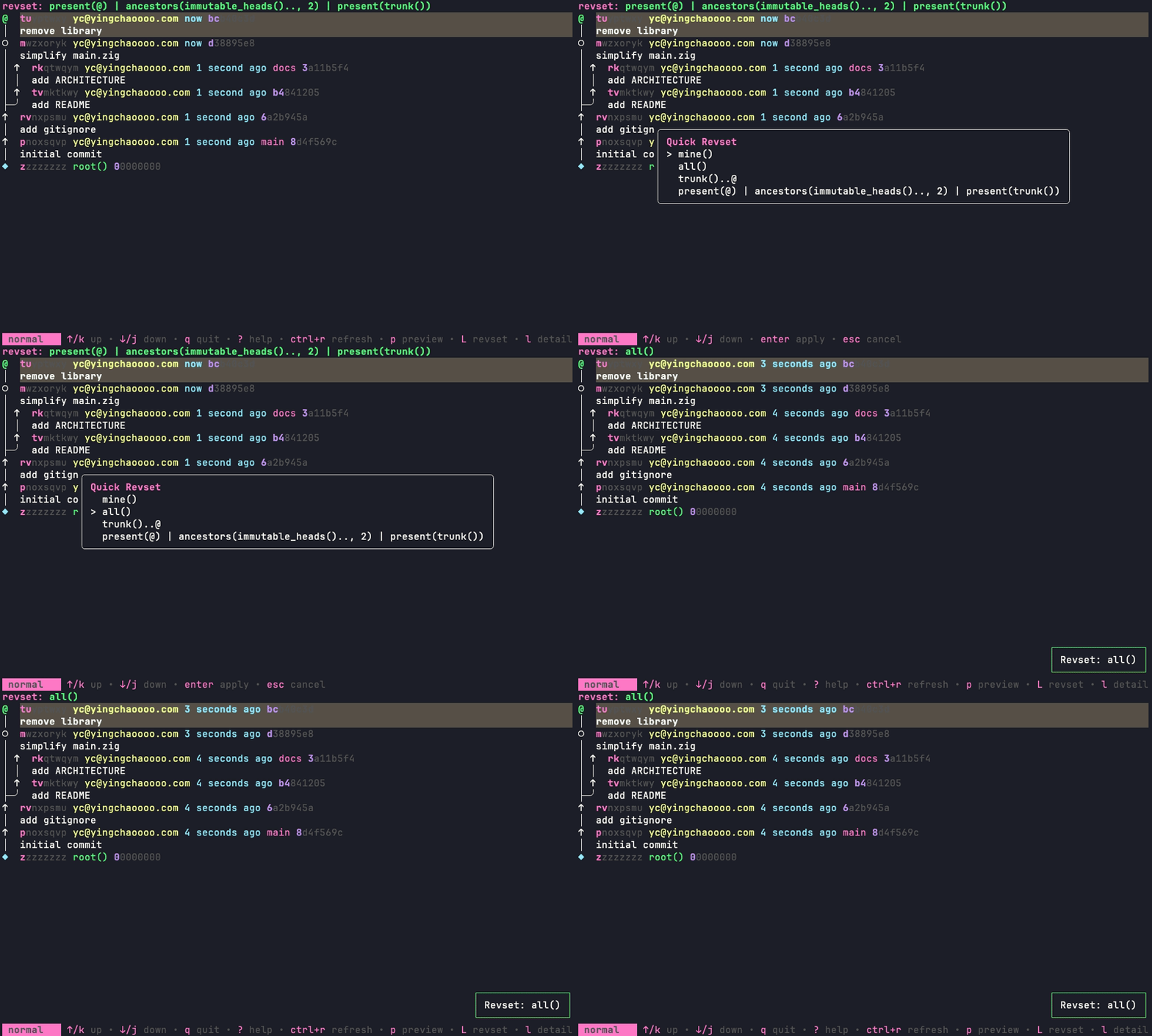
Below is a demo of Quick Revset Switcher custom command:
Additionally,
- View the diff of a revision by pressing
d. - Edit the description of a revision by pressing
D - Create a new revision by pressing
n - Split a revision by pressing
s. - Abandon a revision by pressing
a. - Absorb a revision by pressing
A. - Edit a revision by pressing
e - Git push/fetch by pressing
g - Undo the last change by pressing
u - Redo the last change by pressing
U - Show evolog of a revision by pressing
v - Jump to a revision with ace jump by pressing
f
Configuration
See configuration section in the wiki.
Installation
Windows
Use WinGet:
winget install IbrahimDursun.jjui
Use Scoop:
scoop bucket add extras
scoop install jjui
Homebrew
The latest release of jjui is available on Homebrew core:
brew install jjui
Archlinux (maintained by @TeddyHuang-00)
The built jjui binary from latest release is available on the AUR:
paru -S jjui-bin
# OR
yay -S jjui-bin
Nix
Available in nixpkgs (maintained by @Adda0):
nix run nixpkgs#jjui
This repo also provides a flake (maintained by @vic and @doprz) with flake-compat and an overlay:
nix run github:idursun/jjui
For development:
nix develop github:idursun/jjui
From go install
To install the latest released (or pre-released) version:
go install github.com/idursun/jjui/cmd/jjui@latest
To install the latest commit from main:
go install github.com/idursun/jjui/cmd/jjui@HEAD
To install the latest commit from main bypassing the local cache:
GOPROXY=direct go install github.com/idursun/jjui/cmd/jjui@HEAD
From source
You can build jjui from source.
git clone https://github.com/idursun/jjui.git
cd jjui
go install ./...
From pre-built binaries
You can download pre-built binaries from the releases page.
Compatibility
Minimum supported jj version is v0.36+.
Contributing
Feel free to submit a pull request.
You can compile jjui by running go build ./cmd/jjui in the root of the repo.
 Directories

Directories

| Path | Synopsis |
|---|---|
|
cmd
|
|
|
jjui
command
|
|
|
internal
|
|
|
askpass
Package askpass provides a backchannel to handle ssh password prompts from the calling instance.
|
Package askpass provides a backchannel to handle ssh password prompts from the calling instance. |
|
ui/helppage
Package helppage provides a help page model for jjui
|
Package helppage provides a help page model for jjui |