

 README

README

Cloudcreds
Secure access to your organization's AWS accounts for both programmatic and console use-case via federated identity
- ✅ Credentials are short-lived (Min: 1h, Max: 12h)
- ✅ Fine-grained RBAC (via Google Admin CustomSchemas)
- ✅ Easy deployment (via docker, kustomize and executables)
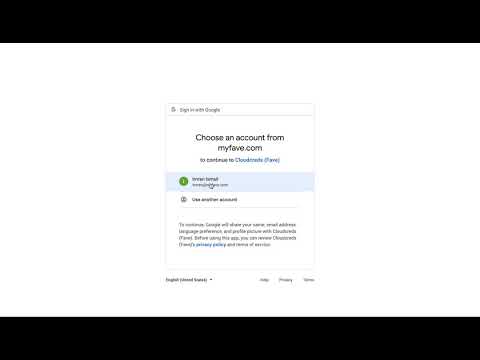
Demo 👇
Default Config
client:
  # Debug flag
  debug: true
  # Local URL to host and open the temporary client-server to initiate auth with cloudcreds server
  url: "http://127.0.0.1:1338"
  # cloudcreds server URL
  server_url: "http://127.0.0.1:1337"
server:
  # debug flag
  debug: true
  # public URL of the server
  url: "https://cloudcreds.internal.acme.com"
  # hostname to be bind
  hostname: "127.0.0.1"
  # port to be bind
  port: 1337
  # key used to encrypt cookie session
  session_key: please-set-this-to-a-high-entropy-string
  # oauth credentials, you can follow along this tutorial to generate them:
  # make sure to set your:
  # - authorized domain
  # - default scopes
  # - whitelisted callback
  # https://support.google.com/cloud/answer/6158849?hl=en
  client_id: "<google-oauth-client-id>"
  client_secret: "<google-oauth-client-secret>"
  # supports only google for now
  # future plans includes github, auth0 and other oidc adapters
  issuer_url: "https://accounts.google.com"
  # your organization hosted domain e.g: youremail@hosted_domain.com
  hosted_domain: "*"
  # these are the default scopes needed
  scopes:
  - email
  - profile
  - openid
  - https://www.googleapis.com/auth/admin.directory.user.readonly
 Documentation

Documentation

Overview 
Copyright © 2019 Imran Ismail <imran.codely@gmail.com>
Permission is hereby granted, free of charge, to any person obtaining a copy of this software and associated documentation files (the "Software"), to deal in the Software without restriction, including without limitation the rights to use, copy, modify, merge, publish, distribute, sublicense, and/or sell copies of the Software, and to permit persons to whom the Software is furnished to do so, subject to the following conditions:
The above copyright notice and this permission notice shall be included in all copies or substantial portions of the Software.
THE SOFTWARE IS PROVIDED "AS IS", WITHOUT WARRANTY OF ANY KIND, EXPRESS OR IMPLIED, INCLUDING BUT NOT LIMITED TO THE WARRANTIES OF MERCHANTABILITY, FITNESS FOR A PARTICULAR PURPOSE AND NONINFRINGEMENT. IN NO EVENT SHALL THE AUTHORS OR COPYRIGHT HOLDERS BE LIABLE FOR ANY CLAIM, DAMAGES OR OTHER LIABILITY, WHETHER IN AN ACTION OF CONTRACT, TORT OR OTHERWISE, ARISING FROM, OUT OF OR IN CONNECTION WITH THE SOFTWARE OR THE USE OR OTHER DEALINGS IN THE SOFTWARE.
 Source Files
 Directories