

 README

README

Kramer's Deals
@kramerbot
Live Demo https://t.me/kramerbot

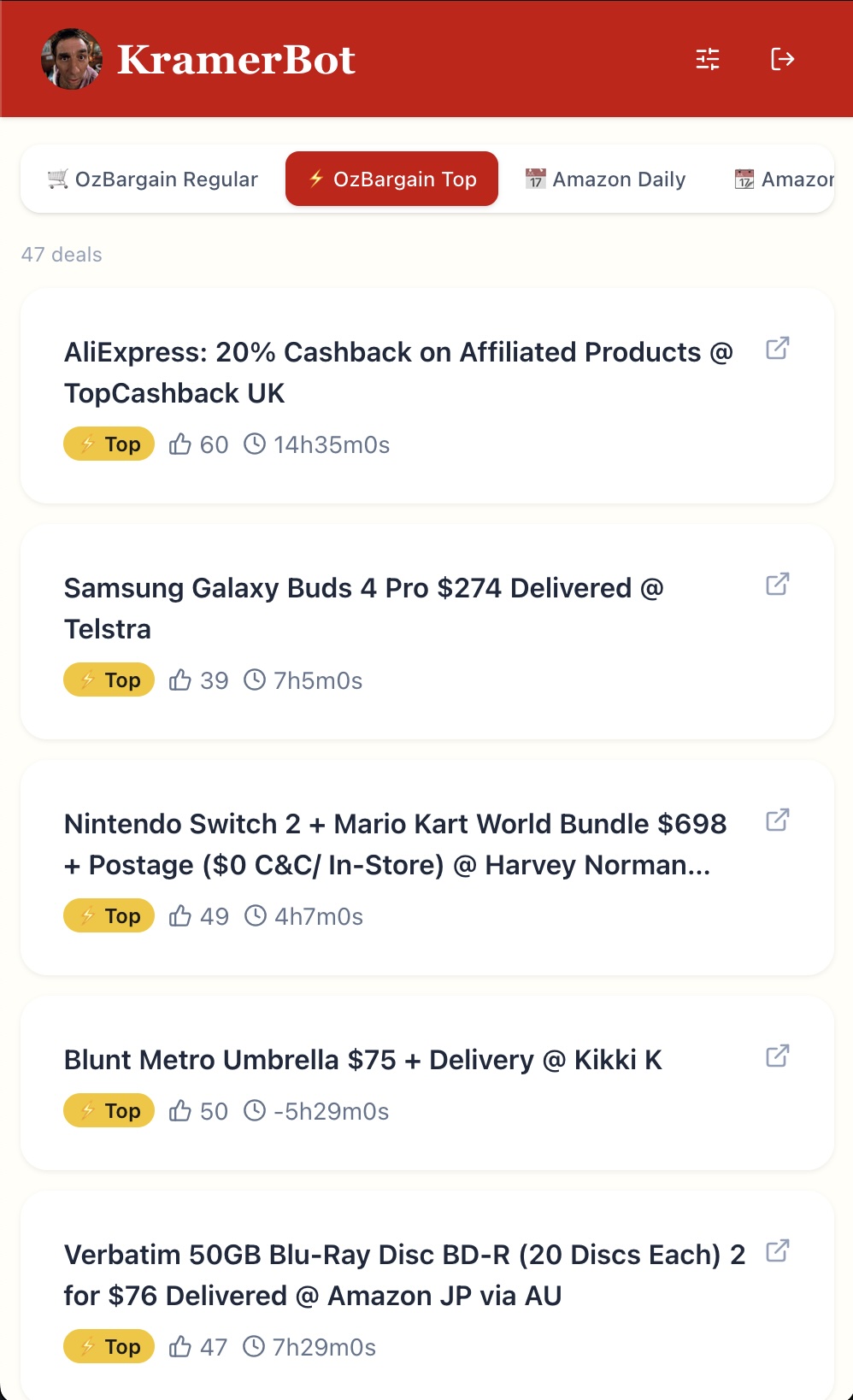
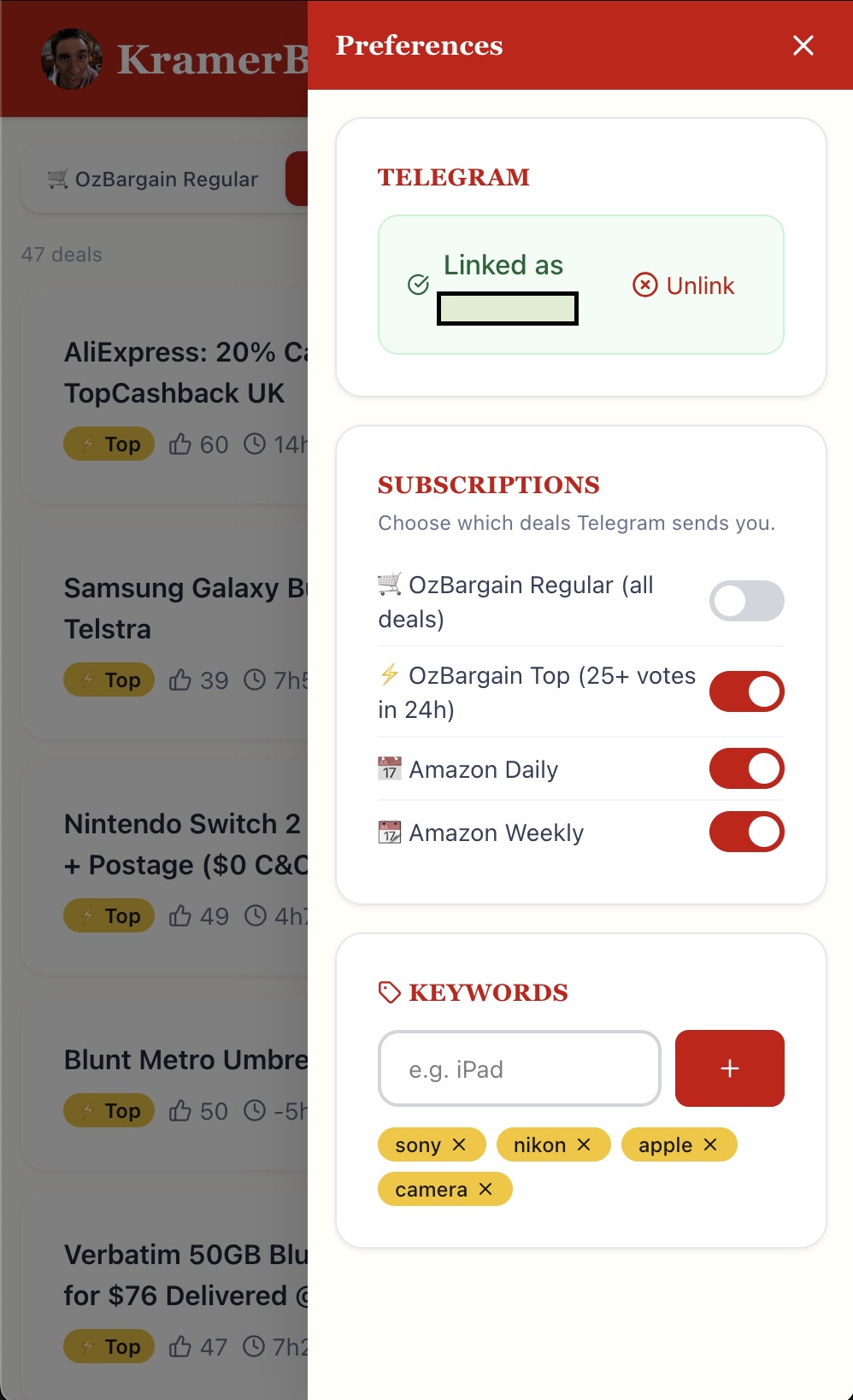
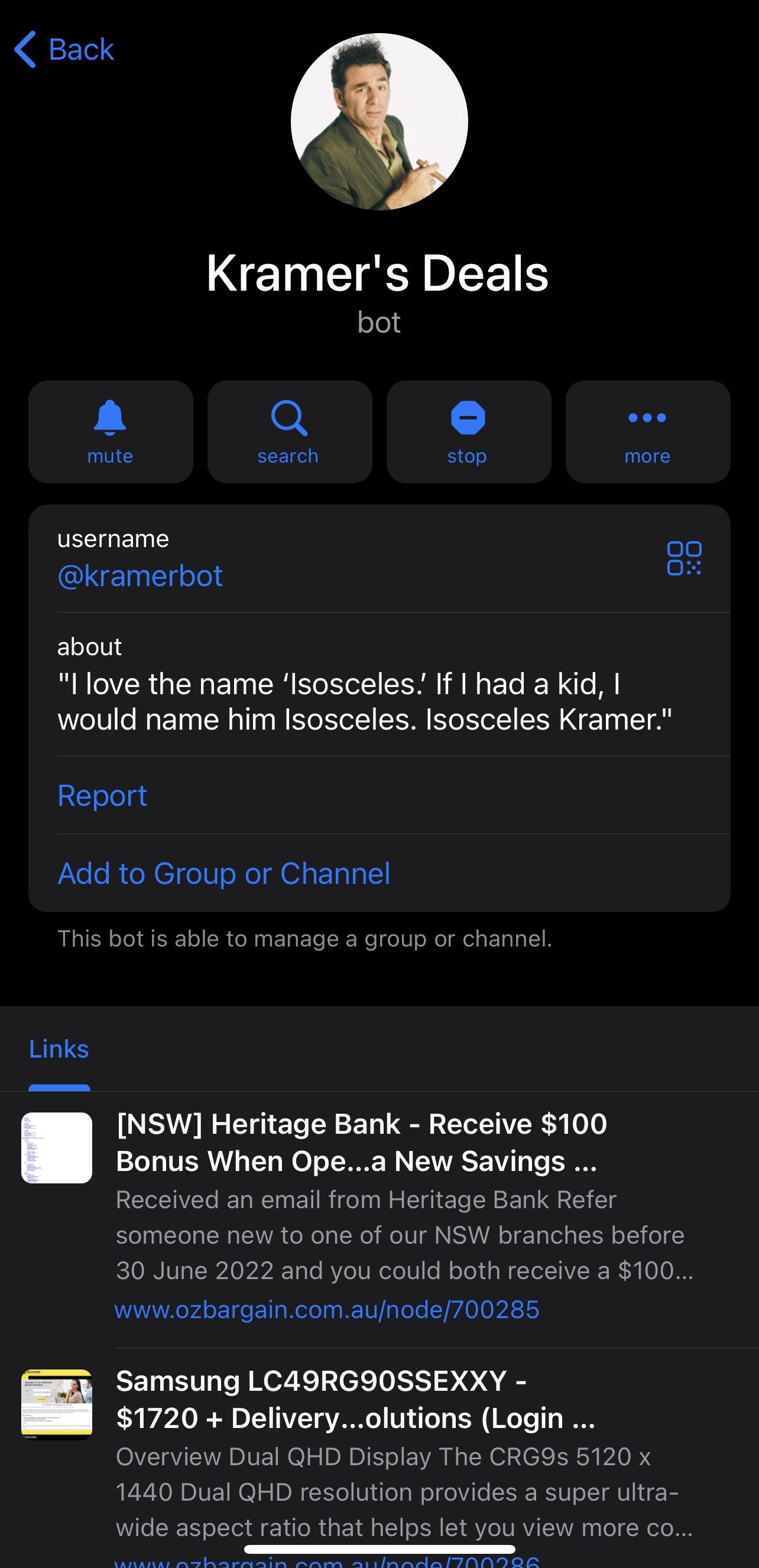
A Telegram bot — and now a full web app — to get you the latest deals from https://www.ozbargain.com.au and https://amazon.com.au. Let Kramer watch deals so you don't have to. Giddy up! A Telegram bot — and now a full web app — to get you the latest deals from https://www.ozbargain.com.au and https://amazon.com.au. Let Kramer watch deals so you don't have to. Giddy up! A Telegram bot — and now a full web app — to get you the latest deals from https://www.ozbargain.com.au and https://amazon.com.au. Let Kramer watch deals so you don't have to. Giddy up!
Features
- Uses Telegram Bot API for instant notifications
- Written in Go; deployable as a single binary or Docker container
- Web UI — sign up, manage preferences, browse deals, and link your Telegram account from a browser
- Subscribe to regular or top deals, or set up keyword watches via Telegram commands or the web dashboard
- User data is written to a SQLite database file (
data/users.dbby default) - Keep track of deals already sent to avoid duplicate notifications
- Supports scraping www.ozbargain.com.au — Regular (all deals) and Top (25+ votes in 24h) deals
- Supports scraping www.amazon.com.au (via Camel Camel Camel RSS) — Top daily and weekly deals
- Daily email summary — opt-in digest of top OzBargain + Amazon Daily deals sent at 8pm (configurable timezone, defaults to
Australia/Adelaide) - Supports Android TV notifications (via Pipup)
- Admin announcement broadcast
Web UI
The web interface runs at http://localhost:8989 (or the configured port).
Pages
| Route | Description |
|---|---|
/ |
Landing page |
/signup |
Create an account (email + password) |
/login |
Sign in |
/verify-email |
Email verification landing (linked from signup email) |
/forgot-password |
Request a password reset email |
/reset-password |
Choose a new password (linked from reset email) |
/dashboard |
Browse today's deals; manage keywords; link Telegram |
Sign-up flow
- Register at
/signup— a verification email is sent immediately. - Click the link in the email to verify your address and log in.
- Accounts that have not been verified cannot sign in.
Existing accounts in the database (created before email verification was added) have
email_verified = 0and will be blocked at login. To unblock them run:UPDATE web_users SET email_verified = 1;
Linking Telegram
- Sign up / log in on the web dashboard.
- Click Link Telegram Account in the sidebar.
- A deep link button appears — click it to open the Telegram app.
- The bot receives your
/start <token>and links the accounts automatically. - The dashboard updates within a few seconds.
Email (SMTP)
Email is used for three flows:
| Flow | Trigger | Link destination |
|---|---|---|
| Email verification | New account registration | /verify-email?token=… |
| Password reset | Forgot password form | /reset-password?token=… |
| Daily summary | 8pm scheduler (opt-in per user) | — |
Configuring an SMTP provider
Set the following variables in kramerbot.env:
SMTP_HOST=smtp.resend.com        # SMTP server hostname
SMTP_PORT=587                    # STARTTLS port (use 587 for all providers)
SMTP_USER=resend                 # Username (varies by provider)
SMTP_PASS=re_xxxx                # Password / API key
SMTP_FROM=KramerBot <noreply@yourdomain.com>
Important: Do not use a personal @gmail.com, @outlook.com, or @yahoo.com address as SMTP_FROM when routing through a third-party relay — those domains have DMARC policies that will cause delivery failures. Use an address on a domain you control, or a sender address provided by your email service.
Recommended providers:
| Provider | Free tier | Notes |
|---|---|---|
| Resend | 3,000/month | Use onboarding@resend.dev as sender without a custom domain |
| Mailjet | 6,000/month | Requires verified sender domain or address |
| SendGrid | 100/day | SMTP_USER=apikey, SMTP_PASS=<api_key> |
Set SUMMARY_TIMEZONE to any valid IANA timezone (e.g. Australia/Sydney, America/New_York). The server timezone is irrelevant — the scheduler always targets 8pm in the configured zone.
Also update api.web_url in config.yaml to your public domain so links in emails point to the right place:
api:
  web_url: "https://yourdomain.com"
Disabling email (development / testing)
Leave SMTP_HOST empty. The bot skips sending emails and logs the verification/reset links to the console instead — copy them directly into your browser.
# Find links in container logs:
docker logs kramerbot | grep "verify\|reset"
REST API
All endpoints are prefixed with /api/v1.
Auth (public)
POST /api/v1/auth/register          — Create account { email, password, display_name } → 202
GET  /api/v1/auth/verify-email      — Verify email ?token=… → JWT
POST /api/v1/auth/login             — Login { email, password } → JWT
POST /api/v1/auth/logout            — Logout (client discards token)
POST /api/v1/auth/forgot-password   — Send reset email { email }
POST /api/v1/auth/reset-password    — Set new password { token, password }
User (requires Bearer JWT)
GET    /api/v1/user/profile             — Current user profile
PUT    /api/v1/user/preferences         — Update deal toggles
GET    /api/v1/user/keywords            — List keywords
POST   /api/v1/user/keywords            — Add keyword { keyword }
DELETE /api/v1/user/keywords/:keyword   — Remove keyword
POST   /api/v1/user/telegram/link       — Generate deep link token
GET    /api/v1/user/telegram/status     — Linked status
DELETE /api/v1/user/telegram/link       — Unlink Telegram
Deals (requires Bearer JWT)
GET /api/v1/deals/ozbargain   ?type=good|super   &limit=50 &offset=0
GET /api/v1/deals/amazon      ?type=daily|weekly &limit=50 &offset=0
GET /api/v1/deals             — Combined feed
Deployment
Configuration is primarily managed via config.yaml. Sensitive values must be set via environment variables.
Environment variables
TELEGRAM_BOT_TOKEN=<token>           # Mandatory for bot
TELEGRAM_BOT_USERNAME=<username>     # Used in deep link URL (without @)
KRAMERBOT_ADMIN_PASS=<password>      # Optional — admin commands
SQLITE_DB_PATH=<path>                # Optional — defaults to data/users.db
JWT_SECRET=<random_32_byte_hex>      # Mandatory for web API in production

# SMTP — set these to use a real mail provider (see "Email" section above)
SMTP_HOST=
SMTP_PORT=587
SMTP_USER=
SMTP_PASS=
SMTP_FROM=KramerBot <noreply@yourdomain.com>

# Daily summary timezone — IANA timezone name (default: Australia/Adelaide)
SUMMARY_TIMEZONE=Australia/Adelaide
Generate a JWT secret:
openssl rand -hex 32
Run locally
# Backend
go build .
JWT_SECRET=changeme TELEGRAM_BOT_TOKEN=<token> ./kramerbot

# Frontend (separate terminal)
cd frontend && npm run dev
When running locally without Docker, SMTP is not configured by default. Verification/reset links are printed to the terminal so you can copy them directly into your browser.
Using Docker Compose (recommended)
- Edit
kramerbot.envand setTELEGRAM_BOT_TOKEN,TELEGRAM_BOT_USERNAME, andJWT_SECRET. - Run:
docker compose up -d
- Open http://localhost:8989 for the web app.
Using Docker directly
mkdir -p data

docker run -d --name kramerbot \
  --env-file ./kramerbot.env \
  -v "$(pwd)/data:/app/data" \
  -p 8989:8080 \
  --restart unless-stopped \
  kramerbot:latest
Note: when running without Docker Compose, wire up your own SMTP server via the SMTP_* env vars.
Setup Database (SQLite)
The bot auto-creates data/users.db on first run (including the web_users table with email verification columns).
No manual migration is needed.
 Documentation

Documentation


There is no documentation for this package.
 Source Files
 Directories

Directories

| Path | Synopsis |
|---|---|
|
Package api provides the HTTP API server for the KramerBot web interface.
|
Package api provides the HTTP API server for the KramerBot web interface. |
|
handlers
Package handlers contains HTTP request handlers for the KramerBot API.
|
Package handlers contains HTTP request handlers for the KramerBot API. |
|
package to wrap telegram bot api
|
package to wrap telegram bot api |