

 README

README

itch-setup
This is the installer, launcher and self-update helper for the itch.io app
https://itchio.itch.io/itch-setup
It applies a few tricks it learned from Squirrel.Mac and Squirrel.Windows, and uses some of the same technology behind butler, itch.io's command line uploader and patcher.
Overview
itch-setup is responsible for installing, updating, and launching the itch.io desktop app. It handles:
- First-time installation with a graphical progress indicator
- Launching the current version on every app start
- Background updates while the app is running
- Relaunching after updates are applied
- Launching installed games headlessly, without the app running
- Uninstallation
How It Works
Installing the App
Running itch-setup with no flags is the default behavior: it installs the
app, or repairs the existing install, and then launches it. This is what
happens when a user downloads itch-setup from itch.io and runs it, and it's
also the fallback whenever a launch finds no valid version on disk (see
Launching the App).
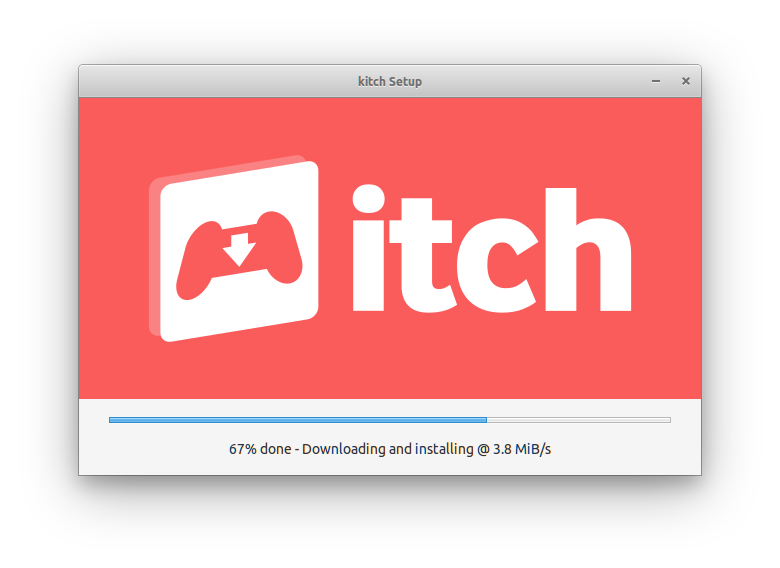
The installer shows a small window with a progress bar while it works. Pass
--silent to run without any UI, or --appname kitch to install the
canary build instead of itch.
The install goes like this:
- Fetch latest version - Query the Broth package server for the latest version number
- Download signature - Fetch the archive signature file for verification
- Stream and extract - Download the archive while extracting files, using wharf's "healing" mechanism
- Stage in temp folder - New installs go to a staging directory first
- Swap atomically - Move the staged version to the final location, renaming any existing version to
.old - Set up the launcher - Copy itch-setup itself into the install directory, then create desktop shortcuts, Start Menu entries or a
.desktopfile, register theitch:/itchio:URL protocols, and on Windows add an uninstaller entry to the registry - Launch the app - Start the newly installed app
Because the archive is applied with wharf's healing, only files that are missing or differ from the signature are downloaded. Running the installer over an existing install of the same version repairs it in place; running it over a different version stages and installs the new one alongside it.
See File Locations for where everything ends up on each platform.
Launching the App
In a typical installation, itch-setup is a small, stable binary that sits in front of the app. Every way of starting the app on the system goes through it:
- Desktop and Start Menu shortcuts
- The
.desktopfile on Linux - The
itch:/itchio:URL protocol handlers - Steam shortcuts and other launchers (see Launching Games in Headless Mode)
All of these invoke itch-setup with --prefer-launch, forwarding any
arguments (such as a URL) after --:
itch-setup --prefer-launch --appname itch -- "%1"      # Windows shortcuts and protocol handler
itch-setup --prefer-launch --appname itch -- "$@"      # Linux launch script
The app itself is installed side by side in versioned directories
(app-<version>/), and state.json records which one is current and whether
a newer one has been downloaded and is ready to go. When itch-setup is
launched as a proxy it:
- Promotes a downloaded "ready" version to current, if there is one (on Windows this is skipped while the current version is still running)
- Validates that the current version is intact
- Starts it, passing through any arguments
If no valid version is found (first run, or a corrupted install), it falls back to running the full installer and launches the app afterwards.
Because shortcuts (should) always point at itch-setup rather than at a specific
app-<version>/ executable, updating the app never breaks them, and the app is
free to replace its own files while running (see Updates).
Passing Arguments Through to the App
Arguments after -- are appended to the app's own command line (Linux and
Windows only). You can use the same shape as the shortcuts by hand to open a
URL in the currently installed version of the app. For example, this is the
URL --run-game hands to the app to install a game if needed and then launch
it:
itch-setup --prefer-launch -- "itch://install?game_id=12345&launch"
For kitch, use --appname kitch and a kitch:// URL, since kitch only
handles its own scheme.
--prefer-launch makes itch-setup launch the current install without going
through setup, and the URL is handed to the app exactly as it would be by a
click on an itchio: link. If no valid install is found, setup runs first and
the URL is forwarded once the app is installed.
Updates
While the app is running, it periodically invokes itch-setup --upgrade.
This compares the installed version against Broth's LATEST and, if they
differ, downloads the new version using the same flow as an install. Instead
of becoming current right away, the new version is queued as "ready".
itch-setup uses a "multiverse" system to manage versions, tracked in state.json:
{
  "current": "25.6.2",
  "ready": ""
}
- current - The version that's installed and actively used
- ready - A version that's been downloaded but not yet activated
The ready version becomes current either when the app asks itch-setup to
restart it (itch-setup --relaunch --relaunch-pid <pid>, which stops that
process, promotes the ready version and starts it), or on the next launch
through a shortcut, as described in Launching the App.
The previous version is renamed to .old and cleaned up.
If the install folder isn't writable by the current user, --upgrade only
reports that an update is available and requires elevation. The app then
re-runs itch-setup with --elevate (Windows only) to perform the update with
administrator rights. On the app side, the outcome of these headless runs is
read from the JSON-lines messages written to --log-file.
The elevated copy may run under a different account than the one that asked (a standard user entering an administrator's credentials at the UAC prompt). It still updates the original install and writes shortcuts, the uninstall entry and protocol handlers to the interactive desktop user's profile, then starts the app as that user.
Broth
Broth is itch.io's package distribution service. itch-setup fetches packages from Broth at URLs like:
https://broth.itch.zone/itch/linux-amd64/LATEST
https://broth.itch.zone/itch/linux-amd64/<version>/archive/default
Architecture Fallback
On macOS and Windows, if you're running on an arm64 system (Apple Silicon or ARM Windows) and no native arm64 build is available on Broth, itch-setup will automatically fall back to the amd64 version. This works because:
- macOS with Apple Silicon can run x86_64 apps via Rosetta 2
- Windows on ARM can run x64 apps via emulation
This allows itch-setup to install the app even when a native ARM build hasn't been released yet. Use the --no-fallback flag to disable this behavior and require a native arm64 build.
Installing a Specific Version
By default itch-setup installs whatever Broth reports as the latest version.
To install a specific version instead, set the ITCHSETUP_VERSION environment
variable before running the installer:
# Linux / macOS
ITCHSETUP_VERSION=25.6.2 ./itch-setup

# Windows (cmd)
set ITCHSETUP_VERSION=25.6.2
itch-setup.exe

# Windows (PowerShell)
$env:ITCHSETUP_VERSION = "25.6.2"
.\itch-setup.exe
When set, itch-setup skips the LATEST lookup and fetches that version's
archive directly, so it must exist on Broth for your channel. The list of
available versions for a channel is at:
https://broth.itch.zone/itch/<channel>/versions
where <channel> is e.g. linux-amd64, windows-amd64 or darwin-arm64.
Caveats:
- The override only applies to the install flow (running
itch-setupwith no flags, or with--silent). It is not honored by--upgrade, which always compares againstLATEST. - Don't combine it with
--prefer-launch: if a valid version is already installed, that flag launches it without running setup at all. - If the requested version is already the current one, itch-setup just heals it in place. Otherwise the requested version is staged, then made current, even if it's older than what's installed.
- The pin is not persistent. The next time the running app performs a
background update check via
--upgrade, it will download and queue the latest version as usual.
Launching Games in Headless Mode
Installed games can be launched without the app running:
itch-setup --run-game <gameId> [--profile-id <profileId>]
This was introduced primarily for the app's Steam shortcuts feature, but it
works with any launcher or shortcut system. --run-game implies --silent,
so no window is shown; itch-setup stays alive until the game exits and
forwards termination signals to it.
This is built on butler's launch subcommand, which runs the app's launch
machinery in-process against the existing butler.db, with no daemon
required. itch-setup handles the app-specific parts:
- Locates the app's user data directory and the broth-managed butler the
app itself uses (
<userData>/broth/butler/), so the database schema always matches. - Reads
preferences.jsonand translates the relevant global settings into butler--default-*flags. Per-game launch options come from the database and take precedence. - Runs
butler --json --dbpath <userData>/db/butler.db launch --game <gameId> ...and mirrors its log output.
Games launched this way behave as if started from the app: sandboxing, prerequisites, play time tracking, API key injection and per-game launch options are all preserved.
--profile-id attributes the play session to that itch.io user (Steam
shortcuts bake in the profile that created them). If that profile has since
been logged out of the app, the launch is retried without it, so only the
session attribution is lost.
Not every launch can run headlessly. HTML5 games
need a browser window, soundtracks and books need the OS shell, and an
unaccepted license or a failed prerequisite install needs a client to prompt
the user. In those cases (or if the installed butler is too old to support
launch) itch-setup hands off to the full app instead, starting it or
bringing it to the foreground on the game's launch dialog via an
itch://install?game_id=<gameId>&launch URL. If the app itself isn't
installed, the regular installer GUI runs and the URL is forwarded once the
install completes.
Uninstall
Run itch-setup --uninstall to remove the installation. The uninstaller will:
- Kill running processes - Gracefully close any running instances of the app
- Remove installation files - Delete all versioned app directories (
app-<version>/), icons, state files, and shortcuts - Clean app-managed data - Remove logs, crash reports, and prerequisites from the user data directory
What gets preserved:
User data is intentionally kept to allow easy reinstallation:
- User profiles and accounts (
users/) - Preferences (
preferences.json,config.json) - Game library database (
db/)
Platform-specific details:
| Platform | Removes | User Data Location |
|---|---|---|
| Windows | %LOCALAPPDATA%\itch\, Start Menu & Desktop shortcuts, registry uninstaller entry |
%APPDATA%\itch\ |
| macOS | ~/Applications/itch.app, ~/Library/Application Support/itch-setup/ |
~/Library/Application Support/itch/ |
| Linux | ~/.itch/, ~/.local/share/applications/io.itch.itch.desktop |
~/.config/itch/ |
On Windows, the itch-setup.exe binary cannot delete itself while running, so it moves itself to a temporary trash directory (%TEMP%\.itch-setup-trash\).
Reference
Command Line Flags
| Flag | Description |
|---|---|
--prefer-launch |
Try to launch an existing installation first; only run setup if no valid version is found |
--upgrade |
Check for and apply updates (used by the running app for background updates) |
--relaunch |
Wait for a process to exit, then relaunch the app (used after applying updates) |
--relaunch-pid <pid> |
PID to wait for before relaunching (required with --relaunch) |
--uninstall |
Remove the installation |
--appname <name> |
Specify which app to manage: itch or kitch |
--silent |
Run installation without showing the GUI |
--no-fallback |
Disable automatic arm64 to amd64 architecture fallback |
--info |
Display installation information and exit |
--run-game <id> |
Launch an installed itch.io game by its game ID, headlessly through butler when possible. If the app isn't installed, falls back to the installer GUI and forwards the launch to the app afterwards |
--profile-id <id> |
itch.io user ID to attribute play sessions to (used with --run-game) |
--sync-launcher |
Refresh the launcher copy of itch-setup and the desktop integration (shortcuts, protocol handlers) from the binary being run. Used by the app after a self-update; no-op on macOS |
--elevate |
Re-run itch-setup with administrator rights before doing anything else (Windows only). Used with --upgrade when the install folder isn't writable |
--install-dir <path> |
Internal. Absolute install folder to use instead of looking it up (Windows only); the --elevate re-run passes its own down |
--log-file <path> |
Also write JSON-lines status messages to this file, so a caller can read the outcome of --upgrade / --relaunch |
-- <args...> |
Everything after -- is passed through to the itch app's command line (Linux and Windows only) |
--run-game and --sync-launcher imply --silent.
Environment Variables
| Variable | Description |
|---|---|
ITCHSETUP_VERSION |
Install this version instead of the latest one, see Installing a Specific Version |
ITCH_BROTH_URL |
Base URL of the Broth package server (default https://broth.itch.zone). Used by the integration tests to point at a mock server |
ITCH_SETUP_LOCALE |
Force the UI locale (e.g. fr) instead of detecting it from the system |
File Locations
| Platform | Base Directory | App Location |
|---|---|---|
| Windows | %LOCALAPPDATA%\itch\ |
%LOCALAPPDATA%\itch\app-<version>\ |
| Linux | ~/.itch/ |
~/.itch/app-<version>/ |
| macOS | ~/Library/Application Support/itch-setup/ |
~/Applications/itch.app |
Each installation directory contains:
state.json- Tracks current and ready versionsapp-<version>/- The installed app files (or staging directory during install)staging/- Temporary directory used during installation
License
itch-setup is MIT-licensed, see LICENSE for details
 Documentation

Documentation


There is no documentation for this package.
 Source Files
 Directories

Directories

| Path | Synopsis |
|---|---|
|
Package rungame launches an installed itch.io game headlessly through the app's broth-managed butler, handing the launch to the app itself when butler reports it cannot serve it.
|
Package rungame launches an installed itch.io game headlessly through the app's broth-managed butler, handing the launch to the app itself when butler reports it cannot serve it. |
|
test
|
|