

 README

README

Leetgo



This project is still in its early development stage and many features have not yet been implemented. Everything is subject to rapid change.
中文 | English
leetgo is a command-line tool for LeetCode that provides almost all the functionality of LeetCode,
allowing you to complete all of your LeetCode exercises without leaving the terminal.
It can automatically generate skeleton code and test cases, support local testing and debugging,
and you can use any IDE you like to solve problems.
And leetgo also supports real-time generation of contest questions, so your submissions are one step ahead!
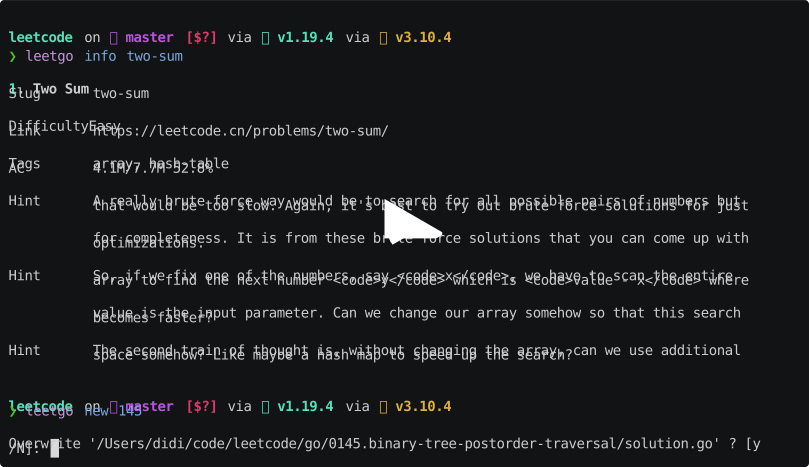
Highlight of features
- Search for and view a question by its ID or slug.
- Generate skeleton code and testing code for a question.
- Run test cases on your local machine.
- Generate contest questions just in time.
Language support
Currently, leetgo supports generating code and local test for the following languages:
| Generate | Local Test | |
|---|---|---|
| Go | ✅ | ✅ |
| Python | ✅ | ❌ |
| C++ | ✅ | ❌ |
| Rust | ✅ | ❌ |
| Java | ✅ | ❌ |
| JavaScript | ✅ | ❌ |
| PHP | ✅ | ❌ |
| C | ✅ | ❌ |
| C# | ✅ | ❌ |
| Ruby | ✅ | ❌ |
| Swift | ✅ | ❌ |
| Kotlin | ✅ | ❌ |
and many other languages are in plan. (help wanted, contributions welcome!)
Installation
You can download the latest binary from the release page.
Install via go install
go install github.com/j178/leetgo@latest
Install via brew install
brew install j178/tap/leetgo
Usage
Usage:
  leetgo [command]

Available Commands:
  init                    Init a leetcode workspace
  pick                    Generate a new question
  today                   Generate the question of today
  info                    Show question info
  test                    Run question test cases
  submit                  Submit solution
  contest                 Generate contest questions
  cache                   Manage local questions cache
  config                  Show leetgo config dir
  encrypt                 Encrypt a sensitive string to be used in config file
  help                    Help about any command
  completion              Generate the autocompletion script for the specified shell

Flags:
  -v, --version      version for leetgo
  -g, --gen string   language to generate: cpp, go, python ...
  -y, --yes          answer yes to all prompts
  -h, --help         help for leetgo

Use "leetgo [command] --help" for more information about a command.
LeetCode Support
Leetgo uses LeetCode's GraphQL API to get questions and submit solutions. You need to provide your LeetCode session ID to authenticate.
Currently only leetcode.cn is supported. Support for leetcode.com is under development.
Configuration
Leetgo uses two levels of configuration files, the global configuration file located at ~/.config/leetgo/config.yaml and the local configuration file located at leetgo.yaml in the project root.
These configuration files are generated during the leetgo init process.
The local configuration file in the project will override the global configuration.
It is generally recommended to use the global configuration as the default configuration and customize it in the project by modifying the leetgo.yaml file.
# Your name
author: Bob
# Generate code for questions, go, python, ... (will be override by project config and flag --gen)
gen: go
# Language of the questions, zh or en
language: zh
# LeetCode configuration
leetcode:
  # LeetCode site, https://leetcode.com or https://leetcode.cn
  site: https://leetcode.cn
  # Credential to access LeetCode
  credential:
    # Read leetcode cookie from browser, currently only chrome is supported.
    read_from_browser: chrome
contest:
  # Base dir to put generated contest questions
  out_dir: ""
# The editor to open generated files
editor:
  command: vim
  args: []
# Cache type, json or sqlite
cache: json
go:
  out_dir: go
  # Generate separate package for each question
  separate_package: true
  # Filename template for Go files
  filename_template: ""
python:
  out_dir: python
cpp:
  out_dir: cpp
java:
  out_dir: java
rust:
  out_dir: rust
c:
  out_dir: c
csharp:
  out_dir: csharp
javascript:
  out_dir: javascript
ruby:
  out_dir: ruby
swift:
  out_dir: swift
kotlin:
  out_dir: kotlin
php:
  out_dir: php
Troubleshooting
If you encounter any problems, please run your command with DEBUG environment variable set to 1, copy the command output and open an issue.
Contributions welcome!
Good first issues are a great place to start, and you can also check out some help wanted issues.
Credits
 Documentation

Documentation


There is no documentation for this package.
 Source Files
 Directories