


 README

hlb: git + hub/lab/bucket and more
hlb is a command line tool that provides unified & interactive interface to multiple git repository hosting services.

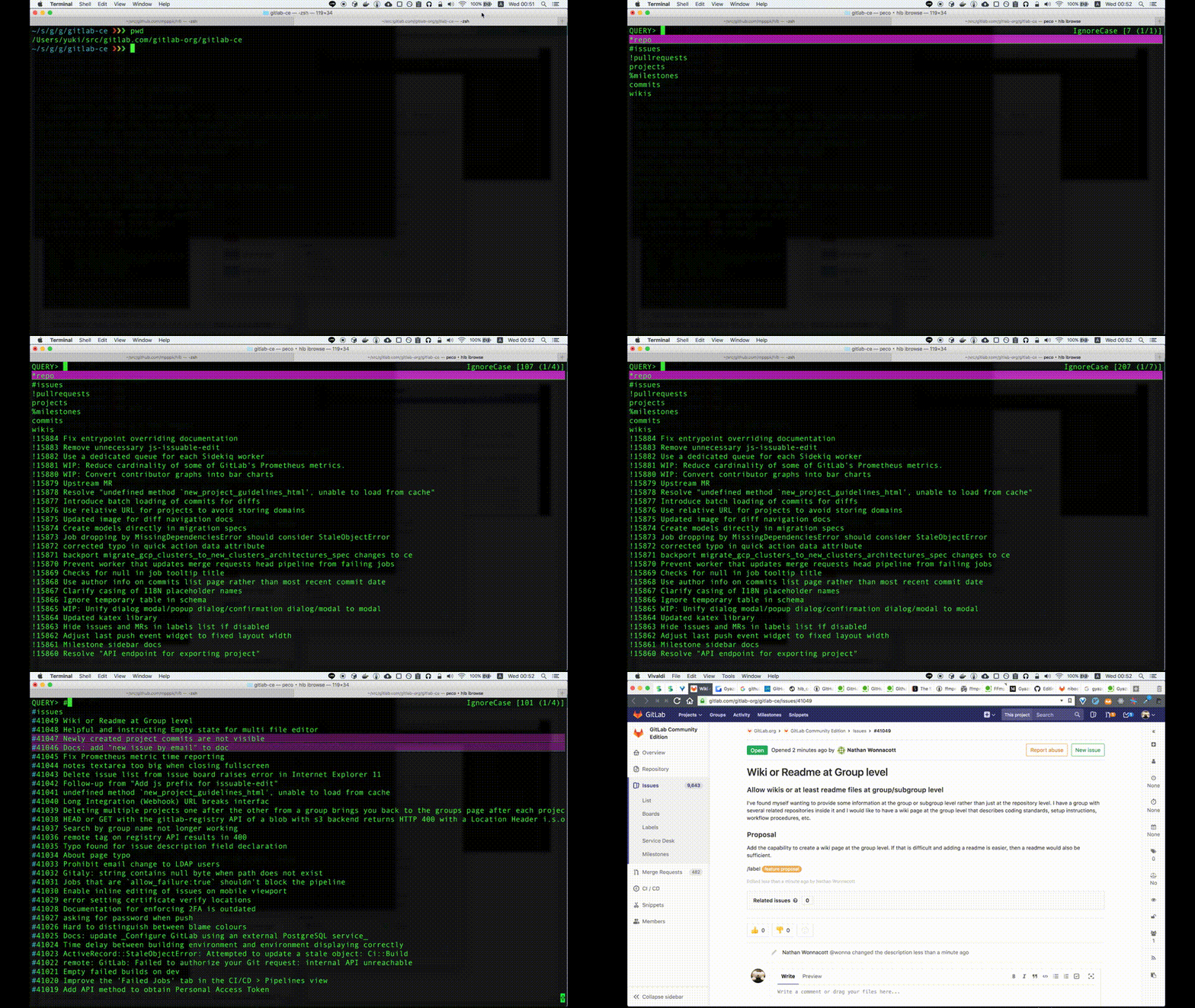
Features
- Cross Platform
- Support multi git repository hosting services
- hub command compatible
- Interactive command
Commands
hlb browse
$ hlb browse- Open current repository page by default browser
$ hlb browse issues- Open issues page of current repository by browser
$ hlb browse issues 1- Open the page that issue ID is 1
$ hlb browse pull-requestsor$ hlb browse merge-requests- Open pull-requests/merge-requests page of current repository by browser
$ hlb browse pull-requests 1- Open the page that pull-requests/merge-requests ID is 1
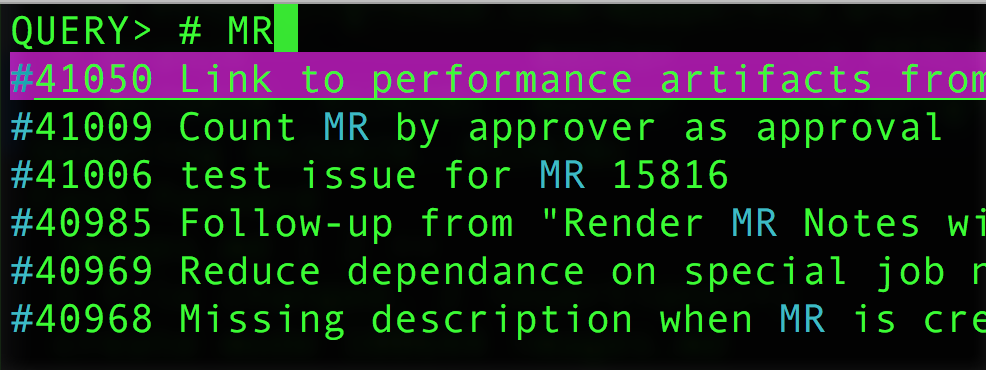
hlb ibrowse (interactive browse)
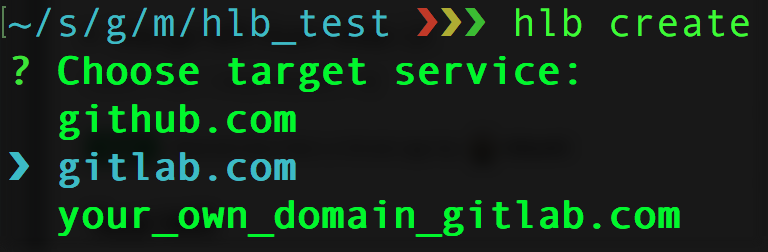
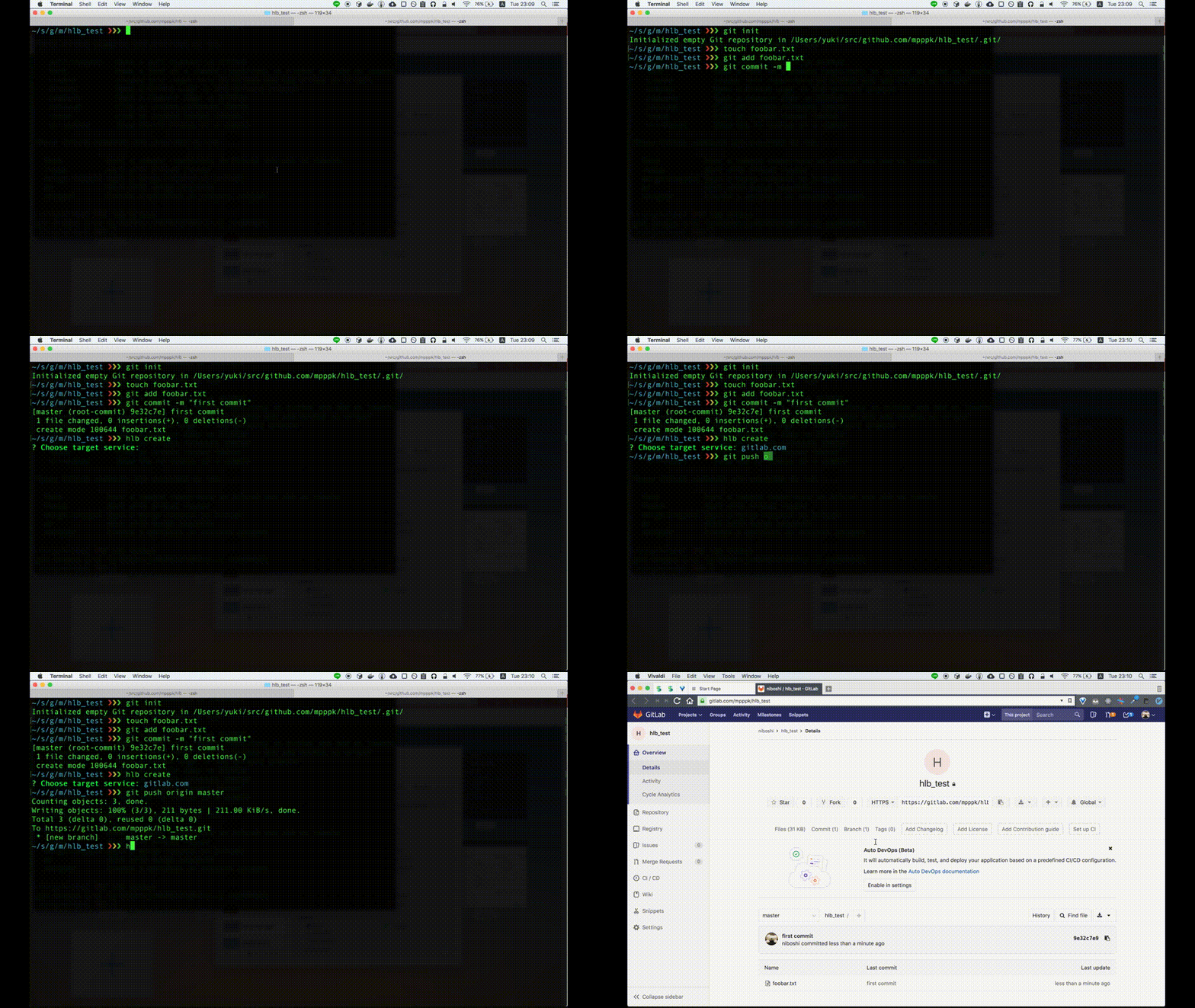
hlb create
hlb init
Create config file to ~/.config/hlb/.hlb.yaml.
hlb add-service
Get OAuth token from git service and add to config file.
Installation
Homebrew
$ brew tap mpppk/mpppk
$ brew install hlb
Standalone
Download from release page and put it anywhere in your executable path.
Source
$ go get github.com/mpppk/hlb
Update
v0.0.3 or greater has selfupdate command for easy updating.

Authentication
authenticate infomation of hlb is stored in ~/.config/hlb/.hlb.yaml.
github.com & GitHub Enterprise
a. Use hlb add-service command
$ hlb add-service github https://github.com # or your GHE server domain
  github username: yourname
  github password:
(Currently, add-service command only supports GitHub)
b. Add below setting to ~/.config/hlb/.hlb.yaml
(If file does not exist yet, execute hlb init first)
services:
   - name: github.com # or your GHE server domain
     type: github
     protocol: https # or http
     oauth_token: xxxxxxxxxxxxxxxxxx
(oauth_token can generate from GitHub Personal access token page)
gitlab.com & your GitLab Server
Add below setting to ~/.config/hlb/.hlb.yaml
services:
   - name: gitlab.com # or your GitLab server domain
     type: gitlab
     protocol: https # or http
     oauth_token: xxxxxxxxxxxxxxxxxxxxx
(oauth_token can generate from GitLab Personal access token page)
TODO
hub compatibility
-
hlb pull-request(experimental) -
hlb fork -
hlb create -
hlb browse -
hlb compare -
hlb ci-status
Support Services
- GitHub.com / GitHub Enterprise
- GitLab.com / Your Own GitLab Server
- BitBucket.org / BitBucket Server
- GitBucket
- Gogs
- AWS CodeCommit
- GCP Cloud Source Repositories
 Documentation


There is no documentation for this package.
 Source Files
 Directories