

 README

README

Cortex is a fault-tolerant events correlation engine. It groups and correlates incoming events for further actions: creating/resolving incidents/alerts or for doing root cause analysis.
- Built-in regex matcher for capturing events into groups(here called as a bucket).
- Built-in ES6 javascript interpreter(https://docs.k6.io/docs/modules) for executing correlation logic on buckets.
- React UI for creating new rules, correlation scripts, list of rule execution history and a playground to simulate correlation executions.
- REST API crud for rules, scripts and execution history.
- Cloudevents input and output(https://cloudevents.io/).
- Fault Tolerance built on top of https://github.com/hashicorp/raft and https://github.com/boltdb/bolt .
- Single fat self-supervising binary using https://github.com/crawshaw/littleboss .
- MessagePack encoding/decoding for raft entries using https://github.com/tinylib/msgp .
The project is alpha quality and not yet ready for production.
Summary:
Find relationship between N events received at M different points in time using regex matchers and javascript
To know more about event correlation in general, please read: https://en.wikipedia.org/wiki/Event_correlation
Similar Commercial Products
- https://console.bluemix.net/catalog/services/event-management
- https://www.bigpanda.io/blog/algorithmic-alert-correlation/
- https://docs.servicenow.com/bundle/kingston-it-operations-management/page/product/event-management/concept/c_EMEventCorrelationRules.html
Use Cases
- Alerts/Events Correlation
- Event Gateway
- FAAS
- Incidents Management
How it works:
Cortex runs the following steps to achieve event corrrelation:
- Match : incoming alert --> (convert from site 24x7/icinga ) --> (match rule) --> Collect
- Collect --> (add to the rule bucket which dwells around until the configured time) --> Execute
- Execute --> (flush after Dwell period) --> (execute configured script) --> Post
- Post --> (if result is set from script, post the result to the HookEndPoint or post the bucket itself if result is nil)
Screenshots
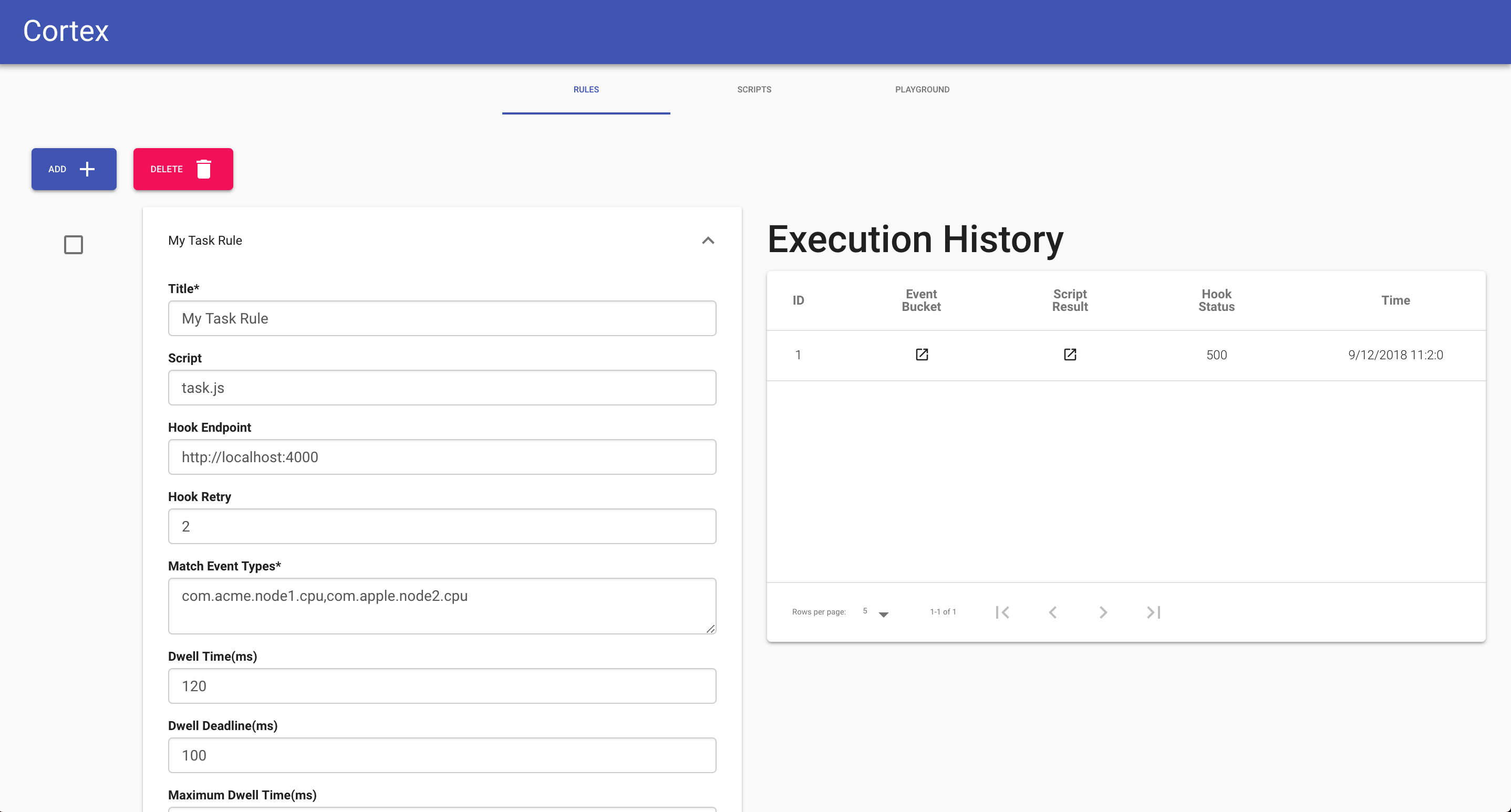
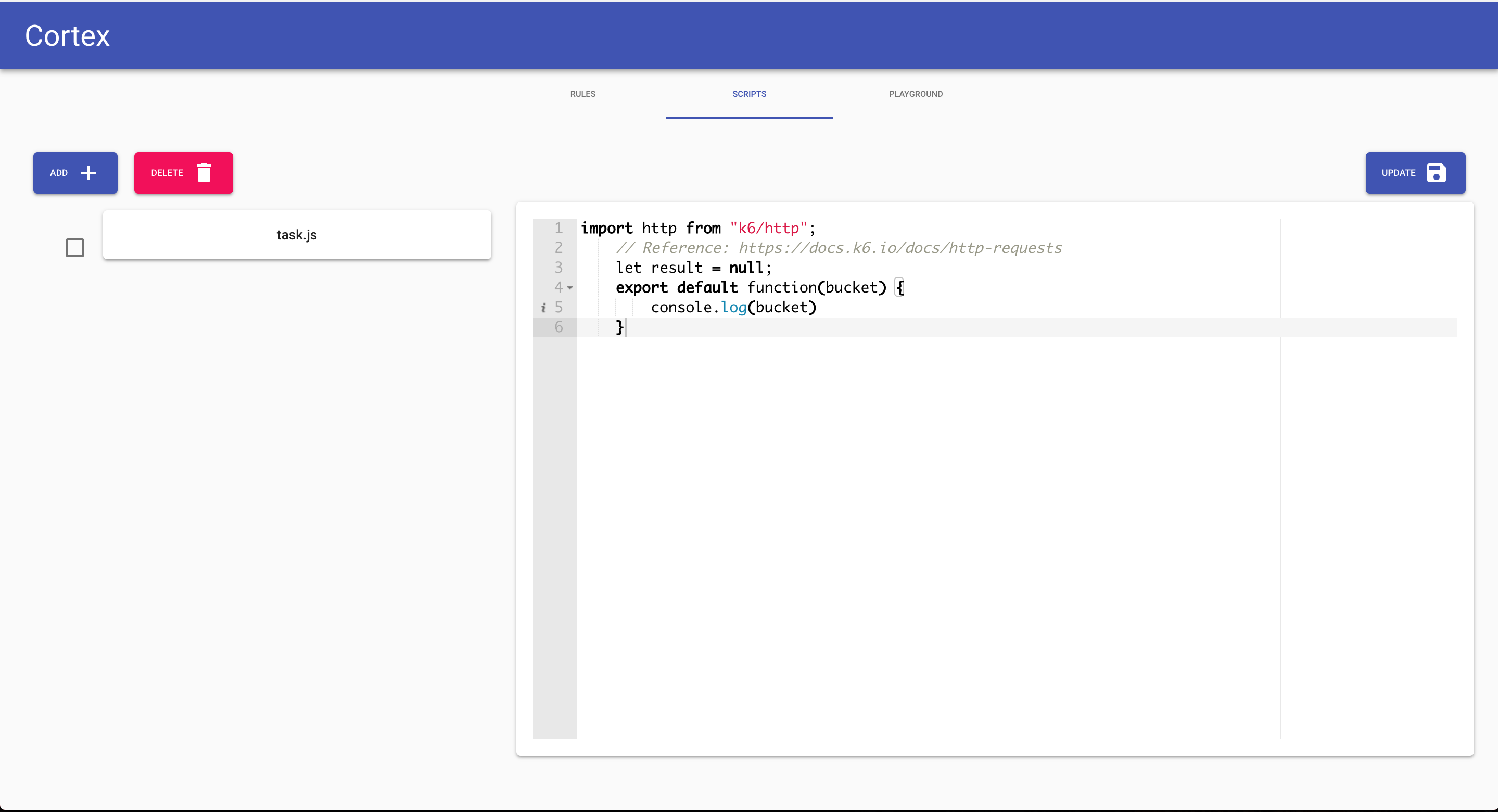
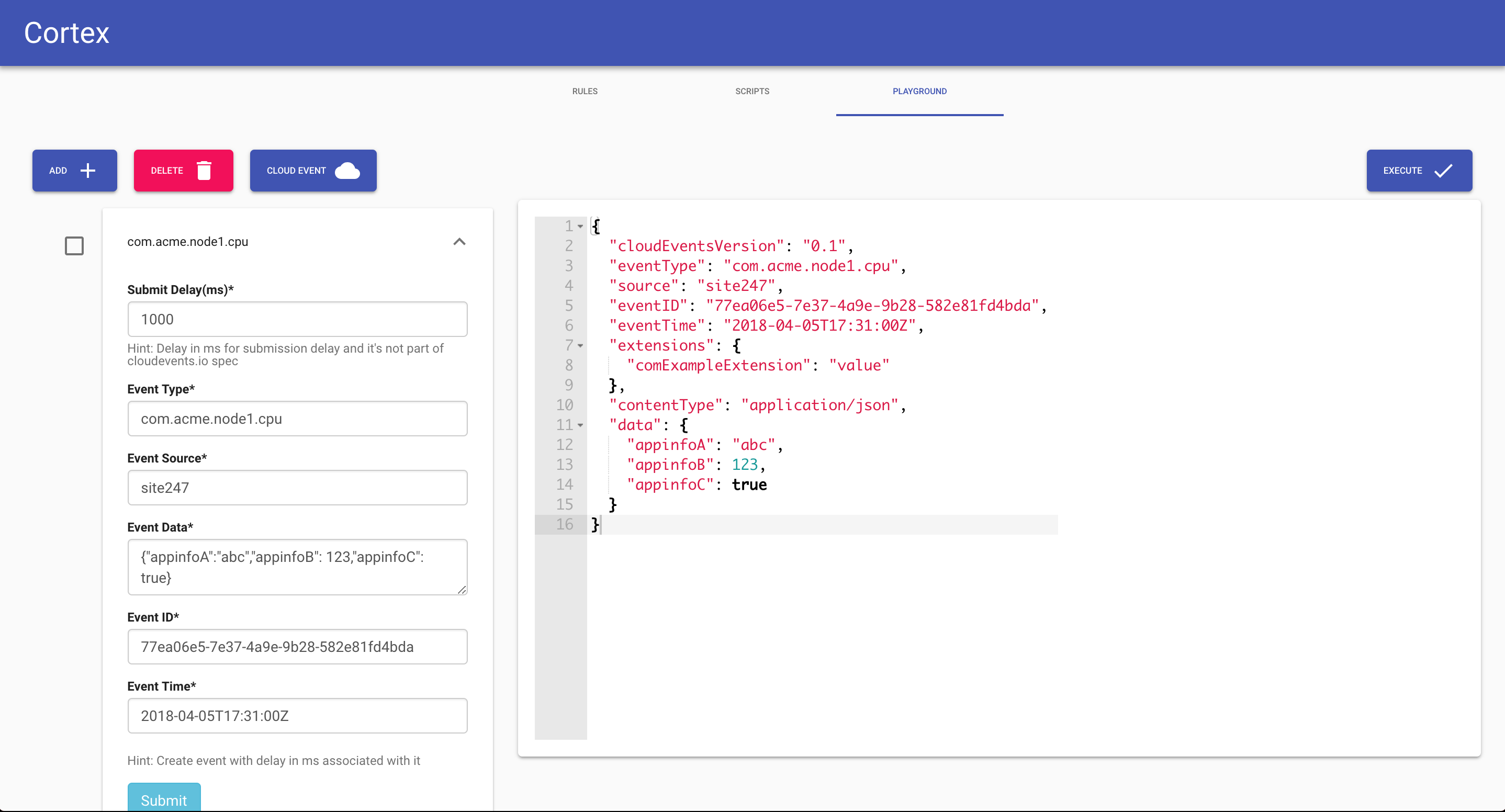
Rules
A rule contains an array of patterns used to capture events in a bucket
{
	"title": "a test rule",
	"id": "test-rule-id-1",
	"eventTypePatterns": ["acme.prod.icinga.check_disk", "acme.prod.site247.*"],
	"scriptID": "myscript.js",
	"dwell": 4000,
	"dwellDeadline": 3800,
	"maxDwell": 8000,
	"hookEndpoint": "http://localhost:3000/testrule",
	"hookRetry": 2
}
where:
EventTypePatterns is the pattern of events to be collected in a bucket.
Dwell is the wait duration since the first matched event.
Possible patterns:
	{rule pattern, incoming event type, expected match}
	{"acme*", "acme", false},
	{"acme*", "acme.prod", true},
	{"acme.prod*", "acme.prod.search", true},
	{"acme.prod*.checkout", "acme.prod.search", false},
	{"acme.prod*.*", "acme.prod.search", false},
	{"acme.prod*.*", "acme.prod-1.search", true},
	{"acme.prod.*.*.*", "acme.prod.search.node1.check_disk", true},
	{"acme.prod.*.*.check_disk", "acme.prod.search.node1.check_disk", true},
	{"acme.prod.*.*.check_loadavg", "acme.prod.search.node1.check_disk", false},
	{"*.prod.*.*.check_loadavg", "acme.prod.search.node1.check_loadavg", true},
	{"acme.prod.*", "acme.prod.search.node1.check_disk", true},
	{"acme.prod.search.node*.check_disk", "acme.prod.search.node1.check_disk", true},
	{"acme.prod.search.node*.*", "acme.prod.search.node1.check_disk", true},
	{"acme.prod.search.dc1-node*.*", "acme.prod.search.node1.check_disk", false},
Events
Alerts are accepted as a cloudevents.io event(https://github.com/cloudevents/spec/blob/master/json-format.md). Site 24x7 and Icinga integration sinks are also provided.
The engine collects similar events in a bucket over a time window using a regex matcher and then executes a JS(ES6) script. The script contains the correlation logic which can further create incidents or alerts. The JS environment is limited and is achieved by embedding k6.io javascript interpreter(https://docs.k6.io/docs/modules). This is an excellent library built on top of https://github.com/dop251/goja
For the above example rule, incoming events with eventType matching one of eventTypePatterns will be put in the same bucket:
{
	"rule": {},
	"events": [{
		"cloudEventsVersion": "0.1",
		"eventType": "acme.prod.site247.search_down",
		"source": "site247",
		"eventID": "C234-1234-1234",
		"eventTime": "2018-04-05T17:31:00Z",
		"extensions": {
			"comExampleExtension": "value"
		},
		"contentType": "application/json",
		"data": {
			"appinfoA": "abc",
			"appinfoB": 123,
			"appinfoC": true
		}
	}]
}
Scripts
After the dwell period, the configured myscript.js will be invoked and the bucket will be passed along:
import http from "k6/http";
// result is a special variable
let result = null
// the entry function called by default
export default function(bucket) {
    bucket.events.foreach((event) => {
        // create incident or alert or do nothing
        http.Post("http://acme.com/incident")
        // if result is set. it will picked up the engine    and posted to hookEndPoint
    })
}`
If result is set, it will be posted to the hookEndPoint. The bucket itself will be reset and evicted from the collect loop. The execution record will then be stored and can be fetched later.
A new bucket will be created when an event matches the rule again.
Hooks
Rule results can be posted to a configured http endpoint. The remote endpoint should be able to accept a POST : application/json request.
"hookEndpoint": "http://localhost:3000/testrule",
"hookRetry": 2
Local Deployment
- git clone https://github.com/myntra/cortex
- ./release.sh
Starts a single node server.
Production Deployment
TODO
 Directories