 The highest tagged major version is


 README

README

Secman CLI


Secman Products
Code Status





Open In VSCode

secmanis a password manager can store, retrieves, generates, and synchronizes passwords, and is written in TypeScript! The most important difference is secman is not GPG cored. Instead, it uses a master password to securely store your passwords. and you can easily manage your passwords from everywhere.
Featurs
- Not GPG cored.
- It uses a master password to securely store your passwords.
- It syncs your passwords.
- Easy to use.
- It is written in TypeScript.
- You can easily manage your passwords from everywhere, desktop, web, terminal, and more.
Examples
Create a new password
secman new -l

✔ Title › Twitter
✔ URL › https://twitter.com
✔ Username › _secman
✔ Password › *********
✔ Extra › no extra

Password created
List passwords
secman .
.
├──Logins
│  └──Twitter
├──Credit Cards
├──Emails
├──Notes
└──Servers
Read It •
secman read -l Twitter

╭─────────┬─────────────────────┬──────────────────┬───────────┬──────────╮
│ Title   │ URL                 │ Username         │ Password  │ Extra    │
├─────────┼─────────────────────┼──────────────────┼───────────┼──────────┤
│ Twitter │ https://twitter.com │ hello@secman.dev │ ••••••••• │ no extra │
╰─────────┴─────────────────────┴──────────────────┴───────────┴──────────╯
show password
secman show -l -p Twitter

╭─────────┬─────────────────────┬──────────────────┬───────────┬──────────╮
│ Title   │ URL                 │ Username         │ Password  │ Extra    │
├─────────┼─────────────────────┼──────────────────┼───────────┼──────────┤
│ Twitter │ https://twitter.com │ hello@secman.dev │ hitwitter │ no extra │
╰─────────┴─────────────────────┴──────────────────┴───────────┴──────────╯
Edit password field
secman edit -l Twitter

? Pick a field › - Use arrow-keys. Return to submit.
❯   Title
    URL
    Username
    Password
    Extra
edit multiple fields
secman edit -l -m Twitter

? Pick a field ›
? Pick a field ›
Instructions:
    ↑/↓: Highlight option
    ←/→/[space]: Toggle selection
    a: Toggle all
    enter/return: Complete answer
◯   Title
◉   URL
◯   Username
◯   Password
◉   Extra
Installation ⬇
Using npm
npm i -g secman
(Windows): if you get an error you might need to change the execution policy (i.e. enable Powershell) via
Set-ExecutionPolicy RemoteSigned -scope CurrentUser
Using Homebrew (macOS and Linux)
brew tap scmn-dev/secman
brew install secman
Using script (Ubuntu/Debian)
curl -sL https://cli.secman.dev | bash
Using SnapCraft
sudo snap install secman
Via Docker
secman cliimage
docker run -it smcr/secman-cli
see secman cli docs
secman containerimage
docker run -it smcr/secman
Build from source
see building from source doc.
Getting started with secman
Initializing
secman init
Authenticate
secman auth
Insert a New Password
secman insert --[PASSWORD_TYPE]
List Passwords
secman .
Read The Password
secman read --[PASSWORD_TYPE] <PASSWORD_NAME>
Edit Password
secman edit --[PASSWORD_TYPE] <PASSWORD_NAME>
Generate
secman generate
Edit Settings
secman settings
see commands
License
secman is licensed under the terms of MIT License
Some Resources
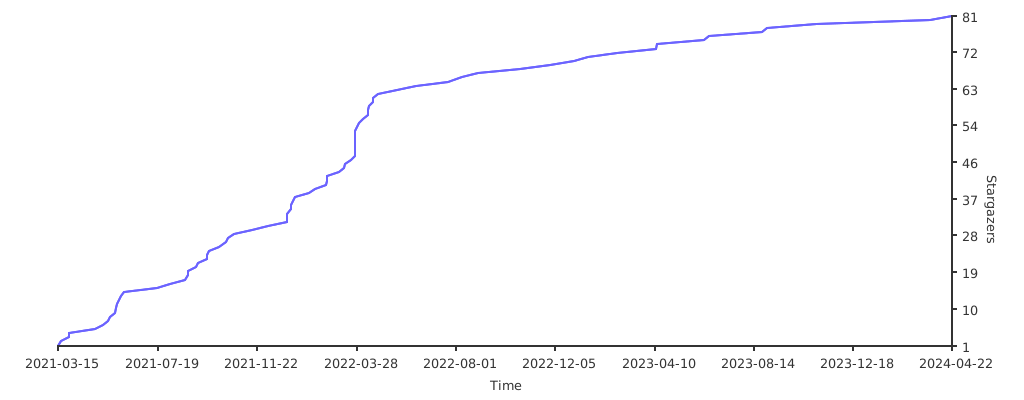
Stargazers over time
 Directories