 The highest tagged major version is


 README

README


Secman Products
secmanis a password manager can store, retrieves, generates, and synchronizes passwords, and is written in TypeScript! The most important difference is secman is not GPG cored. Instead, it uses a master password to securely store your passwords. and you can easily manage your passwords from everywhere.
Features
- Not GPG cored.
- It uses a master password to securely store your passwords.
- It syncs your passwords.
- Easy to use.
- It is written in TypeScript.
- You can easily manage your passwords from everywhere, desktop, web, terminal, and more.
Examples
Initialize
~/.secman
secman init
Authenticate
secman auth

# with one command
secman auth --username EMAIL --password MASTER_PASSWORD

# read the master password from stdin
cat password.txt | secman auth -u EMAIL --password-stdin
Create a new password
secman new -l

✔ Title › Twitter
✔ URL › https://twitter.com
✔ Username › _secman
✔ Password › *********
✔ Extra › no extra

Password created
List passwords
secman .
.
├──Logins
│  └──Twitter
├──Credit Cards
├──Emails
├──Notes
└──Servers
Read It
secman read -l Twitter

╭─────────┬─────────────────────┬──────────────────┬───────────┬──────────╮
│ Title   │ URL                 │ Username         │ Password  │ Extra    │
├─────────┼─────────────────────┼──────────────────┼───────────┼──────────┤
│ Twitter │ https://twitter.com │ hello@secman.dev │ ••••••••• │ no extra │
╰─────────┴─────────────────────┴──────────────────┴───────────┴──────────╯
show password
secman show -lp Twitter

╭─────────┬─────────────────────┬──────────────────┬───────────┬──────────╮
│ Title   │ URL                 │ Username         │ Password  │ Extra    │
├─────────┼─────────────────────┼──────────────────┼───────────┼──────────┤
│ Twitter │ https://twitter.com │ hello@secman.dev │ hitwitter │ no extra │
╰─────────┴─────────────────────┴──────────────────┴───────────┴──────────╯
Edit password field
secman edit -l Twitter

? Pick a field › - Use arrow-keys. Return to submit.
❯   Title
    URL
    Username
    Password
    Extra
edit multiple fields
secman edit -lm Twitter

? Pick a field ›
? Pick a field ›
Instructions:
    ↑/↓: Highlight option
    ←/→/[space]: Toggle selection
    a: Toggle all
    enter/return: Complete answer
◯   Title
◉   URL
◯   Username
◯   Password
◉   Extra
Installation ⬇
Using npm
npm i -g secman
(Windows): if you get an error you might need to change the execution policy (i.e. enable Powershell) via
Set-ExecutionPolicy RemoteSigned -scope CurrentUser
Using Homebrew (macOS and Linux)
brew tap scmn-dev/secman
brew install secman
Using script (Ubuntu/Debian)
curl -sL https://cli.secman.dev | bash
Via Docker
secman cliimage
docker run -it smcr/secman-cli
see secman cli docs
secman containerimage
docker run -it smcr/secman
Build from source
see building from source doc.
Getting started with secman
Initializing
secman init
Authenticate
secman auth
Insert a New Password
secman insert --[PASSWORD_TYPE]
List Passwords
secman .
Read The Password
secman read --[PASSWORD_TYPE] <PASSWORD_NAME>
Edit Password
secman edit --[PASSWORD_TYPE] <PASSWORD_NAME>
Generate
secman generate
Edit Settings
secman settings
see commands
License
secman is licensed under the terms of MIT License
Some Resources

Contributing
Thanks for your interest in contributing to the project . You can start a development environment with the gitpod:

Code Status




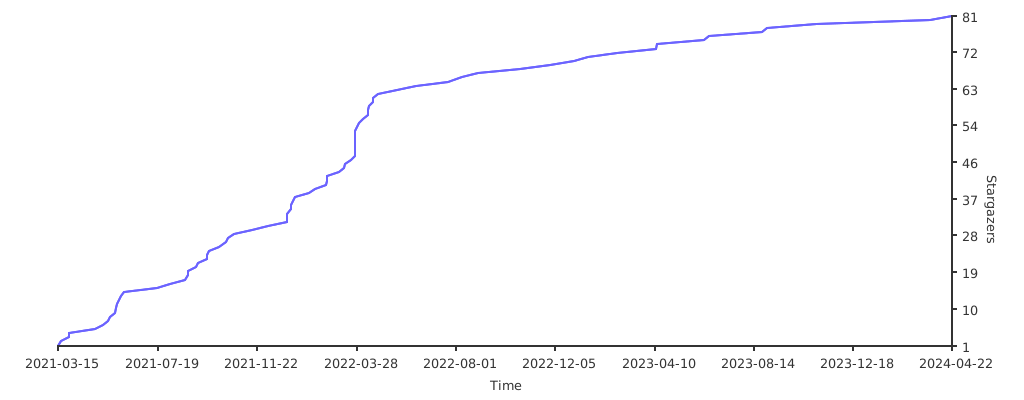
Stargazers over time
 Directories