

 README

README

Sourcegraph CLI 

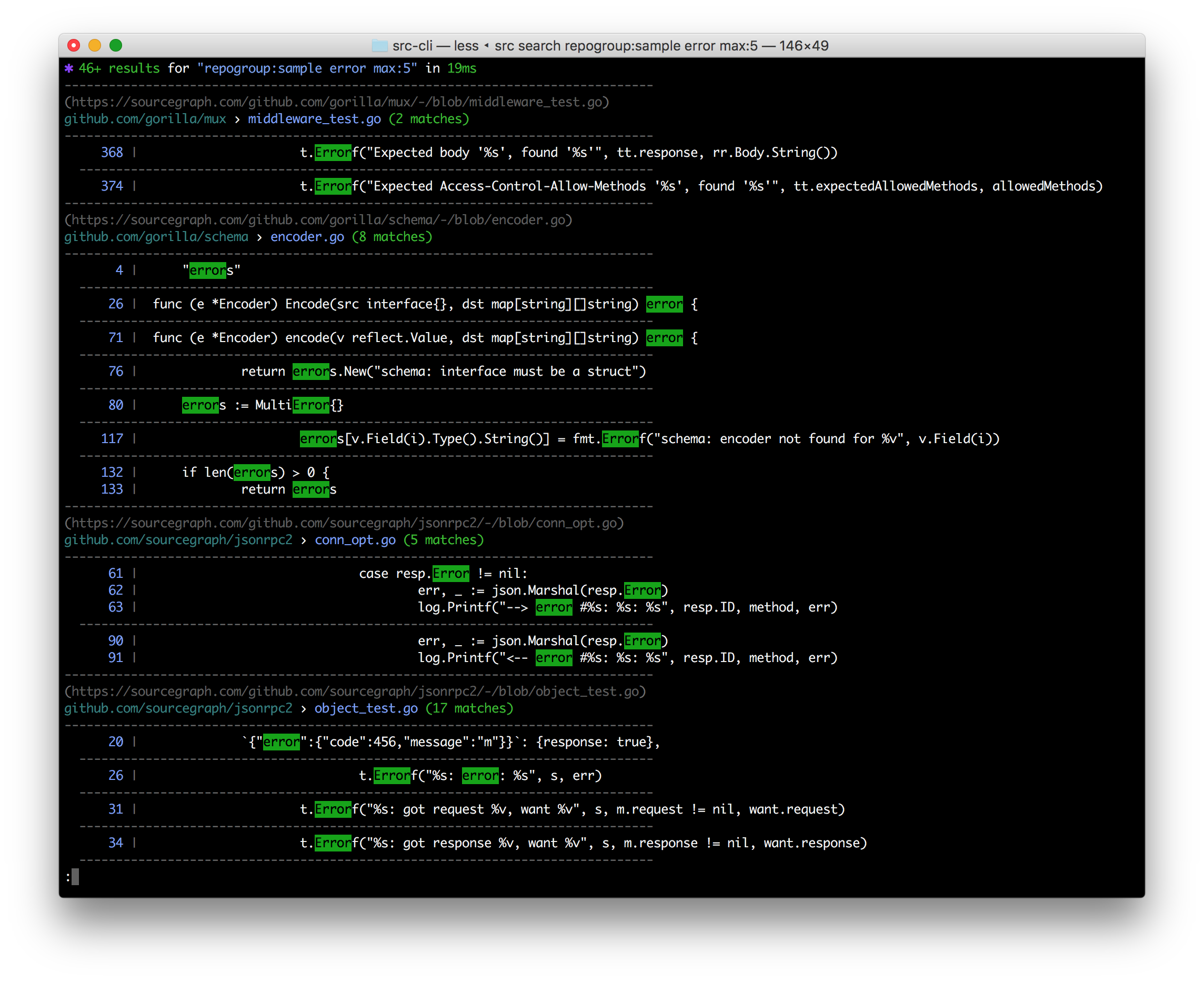
src is a command line interface to Sourcegraph:
- Search & get results in your terminal
- Search & get JSON for programmatic consumption
- Make GraphQL API requests with auth easily & get JSON back fast
- Execute batch changes
- Manage & administrate repositories, users, and more
- Easily convert src-CLI commands to equivalent curl commands, just add --get-curl!
Note: Using Sourcegraph 3.12 or earlier? See the older README.
Installation
Binary downloads are available on the releases tab, and through Sourcegraph.com. If the latest version does not work for you, consider using the version compatible with your Sourcegraph instance instead.
Installation: Mac OS
Latest version
curl -L https://sourcegraph.com/.api/src-cli/src_darwin_amd64 -o /usr/local/bin/src
chmod +x /usr/local/bin/src
or with Homebrew:
brew install sourcegraph/src-cli/src-cli
or with npm:
npm install -g @sourcegraph/src
Version compatible with your Sourcegraph instance
Replace sourcegraph.example.com with your Sourcegraph instance URL:
curl -L https://sourcegraph.example.com/.api/src-cli/src_darwin_amd64 -o /usr/local/bin/src
chmod +x /usr/local/bin/src
or, if you know the specific version to target, for example 3.43.2:
brew install sourcegraph/src-cli/src-cli@3.43.2
or with npm/npx:
npx @sourcegraph/src@3.43.2 version
Note: Versioned formulas are available on Homebrew for Sourcegraph versions 3.43.2 and later.
Installation: Linux
Latest version
curl -L https://sourcegraph.com/.api/src-cli/src_linux_amd64 -o /usr/local/bin/src
chmod +x /usr/local/bin/src
or with npm:
npm install -g @sourcegraph/src
Version compatible with your Sourcegraph instance
Replace sourcegraph.example.com with your Sourcegraph instance URL:
curl -L https://sourcegraph.example.com/.api/src-cli/src_linux_amd64 -o /usr/local/bin/src
chmod +x /usr/local/bin/src
or, with npm/npx, if you know the specific version to target, for example 3.43.2:
npx @sourcegraph/src@3.43.2 version
Installation: Windows
See Sourcegraph CLI for Windows.
Installation: Docker
sourcegraph/src-cli is published to Docker Hub. You can use the latest tag or a specific version such as 3.43. To see all versions view sourcegraph/src-cli tags.
docker run --rm=true sourcegraph/src-cli:latest search 'hello world'
Connect to your Sourcegraph instance
src needs the URL of your Sourcegraph instance. Set SRC_ENDPOINT in your shell environment, replacing https://sourcegraph.example.com with your instance URL:
export SRC_ENDPOINT=https://sourcegraph.example.com
For PowerShell on Windows:
$env:SRC_ENDPOINT = 'https://sourcegraph.example.com'
For convenience, add this environment variable to your terminal profile or system environment variables. On Mac OS and Linux, the terminal profile is typically ~/.bash_profile for Bash or ~/.zprofile for Zsh. On Windows, you can add it through the System Properties window. See these instructions for details.
If SRC_ENDPOINT is not set, src defaults to https://sourcegraph.com.
OAuth login
Run src login to authenticate interactively with OAuth:
src login
OAuth does not require you to create or export SRC_ACCESS_TOKEN. The OAuth credential is stored in your operating system's native keyring. Keep SRC_ENDPOINT set when running subsequent commands because src uses the endpoint to load the matching OAuth credential.
You can also pass the instance URL directly to src login, but this only selects the endpoint for that login command. You must still set SRC_ENDPOINT when running subsequent commands:
src login https://sourcegraph.example.com
To use the active credential in another command, src auth token prints the raw token and src auth token --header prints a complete Authorization header for the active authentication mode.
Personal access token login
For non-interactive authentication, such as in CI or scripts, create an access token on your Sourcegraph instance under Settings > Access tokens, then set both SRC_ENDPOINT and SRC_ACCESS_TOKEN:
export SRC_ENDPOINT=https://sourcegraph.example.com
export SRC_ACCESS_TOKEN=my-token
For PowerShell on Windows:
$env:SRC_ENDPOINT = 'https://sourcegraph.example.com'
$env:SRC_ACCESS_TOKEN = 'my-token'
When SRC_ACCESS_TOKEN is set, src uses it instead of an OAuth credential and running src login is not necessary. You can also set both variables for a single command:
SRC_ENDPOINT=https://sourcegraph.example.com SRC_ACCESS_TOKEN=my-token src search 'foo'
Is your Sourcegraph instance behind a custom auth proxy? See auth proxy configuration docs.
Usage
src provides different subcommands to interact with different parts of Sourcegraph:
src login- authenticate to a Sourcegraph instance with your user credentialssrc auth- print the active authentication token or authorization headersrc search- perform searches and get results in your terminal or as JSONsrc api- run Sourcegraph GraphQL API requestssrc batch- execute and manage batch changessrc repos- manage repositoriessrc users- manage userssrc orgs- manages organizationsrc config- manage global, org, and user settingssrc extsvc- manage external services (repository configuration)src extensions- manage extensionssrc code-intel- manages Code Intelligence datasrc serve-git- serves your local git repositories over HTTP for Sourcegraph to pullsrc version- check version and guaranteed-compatible version for your Sourcegraph instance
Run src -h and src <subcommand> -h for more detailed usage information.
You can also read the usage docs for the latest version of src-cli online.
Optional: Renaming src
If you have a naming conflict with the src command, such as a Bash alias, you can rename the static binary. For example, on Linux / Mac OS:
mv /usr/local/bin/src /usr/local/bin/src-cli
You can then invoke it via src-cli.
Telemetry
src includes the operating system and architecture in the User-Agent header sent to Sourcegraph. For example, running src version 3.21.10 on an x86-64 Linux host will result in this header:
src-cli/3.21.10 linux amd64
To disable this and only send the version, you can set -user-agent-telemetry=false for a single command, or set the SRC_DISABLE_USER_AGENT_TELEMETRY environment variable to any non-blank string.
As with other Sourcegraph telemetry, any collected data is only sent to Sourcegraph.com in aggregate form.
Development
Some useful notes on developing src can be found in DEVELOPMENT.md.
 Directories

Directories

| Path | Synopsis |
|---|---|
|
cmd
|
|
|
src
command
|
|
|
internal
|
|
|
api
Package api provides a basic client library for the Sourcegraph API.
|
Package api provides a basic client library for the Sourcegraph API. |
|
exec
Package exec provides wrapped implementations of os/exec's Command and CommandContext functions that allow for command creation to be overridden, thereby allowing commands to be mocked.
|
Package exec provides wrapped implementations of os/exec's Command and CommandContext functions that allow for command creation to be overridden, thereby allowing commands to be mocked. |
|
exec/expect
Package expect uses the middleware concept in internal/exec to mock external commands.
|
Package expect uses the middleware concept in internal/exec to mock external commands. |
|
lazyregexp
Package lazyregexp is a thin wrapper over regexp, allowing the use of global regexp variables without forcing them to be compiled at init.
|
Package lazyregexp is a thin wrapper over regexp, allowing the use of global regexp variables without forcing them to be compiled at init. |
|
oauth
Package oauthimplements the OAuth 2.0 Device Authorization Grant (RFC 8628) for authenticating with Sourcegraph instances.
|
Package oauthimplements the OAuth 2.0 Device Authorization Grant (RFC 8628) for authenticating with Sourcegraph instances. |
|
servegit
package servegit provides a smart Git HTTP transfer protocol handler.
|
package servegit provides a smart Git HTTP transfer protocol handler. |