

 README

README

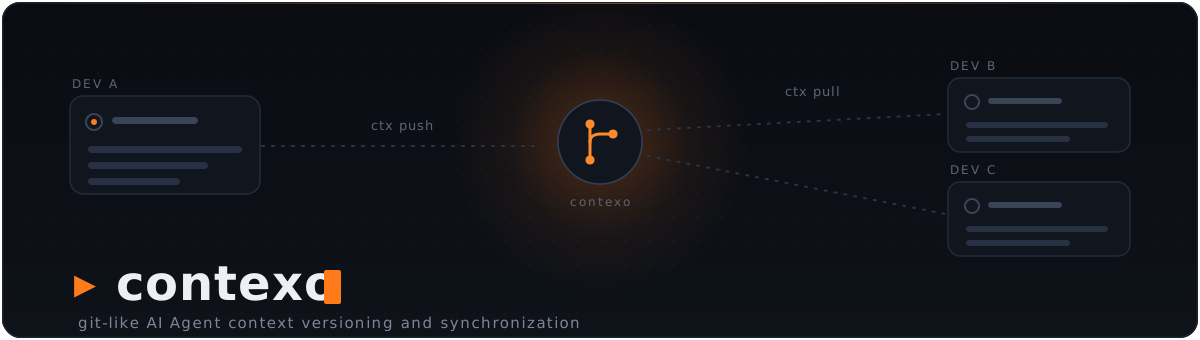




Contexo
GitHub for AI agent knowledge, scoped per project.
When one developer researches a topic deeply with their AI agent, the resulting decisions, rejected alternatives, and dead-ends live only in their session. Contexo lets the team share that distilled knowledge so every teammate's agent starts from the same baseline — without re-deriving it (or deriving it worse).
How it works
Each project gets a .contexo/ directory containing markdown pages (the same layered structure as llm-wiki: raw/sessions/, wiki/concepts/, wiki/entities/, wiki/analyses/, plus an always-loaded index.md). Pages have YAML frontmatter with author, agent, tags, and a reasoning_summary.
ctx push uploads selected pages to a Contexo server. ctx pull brings them down. The server is a git repository under the hood — every push is a real commit with author attribution, you get history and timeline for free, and concurrent writes that diverge return a 409 with both versions for merge.
Agents drive sync from natural language via MCP tools: when the user says "sync my Stripe knowledge to contexthub", the agent invokes ctx_push(feature="stripe") directly.
The flow
Dev A's Claude  →  writes wiki/concepts/stripe-subscription.md
                   (including "## Agent Reasoning" — what was considered & rejected)
                ↘
                  ctx push --feature stripe   →   Contexo server (git-backed)
                                                  Dev A authored sha abc123
                                                ↗
Dev B's Claude  ←  ctx pull                ←
                ↓
                  MCP: reads ctx://index, then ctx://wiki/stripe-subscription
                  Sees Dev A's reasoning. Doesn't repeat the dead-ends.
CLI
Setup
ctx init                       Create .contexo/, wire MCP (Claude + Cursor if found), install Stop hook
ctx detach [--keep-knowledge]  Reverse `ctx init` (purges .contexo/ by default)
ctx login                      Browser flow: sign in once, mint a token, done
                               (alias for `ctx auth login`; --no-browser to paste)
ctx join <invite-key>          Join an existing repo with a ctxi_… invite key
ctx remote set <url>           Point at a Contexo server
ctx remote set-repo [<id>]     Set the repo ID (interactive picker if omitted)
ctx remote get                 Show current server + repo
Sync
ctx push [--feature X] [--tag Y] [--type concept|entity|source|analysis] [--dry-run]
         [--yes] [--show-diff] [--no-preview]
ctx pull [--full]
ctx status                     Local vs server delta
ctx log                        Server timeline (who changed what when)
Before pushing, ctx push previews each file as [NEW], [EDIT], or [SAME]
and shows a per-section summary of what your push will change on the server.
If any [EDIT] rows appear, it asks for confirmation. Pass --yes to skip
the prompt (required for non-interactive use), --show-diff to see the full
per-section diff inline, or --no-preview to skip the round-trip entirely.
Inspect a page's evolution
ctx history <slug> [--type=...] [--limit=N]    Commit timeline for one page
ctx diff <slug> [--from=<sha>] [--to=<sha>]    Section-aware diff between two
                [--type=...] [--json] [--blame]versions (defaults to parent..head)
ctx diff <slug> --local                        Diff your local copy vs server HEAD
                                               (what `ctx push` would change)
ctx evolution <slug> [--limit=N] [--show-diff] Full trajectory in one call: every
                     [--type=...] [--json]     commit + its per-commit diff
                     [--blame]
--blame annotates each section with the commit that originally introduced
its heading (works on both ctx diff and ctx evolution) — useful for
"who wrote this section?" questions.
Agent integration
ctx mcp                        Start the MCP server for the local agent (stdio)
ctx mcp install [--tool=X]     Wire the MCP server into an agent: claude|cursor|codex|all
ctx mcp uninstall [--tool=X]   Remove the MCP server wiring
ctx mcp status                 Show agent integrations (MCP + capture hook)
ctx mcp guide                  How to add Contexo to other agents (Windsurf, OpenCode, Hermes, ...)
ctx hooks install|uninstall|status [--tool=claude|codex|cursor|all]   Manage the capture hook
ctx capture status             Show pending capture buffers
Supported agents (MCP)
| Agent | MCP config it reads | Wired by |
|---|---|---|
| Claude Code | ./.mcp.json (project) |
ctx init |
| Cursor | ./.cursor/mcp.json (project) |
ctx init when Cursor is detected, else ctx mcp install --tool=cursor |
| Codex | ~/.codex/config.toml (global) |
ctx mcp install --tool=codex (prompts before touching the global file) |
The ctx mcp server is plain MCP over stdio, so any MCP-capable agent can use it.
ctx init only auto-wires the project-local configs (Claude always; Cursor when
detected) — Codex's global config is opt-in via ctx mcp install --tool=codex.
For any other agent or harness (Windsurf, OpenCode, Hermes, OpenClaw, …), run
ctx mcp guide for the exact per-tool MCP config. Per-turn capture (the Stop
hook) now works for Claude Code, Codex, and Cursor (ctx hooks install --tool=…, and ctx init auto-installs them when the agent is detected).
Maintenance
ctx update [--check]           Self-update to the latest release (--check: report only)
ctx version [--short]          Print the installed version
Terminal output
ctx colours its output on a terminal and prints plain text everywhere else,
so piping and redirecting stay parseable. Machine surfaces — ctx mcp,
ctx capture turn, shell completion, --json, and ctx version --short —
never carry styling at all.
NO_COLOR=1        Disable colour entirely (honoured automatically)
CTX_THEME=light   Use the light-background palette (default: dark)
CTX_ASCII=1       Use ASCII marks instead of ✔ ▲ ✖ ● (for consoles lacking the glyphs)
MCP
Resources (read-only):
ctx://index— always-loaded knowledge indexctx://tags— tag → page mappingctx://wiki/{slug}— a concept/entity/analysis pagectx://raw/{session-id}— a raw session underraw/sessions/ctx://search?q=&type=&tag=— substring + tag/type filter
Tools (agent-invokable):
ctx_write_page— write a knowledge page with frontmatterctx_push,ctx_pull,ctx_status— sync against the team serverctx_history,ctx_diff— see how a page evolved before editing it (structured, section-aware diff rather than line-based git diff)ctx_evolution— full trajectory of a page (every commit + diff) in one call, for when you want the whole story before making any edit
When the agent reads ctx://wiki/<slug> and the page has changed on the server
since the last ctx pull, the response is prefixed with a <DRIFT_NOTICE>
block summarizing what's new — the agent learns about drift before it edits
without having to remember to check. Set CONTEXO_DRIFT_DISABLE=1 to turn
the check off; ctx status also lists drifted pages (pass --no-drift to skip).
If ctx_push hits a 409 (someone else pushed first), the tool returns a
<MERGE_REQUIRED> directive carrying the ancestor + your + server versions
and a list of conflicting sections. The agent writes a reconciled version
via ctx_write_page and re-invokes ctx_push — the local sync state is
auto-updated so the re-push won't 409 for the same reason.
Install
Prebuilt binaries for Linux, macOS, and Windows (amd64 + arm64). No Go toolchain required.
Easiest (one line, handles PATH for you):
# macOS / Linux
curl -fsSL https://raw.githubusercontent.com/sugihAF/Contexo/main/scripts/install.sh | sh

# Windows (PowerShell)
iwr -useb https://raw.githubusercontent.com/sugihAF/Contexo/main/scripts/install.ps1 | iex
These download a checksum-verified binary from the latest GitHub Release, drop it in a user-writable dir (~/.local/bin, or %LOCALAPPDATA%\Programs\contexo on Windows), and add that dir to your PATH if needed. Idempotent — safe to re-run.
Manual (download a binary yourself): grab the archive for your platform from the Releases page, verify it against checksums.txt, extract ctx, and put it on your PATH.
With Go (if you already have the toolchain):
go install github.com/sugihAF/contexo/cmd/ctx@latest
A
go installbuild reports its version asdevand can't self-update — reinstall with the script (orgo installagain) to upgrade.
Updating
ctx update           # download + install the latest release in place
ctx update --check   # just report whether a newer version exists
ctx version          # show the installed version
ctx update verifies the new binary's checksum before swapping it in. On interactive commands, ctx also prints a one-line note when a newer version is available — set CONTEXO_NO_UPDATE_CHECK=1 to silence it.
Build from source (server + CLI):
# Linux / macOS
go build -o bin/ctx ./cmd/ctx
go build -o bin/contexo-server ./cmd/contexo-server

# Windows (PowerShell)
go build -o bin\ctx.exe .\cmd\ctx
go build -o bin\contexo-server.exe .\cmd\contexo-server
The ctx CLI runs anywhere. The contexo-server binary is what the team's Contexo instance runs — typically via the Docker setup in docker/.
Run the server (host install):
# Linux / macOS
CONTEXO_DATA_ROOT=/var/contexo/repos PORT=8080 ./bin/contexo-server

# Windows (PowerShell)
$env:CONTEXO_DATA_ROOT="C:\contexo\repos"; $env:PORT="8080"; .\bin\contexo-server.exe
The server shells out to git, so git must be on PATH. The Docker image (docker/Dockerfile) bundles it.
Uninstall
Per project — remove Contexo from a specific project:
ctx detach                   # prompts before purging .contexo/, MCP entries (Claude/Cursor/Codex), .gitignore line, Stop hook
ctx detach --keep-knowledge  # remove the integration but preserve .contexo/
ctx detach -y                # skip the confirmation
ctx detach warns if local pages haven't been pushed yet so you can ctx push first.
The CLI itself — delete the binary the installer placed:
# macOS / Linux
rm ~/.local/bin/ctx

# Windows (PowerShell)
Remove-Item "$env:LOCALAPPDATA\Programs\contexo\ctx.exe"

# installed with `go install` instead? remove it from there:
rm "$(go env GOPATH)/bin/ctx"      # ctx.exe on Windows
Documentation
Full documentation — every CLI command and MCP tool, with worked examples — lives at docs.contexo.live.
docs/usage.md— admin setup + developer onboarding + daily flowdocs/vision.md— what Contexo is and the page format
Regenerating the docs command surface
The docs site renders its flag tables and MCP schemas from a JSON snapshot of the real cobra tree, so the reference can't drift from the code. Regenerate it whenever a command, flag or MCP tool changes — it's part of cutting a release:
go run -ldflags "-X github.com/sugihAF/contexo/internal/version.Version=$(git describe --tags --abbrev=0)" \
  ./cmd/ctxdocs > ../contexo-landing/apps/docs/src/data/contexo-cli.json
The -ldflags stamp matters: without it the snapshot records "version": "dev" and the docs site's "generated against ctx " headline
regresses. After regenerating, re-capture the terminal transcripts too —
npm run capture --workspace apps/docs from the contexo-landing checkout —
otherwise the site keeps showing the previous release's output.
cmd/ctxdocs is build-time tooling only: .goreleaser.yaml builds ./cmd/ctx
alone, so it never ships in a release binary.
 Directories

Directories

| Path | Synopsis |
|---|---|
|
Package app boots a Contexo server.
|
Package app boots a Contexo server. |
|
cmd
|
|
|
contexo-server
command
Command contexo-server runs the open-source Contexo API server.
|
Command contexo-server runs the open-source Contexo API server. |
|
ctx
command
|
|
|
ctxdocs
command
Command ctxdocs prints Contexo's command surface as JSON, for the docs site to render its flag and schema tables from.
|
Command ctxdocs prints Contexo's command surface as JSON, for the docs site to render its flag and schema tables from. |
|
internal
|
|
|
capture
Package capture implements the agent-reasoning-capture buffer that the Stop hook appends to after every assistant turn.
|
Package capture implements the agent-reasoning-capture buffer that the Stop hook appends to after every assistant turn. |
|
cli/agentwire
Package agentwire wires the Contexo MCP server (`ctx mcp`) into the configuration of the AI coding agents that support MCP — Claude Code, Cursor, and Codex.
|
Package agentwire wires the Contexo MCP server (`ctx mcp`) into the configuration of the AI coding agents that support MCP — Claude Code, Cursor, and Codex. |
|
diff
Package diff produces structured, prose-aware diffs between two versions of a Contexo page.
|
Package diff produces structured, prose-aware diffs between two versions of a Contexo page. |
|
docsdump
Package docsdump serialises Contexo's user-facing command surface — the cobra command tree and the MCP tool/resource registry — into a JSON-ready structure.
|
Package docsdump serialises Contexo's user-facing command surface — the cobra command tree and the MCP tool/resource registry — into a JSON-ready structure. |
|
generate
Package generate builds a seed Contexo knowledge base from a codebase by running the external Graphify CLI, parsing its graph.json, and mapping the code graph into migrate Candidates the agent then distills into pages.
|
Package generate builds a seed Contexo knowledge base from a codebase by running the external Graphify CLI, parsing its graph.json, and mapping the code graph into migrate Candidates the agent then distills into pages. |
|
migrate
internal/migrate/catalog.go
|
internal/migrate/catalog.go |
|
server
Package server wires the Contexo HTTP routes.
|
Package server wires the Contexo HTTP routes. |
|
server/handler
Package handler holds the HTTP handlers for the Contexo git-backed server.
|
Package handler holds the HTTP handlers for the Contexo git-backed server. |
|
ui
Package ui owns every piece of chrome the ctx CLI prints: colour, layout, live progress, and interactive prompts.
|
Package ui owns every piece of chrome the ctx CLI prints: colour, layout, live progress, and interactive prompts. |
|
updater
Package updater resolves the latest published ctx release from GitHub and performs an atomic self-replace.
|
Package updater resolves the latest published ctx release from GitHub and performs an atomic self-replace. |
|
userstore
Package userstore is a SQLite-backed store for users, personal access tokens, per-repo memberships, and invite keys.
|
Package userstore is a SQLite-backed store for users, personal access tokens, per-repo memberships, and invite keys. |
|
version
Package version holds the build-time identity of the ctx binary.
|
Package version holds the build-time identity of the ctx binary. |
|
Package quota is the public open-core seam for hosted-only usage limits.
|
Package quota is the public open-core seam for hosted-only usage limits. |