

 README

README

💽 backman
a backup-manager app for Cloud Foundry
Usage
- pick a Cloud Foundry provider I'd suggest the Swisscom AppCloud
- create a service instance of an S3-compatible object storage
- modify the provided
manifest.yml, specify your service instance(s) - configure backman, either through the provided
config.jsonor by the environment variableBACKMAN_CONFIG(seemanifest.yml) - deploy the app
- enjoy!
Configuration
backman can be configured via JSON configuration, either with a file config.json in it's root directory, or by the environment variable BACKMAN_CONFIG.
Values configured in BACKMAN_CONFIG take precedence over config.json.
By default backman will assume useful values for all services/backups unless configured otherwise.
These here are the default values backman will use if not configured via JSON:
{
	"log_level": "info",
	"logging_timestamp": false,
	"s3": {
		"service_label": "dynstrg",
	},
	"services": {
		...
		"<service-instance-name>": {
			"schedule": "<random-second> <random-minute> <random-hour> * * *",
			"timeout": "1h",
			"retention": {
				"days": 31,
				"files": 100
			}
		}
		...
	}
}
backman can be secured through HTTP basic auth, with username and password provided either in the JSON configuration
{
	"username": "http_basic_auth_user_abc",
	"password": "http_basic_auth_password_xyz"
}
or through the specific environment variables BACKMAN_USERNAME and BACKMAN_PASSWORD (see manifest.yml)
Possible JSON properties:
log_level: optional, specifies log output level, can be info, warn, debug, errorlogging_timestamp: optional, enable timestamping log output, not needed when deployed on Cloud Foundryusername: optional, HTTP basic auth usernamepassword: optional, HTTP basic auth passwords3.service_label: optional, defines which service label backman will look for to find the S3-compatible object storages3.bucket_name: optional, bucket to use on S3 storage, backman will use service-instance/binding-name if not configuredservices.<service-instance>.schedule: optional, defines cron schedule for running backupsservices.<service-instance>.timeout: optional, backman will abort a running backup/restore if timeout is exceededservices.<service-instance>.retention.days: optional, specifies how long backman will keep backups on S3 at maximum for this service instanceservices.<service-instance>.retention.files: optional, specifies how maximum number of files backman will keep on S3 for this service instance
Screenshots
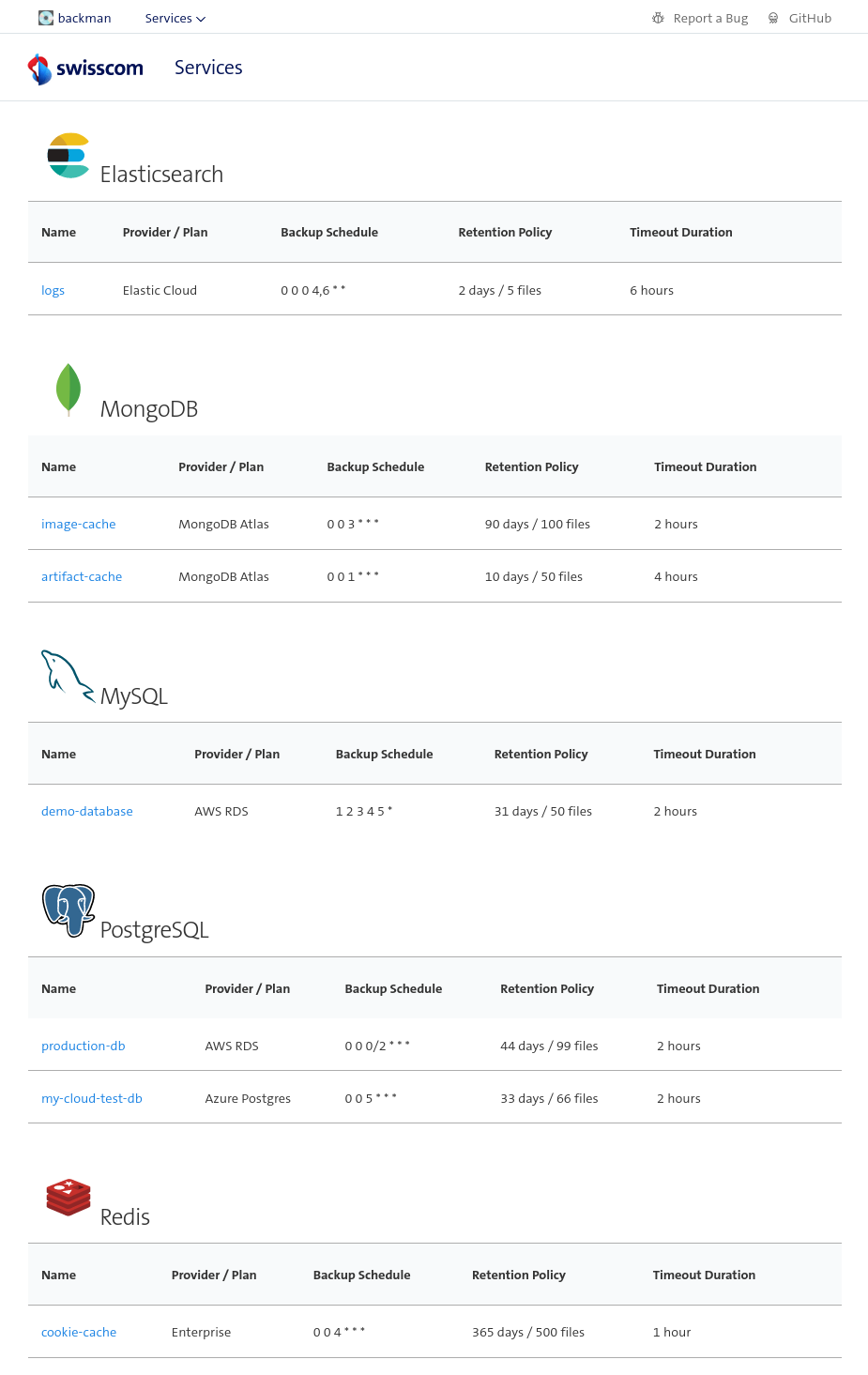
- shows all bound service instances
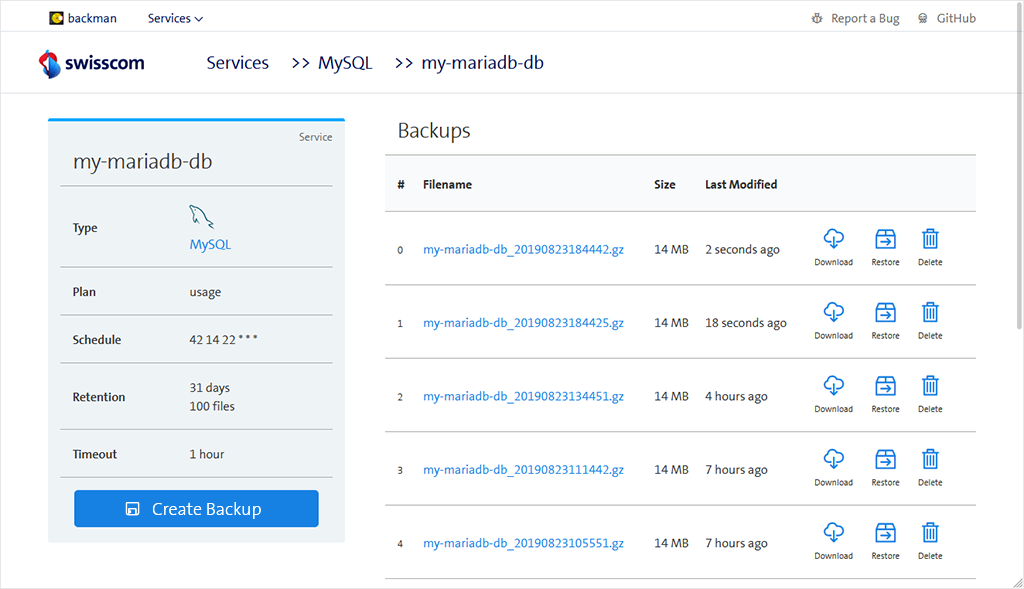
- display service, trigger backups/restores
Supported databases
- MariaDB / MySQL
- PostgreSQL
- MongoDB
 Documentation

Documentation


There is no documentation for this package.
 Source Files
 Directories
Click to show internal directories.
Click to hide internal directories.