 The highest tagged major version is


 README

README







Steampipe is the universal interface to APIs. Use SQL to query cloud infrastructure, SaaS, code, logs, and more.
With Steampipe you can:
-
Check → Ensure that cloud resources comply with security benchmarks such as CIS, NIST, and SOC2.
-
Visualize → View prebuilt dashboards or build your own.
Steampipe CLI: The SQL console for API queries
The Steampipe community has grown a suite of plugins that map APIs to tables.
| Cloud | AWS, Alibaba, Azure, GCP, IBM, Oracle … |
| SaaS | Airtable, Jira, GitHub, Google Workspace, Microsoft 365, Salesforce, Slack, Stripe, Zoom … |
| Security | CrowdStrike, GitGuardian, Have I Been Pwned, PAN-OS, Shodan, Trivy, VirusTotal … |
| Identity | Azure AD, Duo, Keycloak, Google Directory, LDAP … |
| DevOps | Docker, Grafana, Kubernetes, Prometheus … |
| Net | Baleen, Cloudflare, crt.sh, Gandi, IMAP, ipstack, Tailscale, updown.io, WHOIS … |
| IaC | CloudFormation, Terraform … |
| Logs | Algolia, AWS CloudWatch, Datadog, Splunk … |
| Social | HackerNews, Twitter, Reddit, RSS … |
| Your API | Build your own custom plugins |
The interactive query shell is one way you can query those tables.
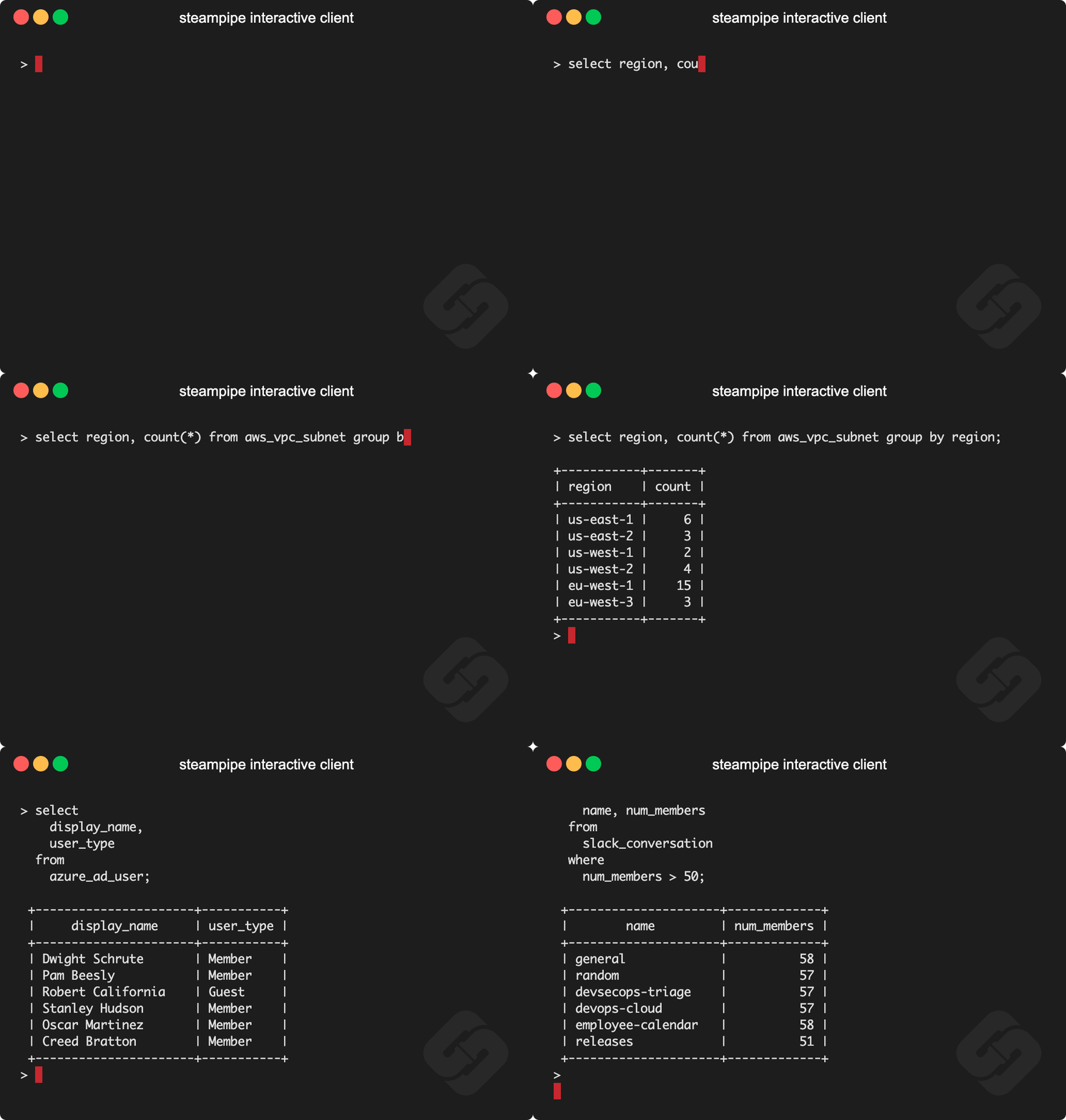
You can also use psql, pgcli, Metabase, Tableau, or any client that can connect to Postgres.
Get started with the CLI
Install Steampipe
The downloads page shows you how but tl;dr:
Linux or WSL
sudo /bin/sh -c "$(curl -fsSL https://raw.githubusercontent.com/turbot/steampipe/main/install.sh)"
MacOS
brew tap turbot/tap
brew install steampipe
Add a plugin
Choose a plugin from the hub, for example: Net.
Run the steampipe plugin command to install it.
steampipe plugin install net
Run steampipe query
Launch the interactive shell.
steampipe query
Run your first query!
select
  *
from
  net_certificate
where
  domain = 'google.com';
Learn more about the CLI
-
It's just SQL!
-
You can run queries on the command line and include them in scripts.
-
Other commands run benchmarks, launch Steampipe as a service, and start the dashboard server.
-
Meta-commands control caching, environment variables, the search path, and more.
-
Queries can run in batch mode.
-
You can bundle connections (e.g. for many AWS accounts) using an aggregator.
Build and develop the CLI
Prerequisites:
- Golang Version 1.19 or higher.
Clone:
git clone git@github.com:turbot/steampipe
cd steampipe
Build, which automatically installs the new version to your /usr/local/bin/steampipe directory:
make
Check the verison
$ steampipe -v
steampipe version 0.18.1
Install a plugin
$ steampipe plugin install steampipe
Try it!
steampipe query
> .inspect steampipe
+-----------------------------------+-----------------------------------+
| TABLE                             | DESCRIPTION                       |
+-----------------------------------+-----------------------------------+
| steampipe_registry_plugin         | Steampipe Registry Plugins        |
| steampipe_registry_plugin_version | Steampipe Registry Plugin Version |
+-----------------------------------+-----------------------------------+

> select * from steampipe_registry_plugin;
Steampipe Mods: Dashboards and benchmarks
The Steampipe community has also grown a suite of mods which are sets of dashboards that visualize your resources and benchmarks that check your cloud resources for compliance.
| Compliance | Check AWS, Azure, GCP, etc for compliance with HIPAA, PCI, etc |
| Cost | Review what AWS, Azure, GCP, and other clouds are costing you |
| Insights | Visualize cloud resources with charts, tables, and interactive widgets |
| Security | Use CIS, NIST, FedRAMP etc to assess the security of AWS, Azure, GCP, etc |
| Tags | Verify the consistency of tags applied to AWS, Azure, and GCP resources |
| Your mod | Build your own benchmarks and dashboards |
Running dashboards and benchmarks

Dashboards and benchmarks use SQL to gather data and HCL to flow the data into dashboard widgets and benchmark controls. You can use the existing suites of benchmarks and dashboards, or build derivative versions, or create your own.
Get started with dashboards and benchmarks
Install the Net Insights mod
The Net Insights mod works with the Net plugin shown above. To run it, first clone its repo and change to that directory.
git clone https://github.com/turbot/steampipe-mod-net-insights
cd steampipe-mod-net-insights
Run benchmarks in the CLI
All the benchmarks:
steampipe check all
A single benchmark:
steampipe check benchmark.dns_best_practices
A single control:
steampipe check control.dns_ns_name_valid
Available formats include JSON, CSV, HTML, and ASFF. You can use custom output templates to create new output formats.
Run benchmarks as dashboards
Launch the dashboard server: `steampipe dashboard`, then open `http://localhost:9194` in your browser.
The home page lists available dashboards. Click DNS Best Practices to view that dashboard.
Note that the default domains are microsoft.com and github.com. You can change those defaults to check other domains.
Use dashboards to explore your resources
Dashboards use charts, tables, and interactive widgets to help you explore and visualize your resources.
The AWS Insights mod, for example, provides dozens of dashboards that exercise the full set of widgets. To use these dashboards, first install the AWS plugin and authenticate. Then clone AWS Insights, change to its directory, launch steampipe dashboard, and open localhost:9194.
Community
We thrive on feedback and community involvement!
Have a question? → Join our Slack community or open a GitHub issue.
Want to get involved? → Learn how to contribute.
Want to work with the team? → We are hiring!
Steampipe Cloud
Want a hosted version of Steampipe? Bring your team to Steampipe Cloud.
 Documentation

Documentation


There is no documentation for this package.
 Source Files
 Directories

Directories

| Path | Synopsis |
|---|---|
|
Package cmd contains Cobra command definitions for all Steampipe commands
|
Package cmd contains Cobra command definitions for all Steampipe commands |
|
pkg
|
|
|
cloud
Package cloud contains logic to support connecting to a steampipe cloud database
|
Package cloud contains logic to support connecting to a steampipe cloud database |
|
cmdconfig
Package cmd_config contains helper functions to support constructing Cobra commands, validating arguments and populating Viper config management
|
Package cmd_config contains helper functions to support constructing Cobra commands, validating arguments and populating Viper config management |
|
constants
Package constants contains constant values that are used throughout Steampipe
|
Package constants contains constant values that are used throughout Steampipe |
|
pluginmanager_service/grpc/shared
Package shared contains shared data between the host and plugins.
|
Package shared contains shared data between the host and plugins. |
|
version
Package version :: The version package provides a location to set the release versions for all packages to consume, without creating import cycles.
|
Package version :: The version package provides a location to set the release versions for all packages to consume, without creating import cycles. |
|
ui
|
|
|
dashboard/scripts
command
|