

 README

README

Transaction Log Agent

Track RPM transactions on your datacenter




This repository contains the code for the Agent, which compiles transactional data and sends it to a central server, enabling real-time monitoring and analytics. By aggregating and processing package history, the Agent provides actionable insights for system administrators to optimize their RPM-based systems.
[!WARNING] This repository is under active development and may introduce breaking changes at any time. Please note:
- The codebase is evolving rapidly
- Breaking changes may occur between commits
- API stability is not guaranteed
- Regular updates are recommended to stay current
- Check the changelog before updating
Installation
sudo dnf localinstall -y https://rpm.rda.run/rpm-rda-run-1.3.0-1.noarch.rpm
sudo dnf install -y txlog
Configuration
You need to set your Txlog Server address
on /etc/txlog.yaml file.
server:
  url: https://txlog-server.example.com:8080
  # If your server requires API key authentication,
  # uncomment and configure the API key below
  # api_key: txlog_your_api_key_here
  # If your server requires basic authentication,
  # uncomment and configure username and password below
  # username: bob_tables
  # password: correct-horse-battery-staple
[!IMPORTANT] API Key Compatibility: API key authentication requires Txlog Server version 1.14.0 or higher. If you configure an API key, the agent will automatically check the server version on startup and fail with a clear error message if the server version is incompatible. To use API keys, ensure your server is running version 1.14.0 or later, or use basic authentication instead.
Usage
To compile and send all transaction info:
txlog build
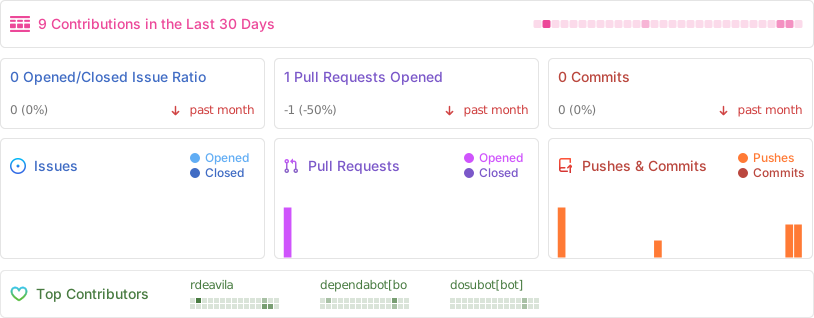
🪴 Project Activity
Development
To make changes on this project, you need:
Golang
wget https://go.dev/dl/go1.25.4.linux-amd64.tar.gz
sudo rm -rf /usr/local/go
sudo tar -C /usr/local -xzf go1.25.4.linux-amd64.tar.gz
echo "export PATH=$PATH:/usr/local/go/bin" >> ~/.bashrc
source ~/.bashrc
rm go1.25.4.linux-amd64.tar.gz
nFPM and Goreleaser
echo '[goreleaser]
name=GoReleaser
baseurl=https://repo.goreleaser.com/yum/
enabled=1
gpgcheck=0' | sudo tee /etc/yum.repos.d/goreleaser.repo
sudo dnf install -y --exclude=goreleaser-pro goreleaser nfpm
Pandoc
wget https://github.com/jgm/pandoc/releases/download/3.8.2.1/pandoc-3.8.2.1-linux-amd64.tar.gz
tar zxvf pandoc-3.8.2.1-linux-amd64.tar.gz
sudo mv pandoc-3.8.2.1/bin/pandoc /usr/bin/pandoc
rm -rf pandoc-3.8.2.1*
Development commands
The Makefile contains all the necessary commands for development. You can run
make to view all options.
To create the binary and distribute
make clean: remove compiled binaries and packagesmake build: build a production-ready binary on./bindirectorymake man: compile theman txlogmanpagemake rpm: create new.rpmpackage
Contributing
- Fork it (https://github.com/txlog/agent/fork)
- Create your feature branch (
git checkout -b my-new-feature) - Commit your changes (
git commit -am 'Add some feature') - Push to the branch (
git push origin my-new-feature) - Create a new Pull Request
 Documentation

Documentation


There is no documentation for this package.
 Source Files
 Directories

Directories

| Path | Synopsis |
|---|---|
|
THE SOFTWARE IS PROVIDED "AS IS", WITHOUT WARRANTY OF ANY KIND, EXPRESS OR IMPLIED, INCLUDING BUT NOT LIMITED TO THE WARRANTIES OF MERCHANTABILITY, FITNESS FOR A PARTICULAR PURPOSE AND NONINFRINGEMENT.
|
THE SOFTWARE IS PROVIDED "AS IS", WITHOUT WARRANTY OF ANY KIND, EXPRESS OR IMPLIED, INCLUDING BUT NOT LIMITED TO THE WARRANTIES OF MERCHANTABILITY, FITNESS FOR A PARTICULAR PURPOSE AND NONINFRINGEMENT. |