

 README

README






golang-bitcoin
create/sign bitcoin transaction with golang
gobtcsign
gobtcsign is a concise and efficient Bitcoin transaction signing library designed to help developers quickly build, sign, and verify Bitcoin transactions.
gobtcsign is a Golang package that simplifies BTC/DOGECOIN transaction signing and serves as a gateway for developers to explore BTC blockchain knowledge.
CHINESE README
Installation
go get github.com/yyle88/gobtcsign
Features
Here are the core features provided by gobtcsign:
- Transaction Construction: Efficiently construct transactions with support for multiple inputs and outputs, including automatic change calculation. A dynamic fee adjustment feature allows users to control transaction costs.
- Transaction Size Estimation: Estimate the virtual size (vSize) of transactions based on the number and type of inputs/outputs. This helps developers set appropriate fee rates based on real-time conditions.
- Transaction Signing: Compatible with multiple address types, including P2PKH, P2SH, and SegWit. Developers can use private keys to sign transaction inputs.
- Signature Verification: Ensure transaction signatures are valid, reducing the risk of rejection by the network due to signature issues.
- Transaction Serialization: Serialize signed transactions into hexadecimal strings for direct broadcasting to the Bitcoin network.
Dependencies
gobtcsign relies on the following key modules:
- github.com/btcsuite/btcd: Implements Bitcoin's core protocol and serves as the foundation for building and parsing transactions.
- github.com/btcsuite/btcd/btcec/v2: Handles elliptic curve cryptography for key management and signature generation/verification.
- github.com/btcsuite/btcd/btcutil: Provides utilities for encoding/decoding Bitcoin addresses and other common Bitcoin operations.
- github.com/btcsuite/btcd/chaincfg/chainhash: Offers hash calculations and chain-related utilities.
- github.com/btcsuite/btcwallet/wallet/txauthor: Constructs transaction inputs/outputs and automatically handles change.
- github.com/btcsuite/btcwallet/wallet/txrules: Defines transaction rules, including minimum fee calculations and other constraints.
- github.com/btcsuite/btcwallet/wallet/txsizes: Calculates the virtual size (vSize) of transactions, enabling dynamic fee adjustments.
gobtcsign avoids using packages outside the github.com/btcsuite suite. Even so, you should never use this library directly for signing transactions without careful review to avoid potential malicious code that could collect your private keys. The best practice is to fork the project or copy the relevant code into your project while thoroughly reviewing the code and configuring strict network whitelists for your servers.
Usage Steps
- Initialize Transaction Parameters: Define transaction inputs (UTXOs), output target addresses, and amounts. Configure Replace-By-Fee (RBF) options as needed.
- Estimate Transaction Size and Fees: Use the library's methods to estimate transaction size and set appropriate fees based on real-time fee rates.
- Generate Unsigned Transactions: Build transactions using the defined parameters.
- Sign Transactions: Sign transaction inputs using the corresponding private keys.
- Validate and Serialize: Verify the signature's validity and serialize the transaction into a hexadecimal string for broadcasting.
Demos
Demo 1: Create Bitcoin Wallet
This demo shows how to create a P2WPKH (SegWit) Bitcoin wallet, generate random private keys, and derive addresses.
// Package main demonstrates P2WPKH wallet creation
// Generates random private key and derives P2WPKH (SegWit) address
// Outputs WIF and hex format private keys along with Bitcoin address
package main

import (
	"encoding/hex"
	"fmt"
	"log"

	"github.com/btcsuite/btcd/btcec/v2"
	"github.com/btcsuite/btcd/btcutil"
	"github.com/btcsuite/btcd/chaincfg"
)

func main() {
	netParams := &chaincfg.MainNetParams

	// Generate new random private key
	privateKey, err := btcec.NewPrivateKey()
	if err != nil {
		log.Fatalf("random private key error: %v", err)
	}

	// Encode private key in WIF (Wallet Import Format)
	privateWif, err := btcutil.NewWIF(privateKey, netParams, true)
	if err != nil {
		log.Fatalf("create wallet import format error: %v", err)
	}

	// Generate public key from private key
	pubKey := privateWif.PrivKey.PubKey()

	// Calculate public key hash (P2WPKH uses SHA256 + RIPEMD160 hash of public key)
	pubKeyHash := btcutil.Hash160(pubKey.SerializeCompressed())

	// Create P2WPKH address
	witnessPubKeyHash, err := btcutil.NewAddressWitnessPubKeyHash(pubKeyHash, netParams)
	if err != nil {
		log.Fatalf("create P2WPKH address error: %v", err)
	}

	fmt.Println("Private Key (WIF):", privateWif.String())
	fmt.Println("Private Key (Hex):", hex.EncodeToString(privateKey.Serialize()))
	fmt.Println("P2WPKH Address:", witnessPubKeyHash.EncodeAddress())
	fmt.Println("Network Name:", netParams.Name)
}
⬆️ Source: Demo 1 Source Code
Demo 2: Bitcoin Transaction Signing
This demo demonstrates signing a Bitcoin transaction on TestNet using P2WPKH (SegWit) addresses with RBF support.
// Package main demonstrates Bitcoin transaction signing on TestNet
// Shows complete workflow: build transaction, sign, verify, and get hex output
// Uses P2WPKH (SegWit) address format with RBF support
package main

import (
	"fmt"

	"github.com/btcsuite/btcd/chaincfg"
	"github.com/yyle88/gobtcsign"
)

func main() {
	// TestNet sender address and private key
	// WARNING: Never expose private key unless wallet is disposable
	const senderAddress = "tb1qvg2jksxckt96cdv9g8v9psreaggdzsrlm6arap"
	const privateKeyHex = "54bb1426611226077889d63c65f4f1fa212bcb42c2141c81e0c5409324711092"

	netParams := chaincfg.TestNet3Params

	// Build transaction parameters with inputs and outputs
	param := gobtcsign.BitcoinTxParams{
		VinList: []gobtcsign.VinType{
			{
				OutPoint: *gobtcsign.MustNewOutPoint("e1f05d4ef10d6d4245839364c637cc37f429784883761668978645c67e723919", 2),
				Sender:   *gobtcsign.NewAddressTuple(senderAddress),
				Amount:   13089,
				RBFInfo:  *gobtcsign.NewRBFNotUse(),
			},
		},
		OutList: []gobtcsign.OutType{
			{
				Target: *gobtcsign.NewAddressTuple("tb1qk0z8zhsq5hlewplv0039smnz62r2ujscz6gqjx"),
				Amount: 1234,
			},
			{
				Target: *gobtcsign.NewAddressTuple(senderAddress),
				Amount: 11855 - 11111,
			},
		},
		RBFInfo: *gobtcsign.NewRBFActive(),
	}

	// Fee calculation depends on real-time rate and transaction size
	// Different transactions have different estimates, fee calculation skipped here
	mustSame(int64(11111), int64(param.GetFee()))

	// Estimate transaction size (slightly larger than actual value)
	size, err := param.EstimateTxSize(&netParams, gobtcsign.NewNoChange())
	mustDone(err)
	fmt.Println("estimate-tx-size:", size)

	// Create transaction ready to sign
	signParam, err := param.CreateTxSignParams(&netParams)
	mustDone(err)

	fmt.Println("utxo inputs:", len(signParam.InputOuts))

	// Sign the transaction with private key
	mustDone(gobtcsign.Sign(senderAddress, privateKeyHex, signParam))

	// Get signed transaction
	msgTx := signParam.MsgTx

	// Verify signature is valid
	mustDone(param.VerifyMsgTxSign(msgTx, &netParams))
	// Check transaction parameters match
	mustDone(param.CheckMsgTxParam(msgTx, &netParams))

	// Get transaction hash
	txHash := gobtcsign.GetTxHash(msgTx)
	fmt.Println("msg-tx-hash:->", txHash, "<-")
	mustSame("e587e4f65a7fa5dbba6bede6b000e8ece097671bb348db3de0e507c8b36469ad", txHash)

	// Serialize transaction to hex string
	signedHex, err := gobtcsign.CvtMsgTxToHex(msgTx)
	mustDone(err)
	fmt.Println("raw-tx-data:->", signedHex, "<-")
	mustSame("010000000001011939727ec645869768167683487829f437cc37c664938345426d0df14e5df0e10200000000fdffffff02d204000000000000160014b3c4715e00a5ff9707ec7be2586e62d286ae4a18e80200000000000016001462152b40d8b2cbac358541d850c079ea10d1407f02483045022100e8269080acc14fd24ee13cbbdaa5ea34192f090c917b4ca3da44eda25badd58e02206813da9023bebd556a95e04e6a55c9a5fdf5dfb19746c896d7fd7f26aaa58878012102407ea64d7a9e992028a94481af95ea7d8f54870bd73e5878a014da594335ba3200000000", signedHex)

	// SendRawHexTx(txHex) - Use this hex to broadcast transaction
	// Transaction already broadcasted, visible on chain

	// Common errors:
	// "-3: Amount is not a number or string" - Using btcjson.NewSendRawTransactionCmd instead of NewBitcoindSendRawTransactionCmd
	// "-26: mempool min fee not met" - Node minrelaytxfee setting too high, test nodes should use lower threshold
	fmt.Println("success")
}

// After broadcasting transaction - sender account status:
// CONFIRMED UNSPENT: 1 OUTPUTS (0.00013089 tBTC)
// UNCONFIRMED TX COUNT: 1
// UNCONFIRMED RECEIVED: 1 OUTPUTS (0.00000744 tBTC)
// UNCONFIRMED SPENT: 1 OUTPUTS (0.00013089 tBTC)

// After broadcasting transaction - recipient account status:
// CONFIRMED UNSPENT: 1 OUTPUTS (0.00003000 tBTC)
// UNCONFIRMED TX COUNT: 1
// UNCONFIRMED RECEIVED: 1 OUTPUTS (0.00001234 tBTC)

// Wait for blockchain confirmation - higher fee means faster confirmation
// Otherwise wait patiently or increase fee by reconstructing transaction

// mustDone panics if error occurs
func mustDone(err error) {
	if err != nil {
		panic(err)
	}
}

// mustSame compares two values and panics if different
func mustSame[T comparable](want, data T) {
	if want != data {
		fmt.Println("want:", want)
		fmt.Println("data:", data)
		panic("wrong")
	}
}
⬆️ Source: Demo 2 Source Code
Demo 3: Dogecoin Transaction Signing
This demo demonstrates signing a Dogecoin transaction on TestNet using P2PKH (legacy) addresses with RBF support.
// Package main demonstrates Dogecoin transaction signing on TestNet
// Shows complete workflow: build transaction, sign, verify, and get hex output
// Uses P2PKH (legacy) address format with RBF support
package main

import (
	"fmt"

	"github.com/yyle88/gobtcsign"
	"github.com/yyle88/gobtcsign/dogecoin"
)

func main() {
	// Dogecoin TestNet sender address and private key
	// WARNING: Never expose private key unless wallet is disposable
	const senderAddress = "nkgVWbNrUowCG4mkWSzA7HHUDe3XyL2NaC"
	const privateKeyHex = "5f397bc72377b75db7b008a9c3fcd71651bfb138d6fc2458bb0279b9cfc8442a"

	netParams := dogecoin.TestNetParams

	// Build Dogecoin transaction parameters
	param := gobtcsign.BitcoinTxParams{
		VinList: []gobtcsign.VinType{
			{
				OutPoint: *gobtcsign.MustNewOutPoint(
					"173d5e1b33fc9adf64cd4b1f3b2ac73acaf0e10c967cd6fa1aa191d817d7ff77",
					3,
				),
				Sender:  *gobtcsign.NewAddressTuple(senderAddress),
				Amount:  14049272,
				RBFInfo: *gobtcsign.NewRBFNotUse(),
			},
		},
		OutList: []gobtcsign.OutType{
			{
				Target: *gobtcsign.NewAddressTuple("ng4P16anXNUrQw6VKHmoMW8NHsTkFBdNrn"),
				Amount: 1234567,
			},
			{
				Target: *gobtcsign.NewAddressTuple(senderAddress),
				Amount: 12814705 - 222222,
			},
		},
		RBFInfo: *gobtcsign.NewRBFActive(),
	}

	// Fee calculation depends on real-time rate and transaction size
	// Different transactions have different estimates, fee calculation skipped here
	mustSame(int64(222222), int64(param.GetFee()))

	// Estimate transaction size (slightly larger than actual value)
	size, err := param.EstimateTxSize(&netParams, gobtcsign.NewNoChange())
	mustDone(err)
	fmt.Println("estimate-tx-size:", size)

	// Create transaction ready to sign
	signParam, err := param.CreateTxSignParams(&netParams)
	mustDone(err)

	// Sign the transaction with private key
	mustDone(gobtcsign.Sign(senderAddress, privateKeyHex, signParam))

	// Get signed transaction
	msgTx := signParam.MsgTx

	// Verify signature is valid
	mustDone(param.VerifyMsgTxSign(msgTx, &netParams))
	// Check transaction parameters match
	mustDone(param.CheckMsgTxParam(msgTx, &netParams))

	// Get transaction hash
	txHash := gobtcsign.GetTxHash(msgTx)
	fmt.Println("msg-tx-hash:->", txHash, "<-")
	mustSame("d06f0a49c4f18e2aa520eb3bfc961602aa18c811380cb38cae3638c13883f5ed", txHash)

	// Serialize transaction to hex string
	signedHex, err := gobtcsign.CvtMsgTxToHex(msgTx)
	mustDone(err)
	fmt.Println("raw-tx-data:->", signedHex, "<-")
	mustSame("010000000177ffd717d891a11afad67c960ce1f0ca3ac72a3b1f4bcd64df9afc331b5e3d17030000006a473044022025a41ebdb7d1a5edc5bcdb120ac339591fd95a9a084c8250a362073ffb27575202204579fa82476a52f5a28f605a827ef4866d4ba671c60363f22b523f5c27bf090a012102dfef3896f159dde1c2a972038e06ebc39c551f5f3d45e2fc9544f951fe4282f4fdffffff0287d61200000000001976a9148228d0af289894d419ddcaf6da679d8e9f0f160188ac6325c000000000001976a914b4ddb9db68061a0fec90a4bcaef21f82c8cfa1eb88ac00000000", signedHex)

	// SendRawHexTx(txHex) - Use this hex to broadcast Dogecoin transaction
	// Transaction already broadcasted, visible on chain
	fmt.Println("success")
}

// mustDone panics if error occurs
func mustDone(err error) {
	if err != nil {
		panic(err)
	}
}

// mustSame compares two values and panics if different
func mustSame[T comparable](want, data T) {
	if want != data {
		fmt.Println("want:", want)
		fmt.Println("data:", data)
		panic("wrong")
	}
}
⬆️ Source: Demo 3 Source Code
Notes
- Private Key Security: Never expose private keys in production environments. Only use demo data for development or testing purposes.
- Fee Settings: Set transaction fees reasonably based on size and network congestion to avoid rejection by miners.
- Change Address: Ensure leftover funds are returned to your address as change to avoid loss of funds.
- Network Configuration: Properly configure network parameters (e.g.,
chaincfg.TestNet3Params) for TestNet or MainNet usage.
Getting Started with Bitcoin (BTC)
Using gobtcsign, here is a simple introduction to Bitcoin (BTC):
Step 1 - Create a Wallet
Create a test wallet using offline tools. For example, see create_wallet_test.go.
Avoid using online tools to create wallets, as they could expose your private key to unauthorized parties.
Blockchain wallets are created offline, and you can use any offline tool you prefer for this purpose. Generating a private key online is insecure and should be avoided.
Step 2 - Obtain Test Coins from a Faucet
Look for a Bitcoin faucet online to receive some test coins. This will provide the UTXOs you need for transaction testing.
Step 3 - Sign and Send a Transaction
Once you have UTXOs from the faucet, you can construct and send transactions.
In practice, you need extra features like block crawling to automatically get your UTXOs. Without these features, you can't fully automate sending transactions.
You can use blockchain explorers and program code to send transactions manually, while for automated transactions, block crawling is required.
Additional - Use DOGE to Learn BTC
Since Dogecoin (DOGE) is derived from Litecoin (LTC), which itself is derived from Bitcoin (BTC), this library also supports DOGE signing.
While Litecoin signing hasn't been tested, you can try it if you want.
DOGE provides an excellent environment for learning due to its faster block times, allowing 6-block confirmation in just a few minutes. This makes testing and iteration more efficient compared to BTC, which requires around an hour for 6-block confirmation.
BTC has richer resources and greater adoption, making it more beneficial for learning blockchain concepts. Since DOGE mimics BTC, testing DOGE logic can often reveal BTC-related issues. Supporting both BTC and DOGE is a practical choice for developers.
Important - Don’t Forget Change Outputs
Forgetting to include change outputs can lead to significant losses. Here is an example:
- Transaction at block height 818087
- Hash:
b5a2af5845a8d3796308ff9840e567b14cf6bb158ff26c999e6f9a1f5448f9aa - The sender transferred 139.42495946 BTC (worth $5,217,651), but the recipient only received 55.76998378 BTC (worth $2,087,060).
- The remaining 83.65497568 BTC (worth $3,130,590) was lost as miner fees.
This is a mistake that would be deeply regrettable and must be avoided.
DISCLAIMER
Crypto coin, at its core, is nothing but a scam. It thrives on the concept of "air coins"—valueless digital assets—to exploit the hard-earned wealth of ordinary people, all under the guise of innovation and progress. This ecosystem is inherently devoid of fairness or justice.
For the elderly, cryptocurrencies present significant challenges and risks. The so-called "high-tech" façade often excludes them from understanding or engaging with these tools. Instead, they become easy targets for financial exploitation, stripped of the resources they worked a lifetime to accumulate.
The younger generation faces a different but equally insidious issue. By the time they have the opportunity to engage, the early adopters have already hoarded the lion’s share of resources. The system is inherently tilted, offering little chance for new entrants to gain a fair footing.
The idea that cryptocurrencies like BTC, ETH, or TRX could replace global fiat currencies is nothing more than a pipe dream. This notion serves only as the shameless fantasy of early adopters, particularly those from the 1980s generation, who hoarded significant amounts of crypto coin before the general public even had an opportunity to participate.
Ask yourself this: would someone holding thousands, or even tens of thousands, of Bitcoin ever genuinely believe the system is fair? The answer is unequivocally no. These systems were never designed with fairness in mind but rather to entrench the advantages of a select few.
The rise of cryptocurrencies is not the endgame. It is inevitable that new innovations will emerge, replacing these deeply flawed systems. At this moment, my interest lies purely in understanding the underlying technology—nothing more, nothing less.
This project exists solely for the purpose of technical learning and exploration. The author of this project maintains a firm and unequivocal stance of staunch resistance to cryptocurrencies.
📄 License
MIT License. See LICENSE.
🤝 Contributing
Contributions are welcome! Report bugs, suggest features, and contribute code:
- 🐛 Found a mistake? Open an issue on GitHub with reproduction steps
- 💡 Have a feature idea? Create an issue to discuss the suggestion
- 📖 Documentation confusing? Report it so we can improve
- 🚀 Need new features? Share the use cases to help us understand requirements
- ⚡ Performance issue? Help us optimize through reporting slow operations
- 🔧 Configuration problem? Ask questions about complex setups
- 📢 Follow project progress? Watch the repo to get new releases and features
- 🌟 Success stories? Share how this package improved the workflow
- 💬 Feedback? We welcome suggestions and comments
🔧 Development
New code contributions, follow this process:
- Fork: Fork the repo on GitHub (using the webpage UI).
- Clone: Clone the forked project (
git clone https://github.com/yourname/repo-name.git). - Navigate: Navigate to the cloned project (
cd repo-name) - Branch: Create a feature branch (
git checkout -b feature/xxx). - Code: Implement the changes with comprehensive tests
- Testing: (Golang project) Ensure tests pass (
go test ./...) and follow Go code style conventions - Documentation: Update documentation to support client-facing changes and use significant commit messages
- Stage: Stage changes (
git add .) - Commit: Commit changes (
git commit -m "Add feature xxx") ensuring backward compatible code - Push: Push to the branch (
git push origin feature/xxx). - PR: Open a merge request on GitHub (on the GitHub webpage) with detailed description.
Please ensure tests pass and include relevant documentation updates.
🌟 Support
Welcome to contribute to this project via submitting merge requests and reporting issues.
Project Support:
- ⭐ Give GitHub stars if this project helps you
- 🤝 Share with teammates and (golang) programming friends
- 📝 Write tech blogs about development tools and workflows - we provide content writing support
- 🌟 Join the ecosystem - committed to supporting open source and the (golang) development scene
Have Fun Coding with this package! 🎉🎉🎉
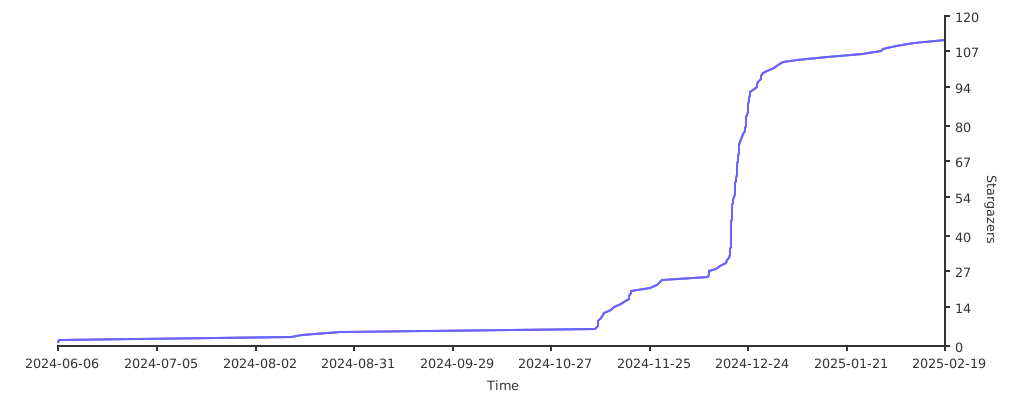
GitHub Stars
 Documentation

Documentation

Overview 
Package gobtcsign: Bitcoin and Dogecoin transaction signing engine Provides comprehensive transaction building, signing, and verification capabilities Supports P2PKH, P2WPKH address types with auto format detection and signing Includes fee estimation, RBF support, and dust handling mechanisms
gobtcsign: 比特币和狗狗币交易签名引擎 提供完整的交易构建、签名和验证功能 支持 P2PKH、P2WPKH 地址类型,具有自动格式检测和签名功能 包含费用估算、RBF 支持和灰尘处理机制
Index 
- func CalculateChangeAddressSize(address btcutil.Address) (int, error)
- func CalculateChangePkScriptSize(pkScript []byte) (int, error)
- func CheckPKHAddressIsCompress(defaultNet *chaincfg.Params, publicKey *btcec.PublicKey, senderAddress string) (bool, error)
- func CreateWalletP2PKH(netParams *chaincfg.Params) (addressString string, privateKeyHex string, err error)
- func CreateWalletP2WPKH(netParams *chaincfg.Params) (addressString string, privateKeyHex string, err error)
- func CvtMsgTxToHex(msgTx *wire.MsgTx) (string, error)
- func EstimateSize(scripts [][]byte, outputs []*wire.TxOut, change *ChangeTo) (int, error)
- func EstimateTxFee(param *BitcoinTxParams, netParams *chaincfg.Params, change *ChangeTo, ...) (btcutil.Amount, error)
- func EstimateTxSize(param *BitcoinTxParams, netParams *chaincfg.Params, change *ChangeTo) (int, error)
- func GetAddressPkScript(addressString string, netParams *chaincfg.Params) ([]byte, error)
- func GetMsgTxVSize(msgTx *wire.MsgTx) int
- func GetRawTransaction(client *rpcclient.Client, txHash string) (*btcjson.TxRawResult, error)
- func GetTxHash(msgTx *wire.MsgTx) string
- func MustGetPkScript(address btcutil.Address) []byte
- func MustNewAddress(addressString string, netParams *chaincfg.Params) btcutil.Address
- func MustNewOutPoint(srcTxHash string, utxoIndex uint32) *wire.OutPoint
- func NewInputOuts(pkScripts [][]byte, amounts []int64) []*wire.TxOut
- func NewInputOutsV2(pkScripts [][]byte, amounts []btcutil.Amount) []*wire.TxOut
- func NewMsgTxFromHex(txHex string) (*wire.MsgTx, error)
- func Sign(senderAddress string, privateKeyHex string, param *SignParam) error
- func SignP2PKH(signParam *SignParam, privKey *btcec.PrivateKey, compress bool) error
- func SignP2WPKH(signParam *SignParam, privKey *btcec.PrivateKey, compress bool) error
- func VerifyP2PKHSign(msgTx *wire.MsgTx, senders []string, netParams *chaincfg.Params) error
- func VerifySign(msgTx *wire.MsgTx, inputOuts []*wire.TxOut, ...) error
- func VerifySignV2(msgTx *wire.MsgTx, inputList []*VerifyTxInputParam, netParams *chaincfg.Params) error
- func VerifySignV3(msgTx *wire.MsgTx, inputsItem *VerifyTxInputsType) error
- func VerifySignV4(msgTx *wire.MsgTx, prevScripts [][]byte, inputValues []btcutil.Amount) error
- type AddressTuple
- type BitcoinTxParams
- func (param *BitcoinTxParams) CheckMsgTxParam(msgTx *wire.MsgTx, netParams *chaincfg.Params) error
- func (param *BitcoinTxParams) CreateTxSignParams(netParams *chaincfg.Params) (*SignParam, error)
- func (param *BitcoinTxParams) EstimateTxFee(netParams *chaincfg.Params, change *ChangeTo, feeRatePerKb btcutil.Amount, ...) (btcutil.Amount, error)
- func (param *BitcoinTxParams) EstimateTxSize(netParams *chaincfg.Params, change *ChangeTo) (int, error)
- func (param *BitcoinTxParams) GetChangeAmountWithFee(fee btcutil.Amount) btcutil.Amount
- func (param *BitcoinTxParams) GetFee() btcutil.Amount
- func (param *BitcoinTxParams) GetInputList() []*VerifyTxInputParam
- func (param *BitcoinTxParams) GetOutputs(netParams *chaincfg.Params) ([]*wire.TxOut, error)
- func (param *BitcoinTxParams) GetTxInputSequence(input VinType) uint32
- func (param *BitcoinTxParams) GetVerifyTxInputsItem(netParams *chaincfg.Params) (*VerifyTxInputsType, error)
- func (param *BitcoinTxParams) VerifyMsgTxSign(msgTx *wire.MsgTx, netParams *chaincfg.Params) error
- type ChangeTo
- type DustFee
- type DustLimit
- type GetUtxoFromInterface
- type OutType
- type RBFConfig
- type SenderAmountUtxo
- type SenderAmountUtxoCache
- type SenderAmountUtxoClient
- type SignParam
- type VerifyTxInputParam
- type VerifyTxInputsType
- type VinType
Constants 
This section is empty.
Variables 
This section is empty.
Functions 
func CalculateChangeAddressSize 
CalculateChangeAddressSize 根据钱包地址计算出找零输出的size
func CalculateChangePkScriptSize 
CalculateChangePkScriptSize 根据公钥哈希计算出找零输出的size 具体参考链接在 https://github.com/btcsuite/btcwallet/blob/b4ff60753aaa3cf885fb09586755f67d41954942/wallet/createtx.go#L457 当然这里代码略有差异,但含义是相同的
func CheckPKHAddressIsCompress 
func CheckPKHAddressIsCompress(defaultNet *chaincfg.Params, publicKey *btcec.PublicKey, senderAddress string) (bool, error)
CheckPKHAddressIsCompress checks if PKH address uses compressed public key format Tests both compressed and uncompressed formats to match sender address Returns compression status and error if address type is unknown
CheckPKHAddressIsCompress 检查 PKH 地址是否使用压缩公钥格式 测试压缩和非压缩格式以匹配发送者地址 返回压缩状态,如果地址类型未知则返回错误
func CreateWalletP2PKH 
func CreateWalletP2PKH(netParams *chaincfg.Params) (addressString string, privateKeyHex string, err error)
CreateWalletP2PKH generates a Bitcoin wallet using the P2PKH format. This function returns the wallet address and private key hex-string. CreateWalletP2PKH 使用 P2PKH 格式生成比特币钱包。 该函数返回钱包地址和私钥的十六进制格式。
func CreateWalletP2WPKH 
func CreateWalletP2WPKH(netParams *chaincfg.Params) (addressString string, privateKeyHex string, err error)
CreateWalletP2WPKH generates a Bitcoin wallet using the P2WPKH format. This function returns the wallet address and private key hex-string. CreateWalletP2WPKH 使用 P2WPKH 格式生成比特币钱包。 该函数返回钱包地址和私钥的十六进制格式。
func CvtMsgTxToHex 
CvtMsgTxToHex converts Go message body to hex string used on BTC chain Serializes transaction to hex format for broadcasting
CvtMsgTxToHex 把 Go 语言消息体转换为 BTC 链上通用的 hex 字符串 序列化交易到 hex 格式以便广播
func EstimateSize 
EstimateSize 计算交易的预估大小(在最坏情况下的预估大小) 这个函数还是抄的 github.com/btcsuite/btcwallet/wallet/txauthor@v1.3.4/author.go 里面 NewUnsignedTransaction 的逻辑 详细细节见 https://github.com/btcsuite/btcwallet/blob/master/wallet/txauthor/author.go 这里的逻辑 具体参考链接在 https://github.com/btcsuite/btcwallet/blob/b4ff60753aaa3cf885fb09586755f67d41954942/wallet/txauthor/author.go#L93 是否填写找零信息,得依据 outputs 里面是否已经包含找零信息
func EstimateTxFee 
func EstimateTxFee(param *BitcoinTxParams, netParams *chaincfg.Params, change *ChangeTo, feeRatePerKb btcutil.Amount, dustFee DustFee) (btcutil.Amount, error)
EstimateTxFee estimates required fee through unsigned transaction without change Based on logic from github.com/btcsuite/btcwallet/wallet/txauthor NewUnsignedTransaction Reference: https://github.com/btcsuite/btcwallet/blob/b4ff60753aaa3cf885fb09586755f67d41954942/wallet/txauthor/author.go#L132 Transaction should not include change output as fee calculation would be meaningless
EstimateTxFee 通过未签名且未找零的交易预估所需费用 基于 github.com/btcsuite/btcwallet/wallet/txauthor NewUnsignedTransaction 的逻辑 参考链接:https://github.com/btcsuite/btcwallet/blob/b4ff60753aaa3cf885fb09586755f67d41954942/wallet/txauthor/author.go#L132 交易里不应该包含找零的 output 信息,否则结果是无意义的
func EstimateTxSize 
func EstimateTxSize(param *BitcoinTxParams, netParams *chaincfg.Params, change *ChangeTo) (int, error)
EstimateTxSize 通过未签名的交易,预估出签名后交易体的大小,结果是 v-size 的,而且略微>=实际值
func GetAddressPkScript 
GetAddressPkScript generates the corresponding public key script (PkScript) from the address string. GetAddressPkScript 根据地址字符串生成对应的公钥脚本(PkScript),地址和公钥脚本是一对一的
func GetMsgTxVSize 
GetMsgTxVSize returns the virtual size (v-size) of the signed transaction, which matches the value on the chain. GetMsgTxVSize 获得【签名后的】交易的大小,结果是 v-size 的,而且和链上的值相同
func GetRawTransaction 
GetRawTransaction retrieves the raw transaction from the client using the transaction hash. GetRawTransaction 通过交易哈希从客户端获取原始交易
func GetTxHash 
GetTxHash returns transaction hash from signed transaction message Extracts hash identifier from MsgTx structure
GetTxHash 从签名后的交易消息获得交易哈希 从 MsgTx 结构中提取哈希标识符
func MustGetPkScript 
MustGetPkScript generates the public key script (PkScript) from the address and panics if there is an error. MustGetPkScript 根据地址生成公钥脚本(PkScript),如果出错则抛出异常
func MustNewAddress 
MustNewAddress decodes the address string and panics if there is an error. MustNewAddress 根据地址字符串生成地址对象,如果出错则抛出异常
func MustNewOutPoint 
MustNewOutPoint creates a new OutPoint from the transaction hash and UTXO index, and panics if there is an error. MustNewOutPoint 根据交易哈希和UTXO索引创建新的OutPoint,如果出错则抛出异常
func NewInputOuts 
NewInputOuts converts pkScripts and amounts to []*wire.TxOut. NewInputOuts 因为 SignParam 的成员里有 []*wire.TxOut 类型的前置输出字段,但教程常用的是 pkScripts [][]byte 和 amounts []int64 两个属性,因此这里写个转换逻辑
func NewInputOutsV2 
NewInputOutsV2 converts pkScripts and amounts to []*wire.TxOut using btcutil.Amount. NewInputOutsV2 因为 SignParam 的成员里有 []*wire.TxOut 类型的前置输出字段,但教程常用的是 pkScripts [][]byte 和 amounts []btcutil.Amount 两个属性,因此这里写个转换逻辑
func NewMsgTxFromHex 
NewMsgTxFromHex deserializes a transaction message body from a hex string. NewMsgTxFromHex deserializes a transaction message body from a hex string.
func Sign 
Sign signs a transaction using wallet address and private key Auto detects address type and applies appropriate signing method Supports P2WPKH (SegWit) and P2PKH (legacy) address formats Verifies signature after signing to ensure correctness
Sign 使用钱包地址和私钥签名交易 自动检测地址类型并应用合适的签名方法 支持 P2WPKH(SegWit)和 P2PKH(传统)地址格式 签名后验证签名以确保正确性
func SignP2PKH 
func SignP2PKH(signParam *SignParam, privKey *btcec.PrivateKey, compress bool) error
func SignP2WPKH 
func SignP2WPKH(signParam *SignParam, privKey *btcec.PrivateKey, compress bool) error
SignP2WPKH signs SegWit (P2WPKH) transactions Creates witness signatures with compressed or uncompressed public keys Generates signature hashes and verifies signature correctness
SignP2WPKH 签名 SegWit (P2WPKH) 交易 使用压缩或非压缩公钥创建见证签名 生成签名哈希并验证签名正确性
func VerifyP2PKHSign 
VerifyP2PKHSign 验证签名是否有效,只有P2PKH的验证可以不验证数量,因此这里写个简易的函数,以便在需要的时候能够快速派上用场
这个函数的参数是:
- 当前utxo持有者的地址,也就是这个utxo在谁的钱包里,这个数组元素可以重复,特别是在单签名的场景里。
- 通常就是发送者的地址,假如使用两个utxo就是两个相同的发送者地址,假如是多签的情况,再看具体情况。
虽然 txid 和 vout 是 UTXO 的唯一标识,但在用户和系统交互的层面上,使用地址更为直观。 同时,验证过程中的安全性主要依赖于签名的有效性,而这种有效性是通过地址和相应的 pkScript 来实现的。 因此,系统选择通过utxo的来源地址来处理签名验证,而不是直接使用 txid 和 vout。
因此这里就是给的utxo的来源地址列表(按正确顺序排列,而且条数要相同)。
func VerifySign 
func VerifySign(msgTx *wire.MsgTx, inputOuts []*wire.TxOut, prevOutFetcher txscript.PrevOutputFetcher, sigHashes *txscript.TxSigHashes) error
VerifySign verifies transaction signature validity Creates and executes script engine to validate scripts Ensures transaction legality and security through signature verification
VerifySign 验证交易签名有效性 创建并执行脚本引擎验证脚本 通过签名验证确保交易合法性和安全性
func VerifySignV2 
func VerifySignV2(msgTx *wire.MsgTx, inputList []*VerifyTxInputParam, netParams *chaincfg.Params) error
VerifySignV2 验证签名是否有效,同样的逻辑实现第二遍是为了简化参数,以便在需要的时候能够快速派上用场 验证签名的主要逻辑就是验证交易中的输入(vin)是否有效。
- 签名的核心目的:确保交易中的 vin 确实有权花费引用的 UTXO。
- 签名验证:主要是通过公钥和私钥的配对来验证引用的 UTXO 是否被合法使用。
在使用 SignP2PKH 时,如果你的交易是基于 P2PKH (Pay to Public Key Hash) 的传统交易,而不是 SegWit (BIP143) 交易,那么输入金额不会影响签名验证。 这是因为 P2PKH 签名不将 amount 包含在生成的签名哈希中。也就是说,amount 不会直接影响签名的生成和验证。 因此在这种情况下 amount 直接填 0 也行,填真实值也行。
在使用 SignP2WPKH 时,需要验证数量
逻辑中用到 NewSigCache 缓存功能 如果你的交易验证中有可能存在重复的 pkScript,那么使用 NewSigCache 来创建缓存是一个明智的选择,可以提高性能。 但如果你的场景非常简单且输入数量有限,设置为 nil 或 0 也完全可以接受。根据实际需求做出选择即可。
NewSigCache 创建的缓存通常不需要显式关闭或清理。它是一个内存中的数据结构,生命周期与其所在的应用程序或模块相同。
func VerifySignV3 
func VerifySignV3(msgTx *wire.MsgTx, inputsItem *VerifyTxInputsType) error
func VerifySignV4 
VerifySignV4 这是验证签名的函数,代码主要参考这里 https://github.com/btcsuite/btcwallet/blob/b4ff60753aaa3cf885fb09586755f67d41954942/wallet/createtx.go#L503 这个 github 官方包 是非常重要的参考资料 https://github.com/btcsuite/btcwallet/blob/master/wallet/createtx.go
Types 
type AddressTuple 
type AddressTuple struct {
	Address  string // Wallet address (choose one with PkScript) // 钱包地址(和公钥脚本二选一填写即可)
	PkScript []byte // Public key script used in tx assembly and signing // 公钥脚本(在拼装交易和签名时使用)
}
AddressTuple represents Bitcoin address information Supports both wallet address and public key script formats Either Address or PkScript can be provided (choose one) When both exist, they must match
AddressTuple 代表比特币地址信息 支持钱包地址和公钥脚本两种格式 Address 或 PkScript 二选一填写即可 当两者同时存在时,需要保证匹配
func NewAddressTuple 
func NewAddressTuple(address string) *AddressTuple
NewAddressTuple creates AddressTuple from wallet address PkScript will be derived from address in subsequent logic
NewAddressTuple 从钱包地址创建 AddressTuple PkScript 将在后续逻辑中根据地址获得
func (*AddressTuple) GetPkScript 
func (one *AddressTuple) GetPkScript(netParams *chaincfg.Params) ([]byte, error)
GetPkScript 获得公钥文本,当公钥文本存在时就用已有的,否则就根据地址计算
func (*AddressTuple) VerifyMatch 
func (one *AddressTuple) VerifyMatch(netParams *chaincfg.Params) error
type BitcoinTxParams 
type BitcoinTxParams struct {
	VinList []VinType // Inputs going into BTC node // 要转入进BTC节点的
	OutList []OutType // Outputs from BTC node (usually 1 target + 1 change) // 要从BTC节点转出的(通常包含1个目标转账和1个找零)
	RBFInfo RBFConfig // RBF mechanism config to prevent transaction stuck // RBF机制配置,通常需要启用以免交易长期被卡
}
BitcoinTxParams represents custom transaction parameters Contains input and output information for BTC node transactions Supports RBF mechanism to prevent transactions from being stuck
BitcoinTxParams 代表自定义的交易参数 包含 BTC 节点交易的输入和输出信息 支持 RBF 机制以防止交易长期被卡
func NewCustomParamFromMsgTx 
func NewCustomParamFromMsgTx(msgTx *wire.MsgTx, preImp GetUtxoFromInterface) (*BitcoinTxParams, error)
NewCustomParamFromMsgTx 这里提供简易的逻辑把交易的原始参数再拼回来 以校验参数和校验签名等信息 因此该函数的主要作用是校验 首先拿到已签名(待发送/已发送)的交易的 hex 数据,接着使用 NewMsgTxFromHex 即可得到交易数据 接着使用此函数再反拼出原始参数,检查交易的费用,接着再检查签名 第二个参数是设置如何获取前置输出的 通常是使用 客户端 请求获取前置输出,但也可以使用map把前置输出存起来,因此使用 interface 获取前置输出,提供两种实现方案 在项目中推荐使用 rpc 获取,这样就很方便,而在单元测试中则只需要通过 map 预先配置就行,避免网络请求也避免暴露节点配置
func (*BitcoinTxParams) CheckMsgTxParam 
CheckMsgTxParam 当签完名以后最好是再用这个函数检查检查,避免签名逻辑在有BUG时修改输入或输出的内容
func (*BitcoinTxParams) CreateTxSignParams 
func (param *BitcoinTxParams) CreateTxSignParams(netParams *chaincfg.Params) (*SignParam, error)
CreateTxSignParams 根据用户的输入信息拼接交易
func (*BitcoinTxParams) EstimateTxFee 
func (*BitcoinTxParams) EstimateTxSize 
func (*BitcoinTxParams) GetChangeAmountWithFee 
func (param *BitcoinTxParams) GetChangeAmountWithFee(fee btcutil.Amount) btcutil.Amount
GetChangeAmountWithFee 根据交易费用计算出找零数量
func (*BitcoinTxParams) GetFee 
func (param *BitcoinTxParams) GetFee() btcutil.Amount
GetFee 全部输入和全部输出的差额,即交易的费用
func (*BitcoinTxParams) GetInputList 
func (param *BitcoinTxParams) GetInputList() []*VerifyTxInputParam
GetInputList 把拼交易的参数转换为验签的参数
func (*BitcoinTxParams) GetOutputs 
func (*BitcoinTxParams) GetTxInputSequence 
func (param *BitcoinTxParams) GetTxInputSequence(input VinType) uint32
func (*BitcoinTxParams) GetVerifyTxInputsItem 
func (param *BitcoinTxParams) GetVerifyTxInputsItem(netParams *chaincfg.Params) (*VerifyTxInputsType, error)
func (*BitcoinTxParams) VerifyMsgTxSign 
VerifyMsgTxSign 使用这个检查签名是否正确
type ChangeTo 
type ChangeTo struct {
	PkScript []byte          //允许为空,当两者皆为空时表示没有找零输出
	AddressX btcutil.Address //允许为空,当两者皆为空时表示没有找零输出
}
ChangeTo 找零信息,这里为了方便使用,就设置两个属性二选一即可,优先使用公钥哈希,其次使用钱包地址
func (*ChangeTo) GetChangeScriptSize 
GetChangeScriptSize 计算出找零输出的size
type DustFee 
DustFee type alias from internal dusts package DustFee 来自 internal dusts 包的类型别名
func NewDustFee 
func NewDustFee() DustFee
NewDustFee creates empty DustFee configuration for Bitcoin Bitcoin has no soft dust fee, returns zero config to maintain logic consistency with Dogecoin
NewDustFee 创建比特币的空 DustFee 配置 比特币没有软灰尘收费,返回零配置以保持与狗狗币逻辑相通
type DustLimit 
DustLimit type alias from internal dusts package DustLimit 来自 internal dusts 包的类型别名
func NewDustLimit 
func NewDustLimit() *DustLimit
NewDustLimit creates DustLimit using Bitcoin standard dust detection rules Uses txrules.IsDustOutput to determine dust status based on output value and relay fee
NewDustLimit 创建使用比特币标准灰尘检测规则的 DustLimit 使用 txrules.IsDustOutput 根据输出值和中继费确定灰尘状态
type GetUtxoFromInterface 
type GetUtxoFromInterface interface {
	GetUtxoFrom(utxo wire.OutPoint) (*SenderAmountUtxo, error)
}
GetUtxoFromInterface defines interface to retrieve UTXO sender and amount information Provides abstraction over different UTXO data sources (RPC client or cache)
GetUtxoFromInterface 定义检索 UTXO 发送者和数量信息的接口 提供不同 UTXO 数据源(RPC 客户端或缓存)的抽象
type OutType 
type OutType struct {
	Target AddressTuple // Recipient info (address or pubkey, choose one) // 接收者信息(钱包地址或公钥文本,二选一填写即可)
	Amount int64        // Amount in satoshis // 聪的数量
}
OutType represents transaction output information Contains recipient info and amount in satoshis
OutType 代表交易输出信息 包含接收者信息和聪的数量
type RBFConfig 
type RBFConfig struct {
	AllowRBF bool   // Enable RBF when needed (recommended to prevent stuck transactions) // 当需要RBF时需要设置(推荐启用以防止交易被卡)
	Sequence uint32 // Sequence number for RBF mechanism (allows fee replacement) // 序列号(用于RBF机制,允许增加手续费覆盖旧交易)
}
RBFConfig represents Replace-By-Fee configuration Enables transaction replacement with higher fees when original fee is too low Prevents transactions from being stuck in node mempool
RBFConfig 代表 Replace-By-Fee 配置 当原始手续费过低时,可使用更高手续费重发交易 防止交易卡在节点的内存池里
func NewRBFActive 
func NewRBFActive() *RBFConfig
NewRBFActive creates RBF config with recommended active sequence Uses MaxTxInSequenceNum - 2 (BTC recommended default) -2 is preferred over -1 for cautious and standard compliance
NewRBFActive 创建带推荐激活序列的 RBF 配置 使用 MaxTxInSequenceNum - 2(BTC 推荐的默认值) 选择 -2 而不是 -1 出于谨慎性和规范性考虑
func NewRBFConfig 
NewRBFConfig creates RBF config with specified sequence number Non-MaxTxInSequenceNum values enable RBF
NewRBFConfig 创建带指定序列号的 RBF 配置 非 MaxTxInSequenceNum 的值启用 RBF
func NewRBFNotUse 
func NewRBFNotUse() *RBFConfig
NewRBFNotUse creates RBF config with RBF disabled Uses MaxTxInSequenceNum to indicate no RBF
NewRBFNotUse 创建禁用 RBF 的配置 使用 MaxTxInSequenceNum 表示不启用 RBF
func (*RBFConfig) GetSequence 
GetSequence returns the sequence number based on RBF config Returns config sequence if RBF enabled, otherwise returns MaxTxInSequenceNum
GetSequence 根据 RBF 配置返回序列号 如果启用 RBF 返回配置的序列号,否则返回 MaxTxInSequenceNum
type SenderAmountUtxo 
type SenderAmountUtxo struct {
	// contains filtered or unexported fields
}
SenderAmountUtxo represents UTXO sender address and amount information Contains essential details needed for transaction signing
SenderAmountUtxo 代表 UTXO 发送者地址和数量信息 包含交易签名所需的关键详情
func NewSenderAmountUtxo 
func NewSenderAmountUtxo(sender *AddressTuple, amount int64) *SenderAmountUtxo
NewSenderAmountUtxo creates SenderAmountUtxo with sender and amount Returns UTXO info instance with provided details
NewSenderAmountUtxo 使用发送者和数量创建 SenderAmountUtxo 返回包含提供详情的 UTXO 信息实例
type SenderAmountUtxoCache 
type SenderAmountUtxoCache struct {
	// contains filtered or unexported fields
}
SenderAmountUtxoCache implements GetUtxoFromInterface using in-memory cache Provides fast UTXO lookups without network calls
SenderAmountUtxoCache 使用内存缓存实现 GetUtxoFromInterface 提供无需网络调用的快速 UTXO 查找
func NewSenderAmountUtxoCache 
func NewSenderAmountUtxoCache(utxoMap map[wire.OutPoint]*SenderAmountUtxo) *SenderAmountUtxoCache
NewSenderAmountUtxoCache creates SenderAmountUtxoCache with UTXO map Returns cache-based UTXO fetcher with pre-loaded data
NewSenderAmountUtxoCache 使用 UTXO 映射创建 SenderAmountUtxoCache 返回包含预加载数据的基于缓存的 UTXO 获取器
func (SenderAmountUtxoCache) GetUtxoFrom 
func (uc SenderAmountUtxoCache) GetUtxoFrom(utxo wire.OutPoint) (*SenderAmountUtxo, error)
GetUtxoFrom retrieves UTXO from cache Returns error if UTXO not found in cache
GetUtxoFrom 从缓存中检索 UTXO 如果缓存中未找到 UTXO 则返回错误
type SenderAmountUtxoClient 
type SenderAmountUtxoClient struct {
	// contains filtered or unexported fields
}
SenderAmountUtxoClient implements GetUtxoFromInterface using RPC client Fetches UTXO information from Bitcoin node via RPC calls
SenderAmountUtxoClient 使用 RPC 客户端实现 GetUtxoFromInterface 通过 RPC 调用从比特币节点获取 UTXO 信息
func NewSenderAmountUtxoClient 
func NewSenderAmountUtxoClient(client *rpcclient.Client) *SenderAmountUtxoClient
NewSenderAmountUtxoClient creates SenderAmountUtxoClient with RPC client Returns UTXO fetcher that queries Bitcoin node
NewSenderAmountUtxoClient 使用 RPC 客户端创建 SenderAmountUtxoClient 返回查询比特币节点的 UTXO 获取器
func (*SenderAmountUtxoClient) GetUtxoFrom 
func (uc *SenderAmountUtxoClient) GetUtxoFrom(utxo wire.OutPoint) (*SenderAmountUtxo, error)
GetUtxoFrom retrieves UTXO sender and amount from Bitcoin node Queries previous transaction to extract output details
GetUtxoFrom 从比特币节点检索 UTXO 发送者和数量 查询前置交易以提取输出详情
type SignParam 
type SignParam struct {
	MsgTx     *wire.MsgTx      // Transaction message (input: unsigned, output: signed) // 交易消息(输入:未签名,输出:已签名)
	InputOuts []*wire.TxOut    // Combined pkScripts and amounts from inputs // 输入的 pkScripts 和 amounts 组合
	NetParams *chaincfg.Params // Network parameters (MainNet/TestNet) // 网络参数(主网/测试网)
}
SignParam represents the transaction information required for signing Contains core information needed to construct and sign transactions MsgTx serves as both input (unsigned) and output (signed) transaction InputOuts combines pkScripts and amounts from other tutorials for simplicity
SignParam 代表签名所需的交易信息 包含构造和签名交易所需的核心信息 MsgTx 既是输入(未签名)也是输出(已签名)的交易 InputOuts 合并其它教程中的 pkScripts 和 amounts 以保持逻辑简洁
type VerifyTxInputParam 
type VerifyTxInputParam struct {
	Sender AddressTuple
	Amount int64
}
func NewVerifyTxInputParam 
func NewVerifyTxInputParam(senderAddress string, amount int64) *VerifyTxInputParam
type VerifyTxInputsType 
type VinType 
type VinType struct {
	OutPoint wire.OutPoint // Main UTXO information // UTXO的主要信息
	Sender   AddressTuple  // Sender info (address or pubkey, choose one) // 发送者信息(钱包地址或公钥文本,二选一填写即可)
	Amount   int64         // Amount in satoshis (not float) // 发送数量(单位是聪,不是浮点数)
	RBFInfo  RBFConfig     // RBF config for this specific UTXO // RBF机制(前面控制整个交易,这里控制单个UTXO)
}
VinType represents transaction input information Contains UTXO details, sender info, amount, and RBF config
VinType 代表交易输入信息 包含 UTXO 详情、发送者信息、数量和 RBF 配置
 Source Files

Source Files

 Directories

Directories

| Path | Synopsis |
|---|---|
|
Package dogecoin provides Dogecoin network configuration parameters Registers Dogecoin MainNet, TestNet, and RegressionNet chain configs
|
Package dogecoin provides Dogecoin network configuration parameters Registers Dogecoin MainNet, TestNet, and RegressionNet chain configs |
|
internal
|
|
|
demos/demo1x
command
Package main demonstrates P2WPKH wallet creation Generates random private key and derives P2WPKH (SegWit) address Outputs WIF and hex format private keys along with Bitcoin address
|
Package main demonstrates P2WPKH wallet creation Generates random private key and derives P2WPKH (SegWit) address Outputs WIF and hex format private keys along with Bitcoin address |
|
demos/demo2x
command
Package main demonstrates Bitcoin transaction signing on TestNet Shows complete workflow: build transaction, sign, verify, and get hex output Uses P2WPKH (SegWit) address format with RBF support
|
Package main demonstrates Bitcoin transaction signing on TestNet Shows complete workflow: build transaction, sign, verify, and get hex output Uses P2WPKH (SegWit) address format with RBF support |
|
demos/demo3x
command
Package main demonstrates Dogecoin transaction signing on TestNet Shows complete workflow: build transaction, sign, verify, and get hex output Uses P2PKH (legacy) address format with RBF support
|
Package main demonstrates Dogecoin transaction signing on TestNet Shows complete workflow: build transaction, sign, verify, and get hex output Uses P2PKH (legacy) address format with RBF support |