


 README

Sonar

Sonar is a pure, lightweight, and secure self-hosted server monitoring solution. It provides a simple and efficient way to track server performance through a modern web interface, with metrics collected by a lightweight agent.
[!WARNING] Sonar is a self-hosted monitoring and control application. Deploy it only on systems you own or are authorized to manage. You are solely responsible for how you deploy and use Sonar. The developers accept no liability for unauthorized access, persistence, command execution, other misuse, or any resulting consequences.
Documentation | Telegram Group
Features
- Real-time Monitoring: Sub-second real-time metrics and network latency monitoring.
- Lightweight & Efficient: Minimal system footprint, ideal for small VPS instances and large bare-metal servers.
- Self-Hosted & Private: Total control over your metrics data with local persistent SQLite time-series storage.
- Adaptive Dashboard: Responsive web interface seamlessly adapted for both desktop and mobile screens.
- Extensible Architecture: Fully independent theme customization and plugin ecosystem.
Release Channels
Choose the appropriate release channel based on your environment:
| Channel | Description | Docker Tag | Use Case |
|---|---|---|---|
| Stable | Thoroughly tested official release for maximum stability | :latest or :1.0.0 |
Recommended for production |
| Preview / Beta | Public beta testing releases with the latest refactored UI and features (e.g., v1.0.0-beta.1) |
:v1.0.0-beta.1 |
Early testing and feature evaluation |
| Snapshot | Automated builds from the main branch containing recent commits and fixes |
:snapshot |
Developers and urgent bug testing |
Fresh Installation
1. Server Installation
Method A: Host / systemd (Recommended)
Supported on Ubuntu, Debian, CentOS, Alpine, etc. Runs as a systemd service. Default data directory is /opt/komari/data, and default port is 25774.
- Stable Release:
curl -fsSL https://raw.githubusercontent.com/sonar-probe/sonar/main/install-sonar.sh | sudo bash - Preview / Beta Release (e.g.,
v1.0.0-beta.1):curl -fsSL https://raw.githubusercontent.com/sonar-probe/sonar/main/install-sonar.sh | sudo VERSION=v1.0.0-beta.1 bash - Snapshot Release:
curl -fsSL https://raw.githubusercontent.com/sonar-probe/sonar/main/install-sonar.sh | sudo CHANNEL=snapshot bash
Method B: Docker Compose
Create a docker-compose.yml file:
services:
  sonar:
    # Use :v1.0.0-beta.1 during the beta phase, or :latest once stable is published
    image: ghcr.io/sonar-probe/sonar:v1.0.0-beta.1
    container_name: sonar
    restart: unless-stopped
    ports:
      - "25774:25774"
    volumes:
      - ./data:/app/data
Start the service:
docker compose up -d
Method C: Docker CLI Single Container
docker run -d \
  --name sonar \
  --restart unless-stopped \
  -p 25774:25774 \
  -v /opt/komari/data:/app/data \
  ghcr.io/sonar-probe/sonar:v1.0.0-beta.1
Once installed, access
http://<YOUR_SERVER_IP>:25774/in your browser and complete the initial administrator setup.
2. Agent Installation
Connecting client nodes to your server takes only three simple steps:
- Open Admin Panel: Navigate to
http://<YOUR_SERVER_IP>:25774/and log in to the Admin Dashboard (/admin); - Add Node: Click Node Management in the left sidebar $\rightarrow$ click Add Node;
- One-Click Copy & Deploy: In the install modal, the system automatically generates the complete command containing your panel URL and token. Simply click Copy and paste it into your target machine terminal — no manual configuration needed!
(The Admin Panel natively supports auto-generating commands for Linux, Windows PowerShell, macOS, and Docker)
🛠️ Manual Command Reference (For CI/CD & Automated Scripts)
If you need to install agents silently via automation scripts without using the web UI:
Host Installation (Linux / macOS)
- Stable Release:
curl -fsSL https://raw.githubusercontent.com/sonar-probe/sonar-agent/main/install.sh | sudo bash -s -- \ -e "http://<SERVER_IP>:25774" \ -t "<AGENT_TOKEN>" - Preview / Beta Release:
curl -fsSL https://raw.githubusercontent.com/sonar-probe/sonar-agent/main/install.sh | sudo bash -s -- \
  -e "http://<SERVER_IP>:25774" \
  -t "<AGENT_TOKEN>" \
  -v "v1.0.0-beta.1"
Docker Container
[!IMPORTANT] The Agent container must run with
--net=host, otherwise metrics will be collected from Docker's virtual bridge rather than the physical host.
docker run -d \
  --name sonar-agent \
  --restart unless-stopped \
  --net=host \
  ghcr.io/sonar-probe/sonar-agent:v1.0.0-beta.1 \
  -e "http://<SERVER_IP>:25774" -t "<AGENT_TOKEN>"
For configuration files and parameter details, see the komari-probe-agent repository.
Migration from Komari Monitor
If you are already running an upstream Komari Monitor instance, automated, non-destructive migration scripts are provided to upgrade smoothly to Sonar.
Safety & Guardrails
- Automated Full Backup: Persistent data, databases, and ping tasks are tar-gzipped to
/var/backups/with a SHA-256 manifest before any modification. - Checksum Integrity Enforcement: All downloaded binaries are strictly verified against the release
checksums.txt. Any hash mismatch triggers a fail-safe abort without touching running services. - Health Check & Auto-Rollback: The script probes the local health endpoint after starting the upgraded service. If health checks fail, the previous binary and data archive are restored automatically.
1. Server Migration
Scenario A: Host Migration (systemd)
For instances deployed directly on bare-metal or VPS systems:
# 1. Download migration script
curl -fsSL https://raw.githubusercontent.com/sonar-probe/sonar/main/scripts/migrate-server-host.sh -o migrate-server-host.sh

# 2. Dry run (validates environment and outputs plan without making changes)
sudo bash migrate-server-host.sh --tag v1.0.0-beta.1 --dry-run

# 3. Perform migration
sudo bash migrate-server-host.sh --tag v1.0.0-beta.1
Options:
--tag TAG: Target release tag (e.g.,v1.0.0-beta.1; defaults tolatest).--service NAME: systemd service name (default:komari).--data-dir PATH: Data directory (default:/opt/komari/data).--port PORT: Health check port (default:25774).--cleanup-backup <ID>: Safely delete a specific timestamped backup directory after verifying migration.
Scenario B: Docker Compose Migration
For instances running via docker compose:
# 1. Download Docker migration script
curl -fsSL https://raw.githubusercontent.com/sonar-probe/sonar/main/scripts/migrate-server-docker.sh -o migrate-server-docker.sh

# 2. Perform migration (pass existing compose file and service name)
sudo bash migrate-server-docker.sh \
  --compose-file /path/to/docker-compose.yml \
  --service sonar \
  --target-image ghcr.io/sonar-probe/sonar:v1.0.0-beta.1
Note: Backs up the data mount to
/var/backups/sonar-server-docker-migration/and generates a non-destructive.sonar-<SERVICE>.override.ymloverride file. Your originaldocker-compose.ymlremains untouched.
2. Agent Migration
To migrate existing upstream Agent nodes while preserving auto-discovery.json and active tokens:
Host Agent:
curl -fsSL https://raw.githubusercontent.com/sonar-probe/sonar-agent/main/scripts/migrate-agent-host.sh -o migrate-agent-host.sh
sudo bash migrate-agent-host.sh --tag v1.0.0-beta.1
Docker Agent:
curl -fsSL https://raw.githubusercontent.com/sonar-probe/sonar-agent/main/scripts/migrate-agent-docker.sh -o migrate-agent-docker.sh
sudo bash migrate-agent-docker.sh \
  --container sonar-agent \
  --target-image ghcr.io/sonar-probe/sonar-agent:v1.0.0-beta.1
Service Management
systemd Management
sudo systemctl status sonar   # Check status
sudo systemctl restart sonar  # Restart server
sudo journalctl -u sonar -f   # View live logs
Docker Management
docker compose ps              # Check container status
docker compose logs -f sonar  # View live logs
docker compose restart sonar  # Restart container
Screenshots
| Page | Screenshot |
|---|---|
| Home Dashboard | 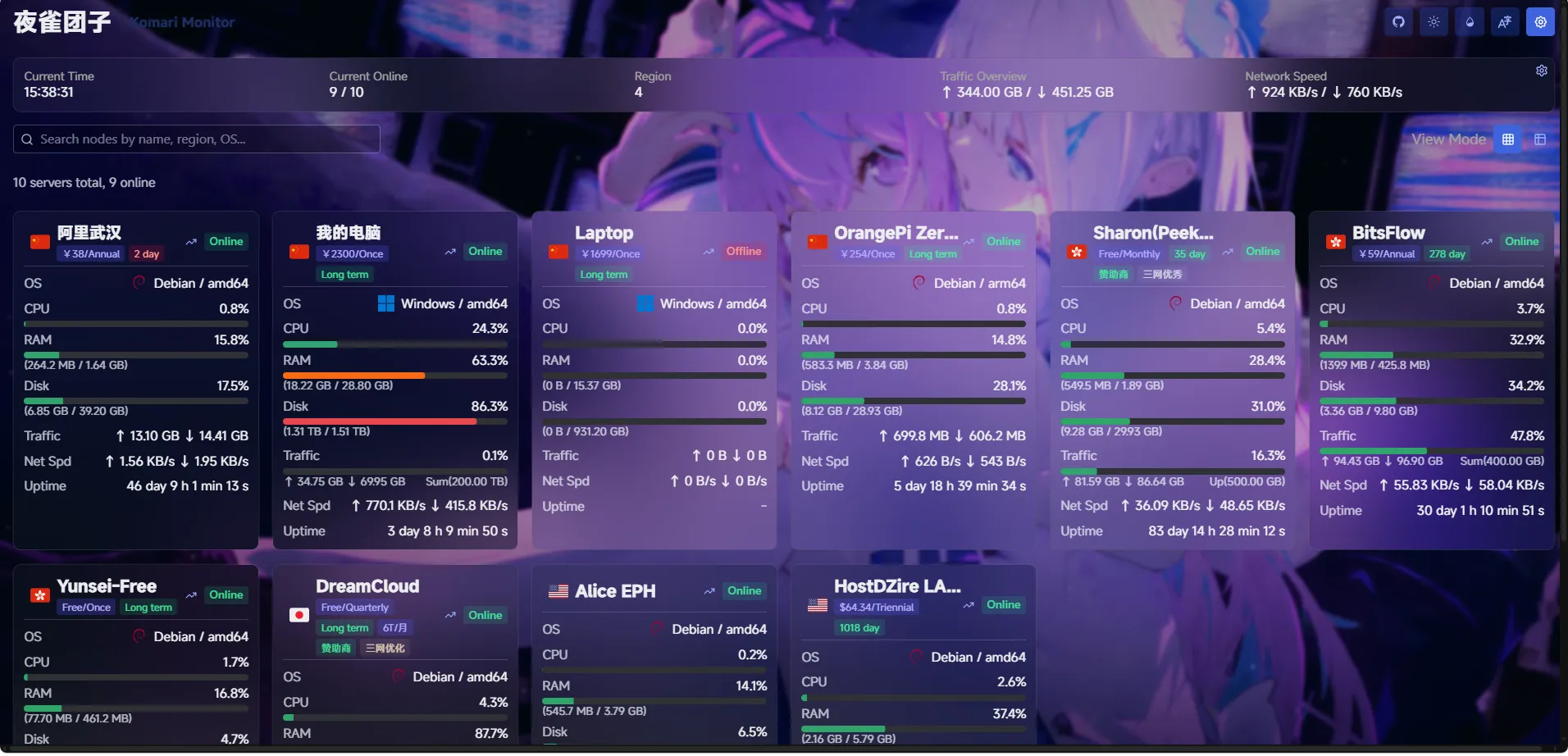 |
| Admin Dashboard | 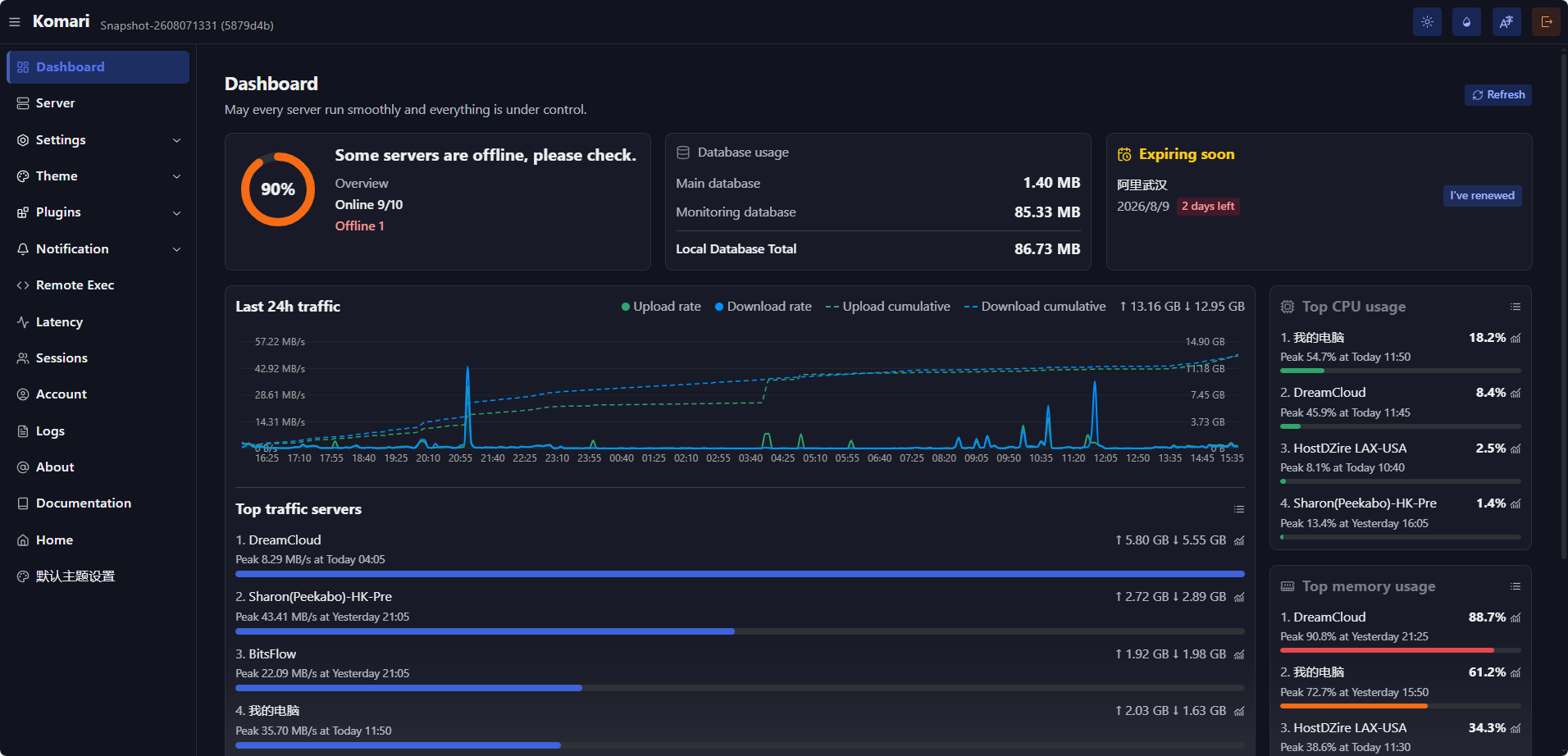 |
| History Charts | 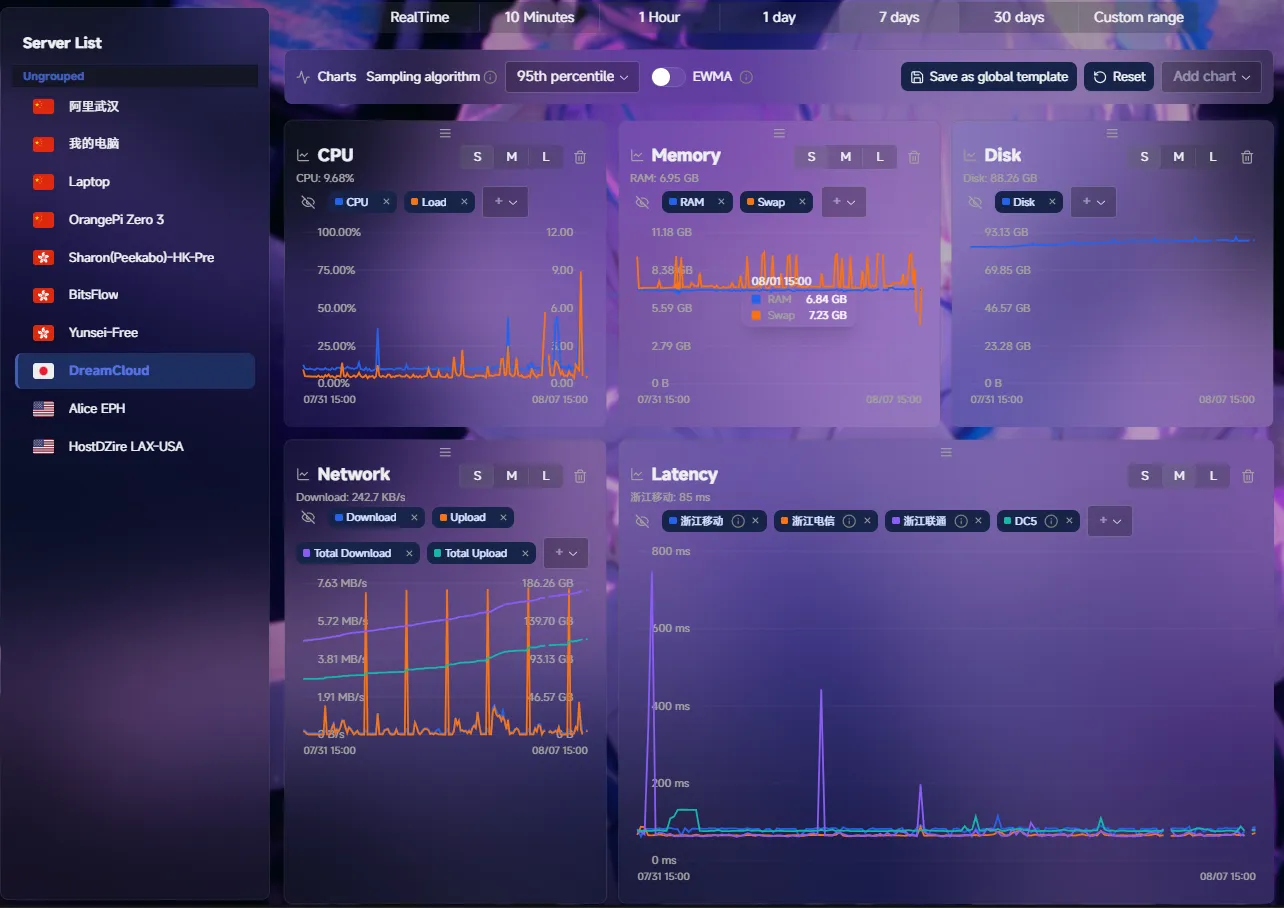 |
| Web Terminal | 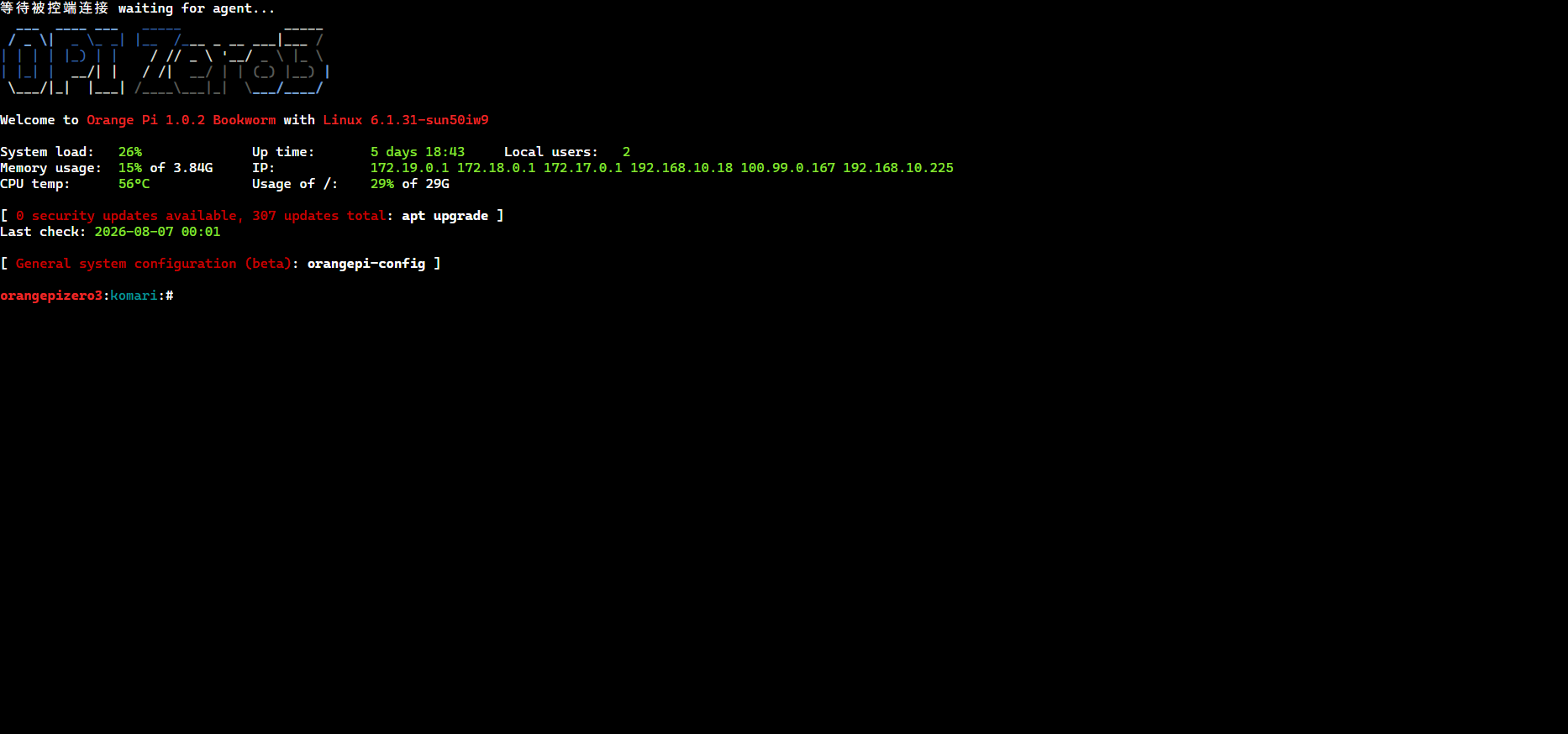 |
| Customizable Themes | 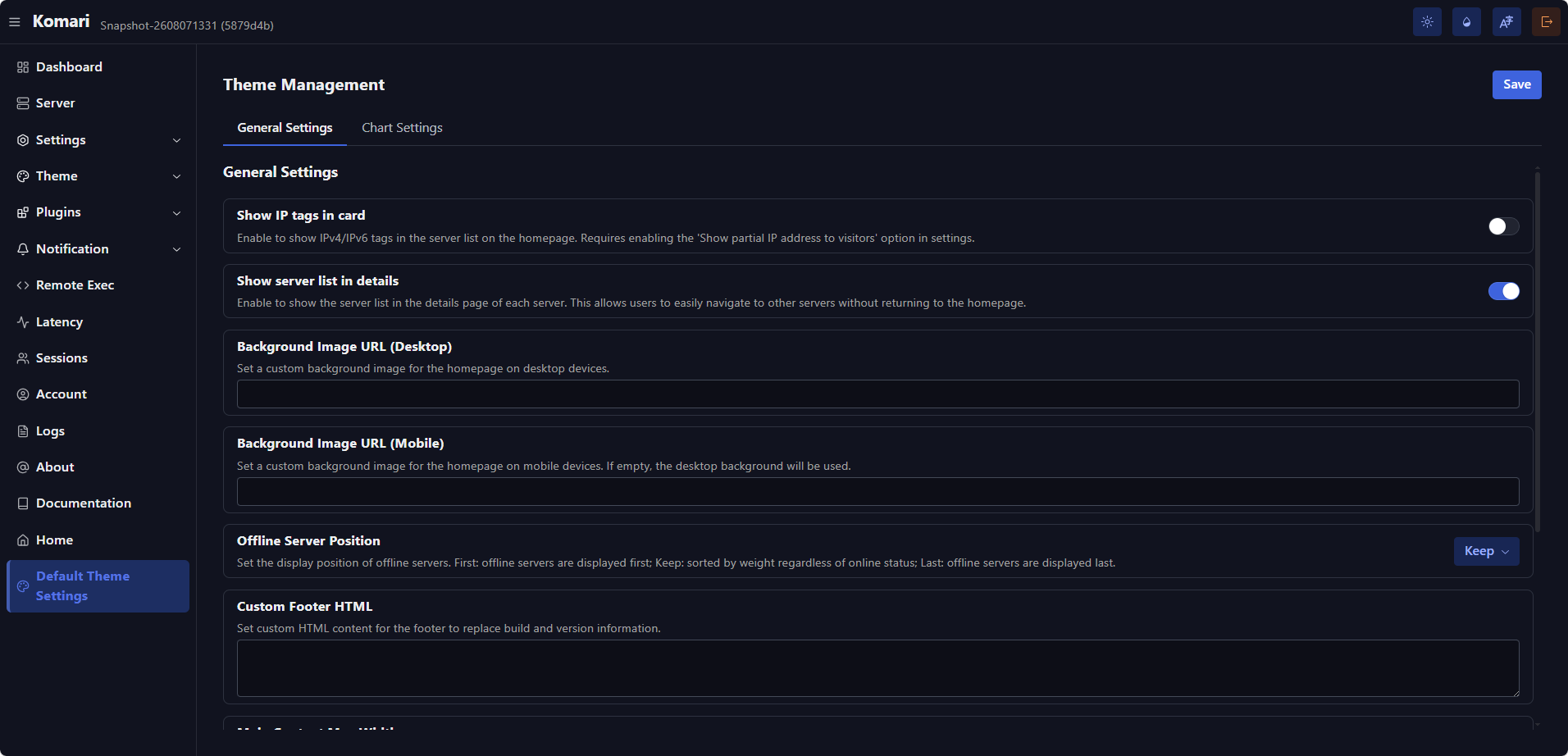 |
| Theme Market | 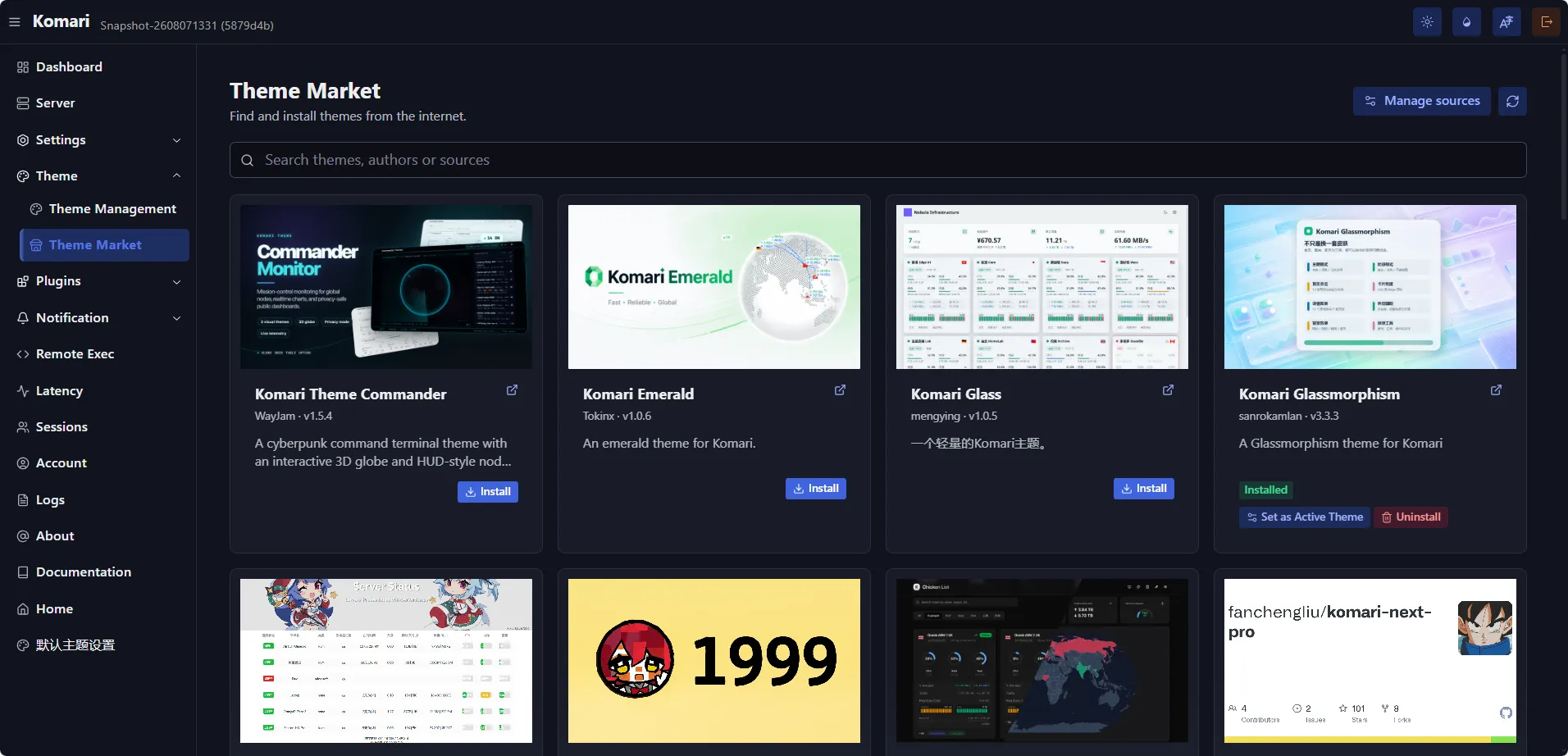 |
Contributors & Credits
Sonar began as a fork of Komari Monitor. Thanks to everyone who built and contributed to the original project.
Thanks also to everyone who has contributed code, themes, plugins, documentation, translations, bug reports, or feedback to Sonar.
 Documentation


There is no documentation for this package.
 Source Files
 Directories

| Path | Synopsis |
|---|---|
|
internal
|
|
|
features/backup
Package backup creates downloadable backup archives and stages uploaded archives for restoration on the next process startup.
|
Package backup creates downloadable backup archives and stages uploaded archives for restoration on the next process startup. |
|
features/migration
Package migration serves the authenticated database migration guide used by both legacy monitoring imports and Metric Store structure upgrades.
|
Package migration serves the authenticated database migration guide used by both legacy monitoring imports and Metric Store structure upgrades. |
|
features/notification/messagesender/outboundhttp
Package outboundhttp provides the HTTP client used by configurable notification senders.
|
Package outboundhttp provides the HTTP client used by configurable notification senders. |
|
features/plugin
Package plugin manages Komari plugins: ZIP packages with a komari-plugin.json manifest, mirroring the theme package format.
|
Package plugin manages Komari plugins: ZIP packages with a komari-plugin.json manifest, mirroring the theme package format. |
|
features/recovery
Package recovery serves the small, authenticated web surface used when the monitoring database cannot be opened during startup.
|
Package recovery serves the small, authenticated web surface used when the monitoring database cannot be opened during startup. |
|
platform/configform
Package configform implements the shared configuration-form schema resolution used by themes and plugins: interpreting a manifest's declared config items, computing their defaults, and resolving submitted values against still-live nodes/ping tasks for rendering.
|
Package configform implements the shared configuration-form schema resolution used by themes and plugins: interpreting a manifest's declared config items, computing their defaults, and resolving submitted values against still-live nodes/ping tasks for rendering. |
|
platform/marketutil
Package marketutil holds the small validation/ID/safe-download helpers shared by every admin-managed marketplace (currently the theme and plugin markets).
|
Package marketutil holds the small validation/ID/safe-download helpers shared by every admin-managed marketplace (currently the theme and plugin markets). |
|
platform/pingpresets
Package pingpresets 提供"全国31省市三网延迟检测"内置节点目录。
|
Package pingpresets 提供"全国31省市三网延迟检测"内置节点目录。 |
|
platform/upload
Package upload provides the shared chunked archive upload flow.
|
Package upload provides the shared chunked archive upload flow. |
|
pkg
|
|
|
archive
Package archive provides small filesystem zip/unzip helpers with no dependency on any application domain package.
|
Package archive provides small filesystem zip/unzip helpers with no dependency on any application domain package. |
|
jsruntime
Package jsruntime host services for modules injected by the application.
|
Package jsruntime host services for modules injected by the application. |
|
jsruntime/crypto
Package crypto provides a Node.js-compatible crypto module backed by the Go standard library and golang.org/x/crypto.
|
Package crypto provides a Node.js-compatible crypto module backed by the Go standard library and golang.org/x/crypto. |
|
jsruntime/httpbody
Package httpbody provides bounded helpers for reading HTTP request or response bodies.
|
Package httpbody provides bounded helpers for reading HTTP request or response bodies. |
|
jsruntime/internal/bridge
Package bridge provides the small set of runtime services shared by host modules.
|
Package bridge provides the small set of runtime services shared by host modules. |
|
lifecycle
Package lifecycle carries process-level requests without coupling web RPC handlers to the server runtime.
|
Package lifecycle carries process-level requests without coupling web RPC handlers to the server runtime. |
|
logger
Package logger provides the server's single runtime logging surface.
|
Package logger provides the server's single runtime logging surface. |
|
sqlitetune
Package sqlitetune applies a consistent SQLite baseline to every physical connection opened through database/sql.
|
Package sqlitetune applies a consistent SQLite baseline to every physical connection opened through database/sql. |