

 README

README

ComiGo: Simple and Efficient Comic Reader

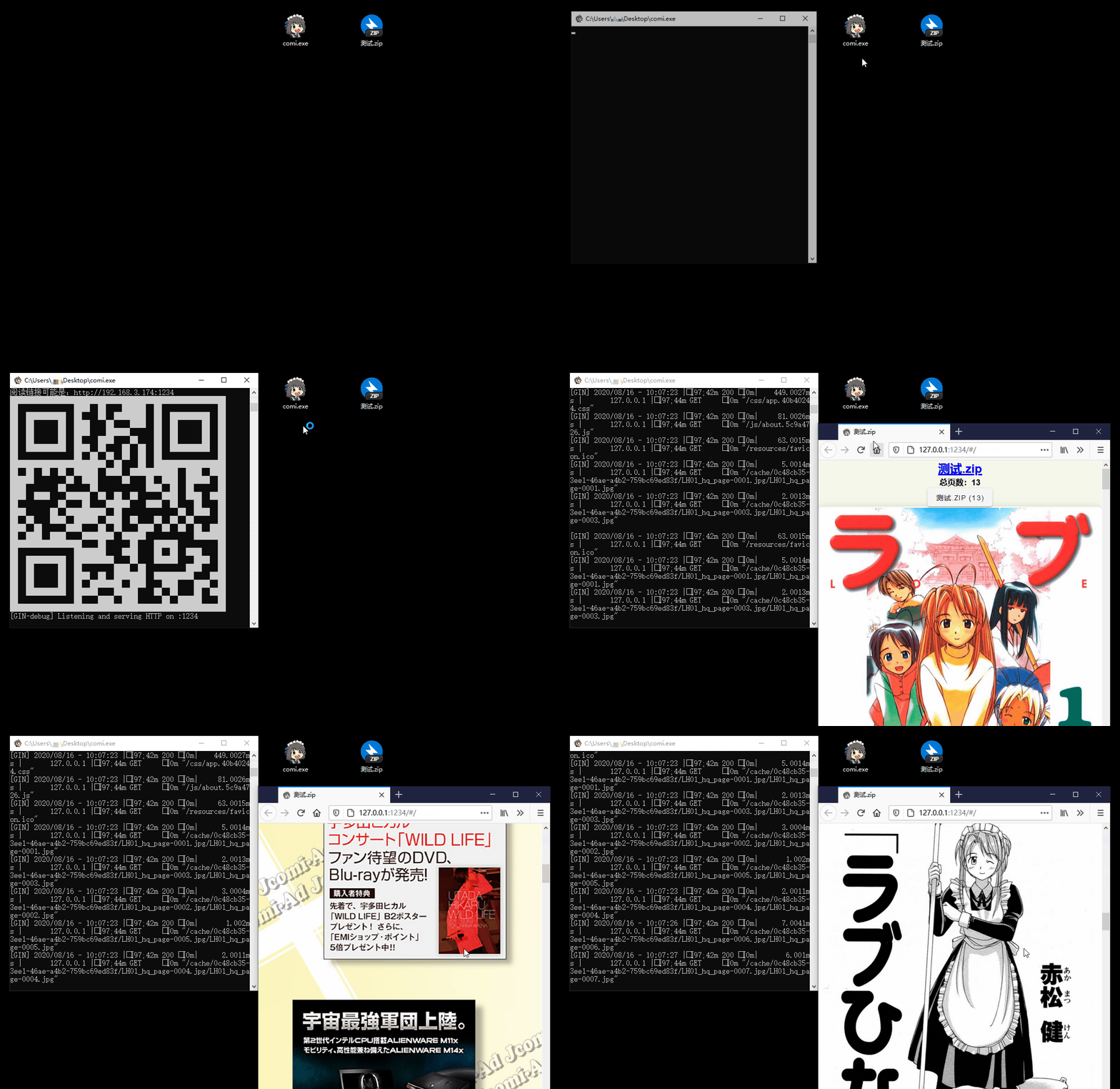
Features
- 📚 Multiple Format Support: Supports image folders and compressed files like
.rar,.zip,.tar,.cbz,.cbr,.epub - 📱 Easy Access: QR code scanning for mobile/tablet devices, drag-and-drop support for Windows
- 🐧 Cross-Platform: Compatibility with Windows, Linux, and macOS
- 📖 Diverse Reading Modes: Offers scroll, and page-turning modes
- ⚙️ Flexible Configuration: Command-line operation with
config.tomllibrary settings - 🖼️ Modern Image Formats: In addition to
jpgandpng, it also supports next-gen formats likeheicandavif - ✂️ Smart Optimization: Automatic image cropping and compression for bandwidth saving
- 🔄 Sync Reading: Synchronized page-turning across different devices
Installation Guide
Installation Script (Recommended)
# Using curl:
bash <(curl -s https://raw.githubusercontent.com/yumenaka/comigo/master/get_comigo.sh)

# Using wget:
bash <(wget -qO- https://raw.githubusercontent.com/yumenaka/comigo/master/get_comigo.sh)

# If you have Golang  (go 1.23 or higher):
go install github.com/yumenaka/comigo/cmd/comi@latest
Manual Installation
Download the latest version from the Releases page and add the executable to your system's PATH environment variable.
Version Selection Guide
| System | Download |
|---|---|
| Windows 64-bit | Windows_x86_64.zip |
| Windows ARM | Windows_arm64.zip |
| MacOS Apple Silicon | MacOS_arm64.tar.gz |
| MacOS Intel | MacOS_x86_64.tar.gz |
| Linux 64-bit | Linux_x86_64.tar.gz |
| Linux ARM 32-bit | Linux_arm.tar.gz |
| Linux ARM 64-bit | Linux_arm64.tar.gz |
Usage
comi [flags] file_or_dir
Configuration File
Comigo supports configuration file locations:
-
User Home Directory
- Windows:
C:\Users\username\.config\comigo.toml - Linux/MacOS:
/home/username/.config/comigo.toml - Default location read at startup
- Windows:
-
Program Directory
- Place
comigo.tomlin the same directory as the executable - Suitable for portable usage
- Place
-
Current Working Directory
- Searches for configuration file in the current directory when running commands
-
Custom Location
- Specify configuration file path using the
--configparameter
- Specify configuration file path using the
Feedback and Support
If you have any suggestions or encounter issues, feel free to:
Special Thanks
Thanks to the following open-source projects and their contributors:
- mholt
- spf13
- disintegration
- Baozisoftware
- And many more contributors
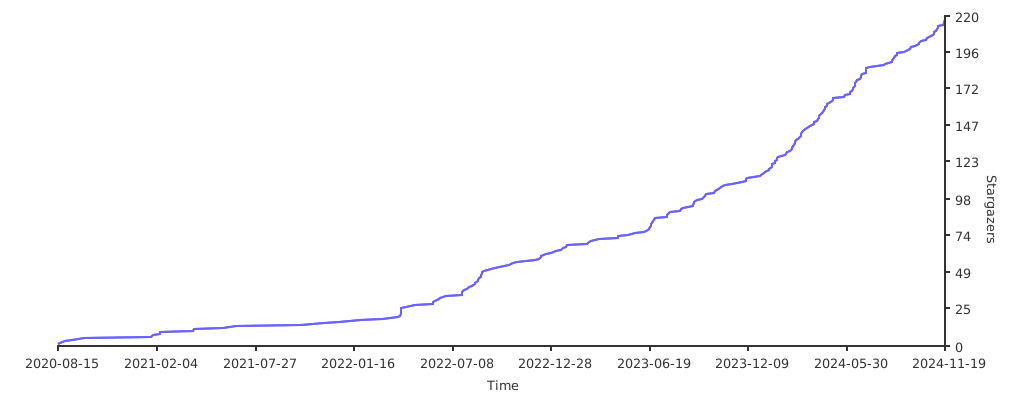
Project Statistics
License
This software is released under the MIT license.
 Documentation

 Source Files
 Directories

Directories

| Path | Synopsis |
|---|---|
|
comi
command
|
|
|
htmx
module
|
|
|
templ
|
|
|
common
templ: version: v0.3.960
|
templ: version: v0.3.960 |
|
common/svg
templ: version: v0.3.960
|
templ: version: v0.3.960 |
|
pages/error_page
templ: version: v0.3.960
|
templ: version: v0.3.960 |
|
pages/flip
templ: version: v0.3.960
|
templ: version: v0.3.960 |
|
pages/login_page
templ: version: v0.3.960
|
templ: version: v0.3.960 |
|
pages/scroll
templ: version: v0.3.960
|
templ: version: v0.3.960 |
|
pages/settings
templ: version: v0.3.960
|
templ: version: v0.3.960 |
|
pages/shelf
templ: version: v0.3.960
|
templ: version: v0.3.960 |
|
pages/upload_page
templ: version: v0.3.960
|
templ: version: v0.3.960 |
Click to show internal directories.
Click to hide internal directories.