

 README

README

ComiGo:简单高效的漫画阅读器

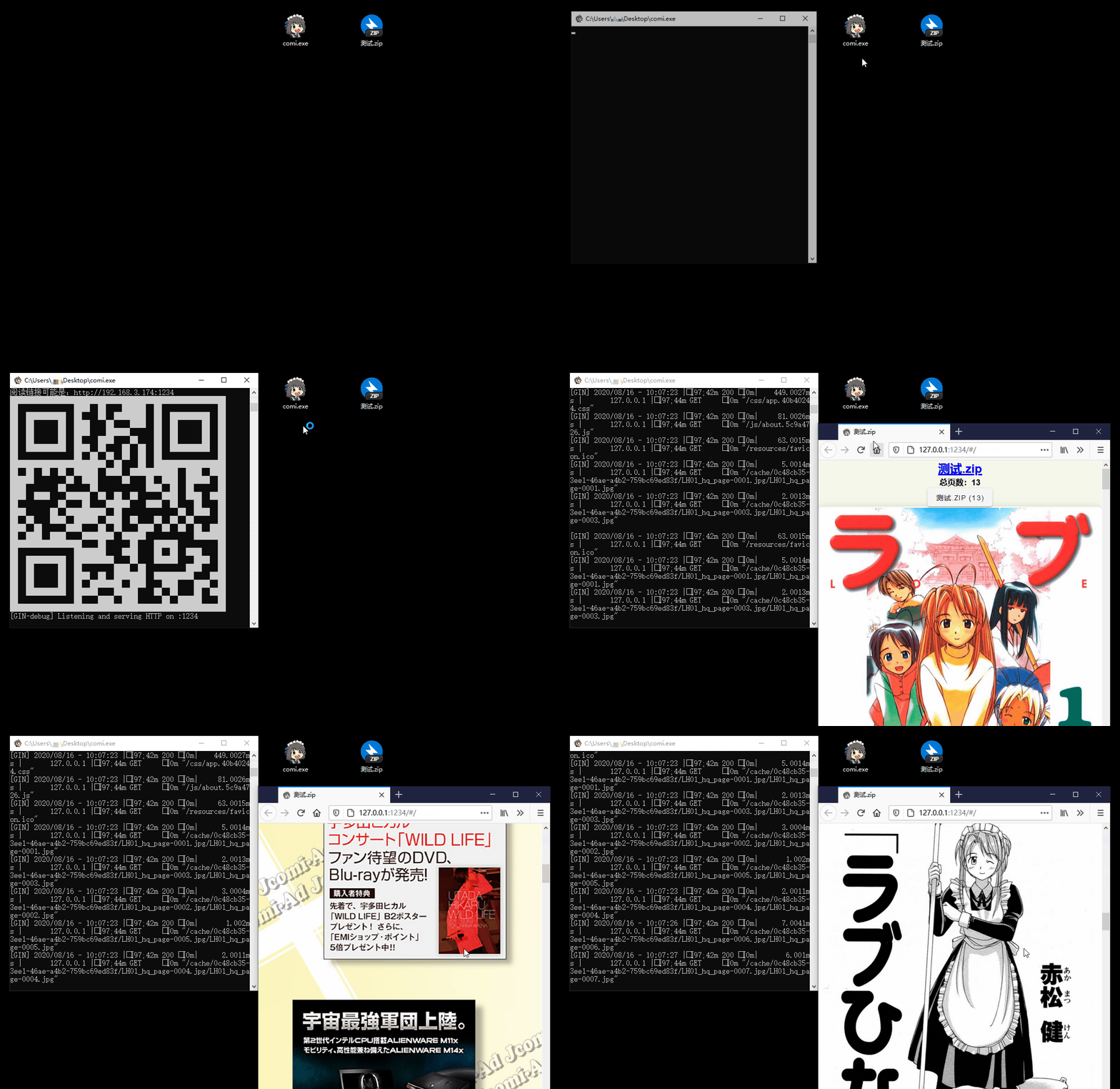
功能特点
- 📚 多格式支持:支持图片文件夹与
.rar、.zip、.tar、.cbz、.cbr、.epub等压缩包格式 - 📱 便捷访问:支持手机/平板扫描二维码阅读,Windows 支持拖拽打开
- 🐧 跨平台支持:适配 Windows、Linux、MacOS 系统
- 📖 多样化阅读模式:提供卷轴、翻页等多种阅读模式
- ⚙️ 灵活配置:支持命令行操作,可通过
config.toml配置文件设定书库 - 🖼️ 现代图片格式:除了常见的
jpg、png,还支持heic、avif等新一代图片格式 - ✂️ 智能优化:支持图片自动裁边,压缩图片节省流量
- 🔄 同步阅读:支持不同设备间同步翻页进度
安装指南
托盘版(推荐)
| 系统 | 下载链接 |
|---|---|
| Windows 64位 | comigo_latest_Windows_x86_64_full.zip |
| macOS (Intel/Apple芯片) | Comigo.app.zip |
💡 说明:托盘版提供系统托盘图标,可最小化到后台运行。Windows 用户双击运行,macOS 用户拖入 Applications 文件夹。
一键安装(命令行版)
# 中国大陆用户推荐使用中转脚本:
bash <(curl -s https://comigo.xyz/get.sh) --cn

# 从 GitHub下载:
bash <(curl -s https://raw.githubusercontent.com/yumenaka/comigo/master/get.sh)

# 如果您已设置 Golang 环境:
go install github.com/yumenaka/comigo/cmd/comi@latest
下载命令行版
| 系统类型 | 下载链接 |
|---|---|
| Windows 64位 | comi_latest_Windows_x86_64.zip |
| Windows ARM | comi_latest_Windows_arm64.zip |
| macOS Intel | comi_latest_MacOS_x86_64.tar.gz |
| macOS Apple芯片 | comi_latest_MacOS_arm64.tar.gz |
| Linux 64位 | comi_latest_Linux_x86_64.tar.gz |
| Linux ARM64 | comi_latest_Linux_arm64.tar.gz |
| Linux ARM32 | comi_latest_Linux_armv7.tar.gz |
| Debian/Ubuntu 64位 | comi_latest_amd64.deb |
| Debian/Ubuntu ARM64 | comi_latest_arm64.deb |
💡 说明:命令行版适合服务器部署和高级用户。下载后需手动添加到系统 PATH 环境变量。
发布页
也可以在 Releases 页面 下载最新版本,并将可执行文件添加到系统的 PATH 环境变量中。
使用Docker 部署
快速开始
# 拉取并运行最新镜像
docker run -d \
  --name comigo \
  -p 1234:1234 \
  -v /path/to/your/books:/data \
  yumenaka/comigo:latest
访问 http://localhost:1234 即可使用。
使用 Docker Compose
- 下载
docker-compose.yml文件 - 根据需要编辑配置
- 启动服务:
docker-compose up -d
更多详细说明请查看完整的 Docker 使用文档。
使用方法
comi [flags] file_or_dir
配置文件说明
Comigo 支持多种配置文件位置:
-
用户主目录
- Windows:
C:\Users\用户名\.config\comigo.toml - Linux/MacOS:
/home/用户名/.config/comigo.toml - 程序启动时默认读取此位置
- Windows:
-
程序目录
- 将
comigo.toml放在可执行文件同目录 - 适合作为绿色软件使用
- 将
-
当前运行目录
- 在启动命令的当前目录下查找配置文件
-
自定义位置
- 使用
--config参数指定配置文件路径
- 使用
反馈与支持
如果您有任何建议或遇到问题,欢迎:
开发与TODO
特别鸣谢
感谢以下开源项目及其贡献者:
- mholt
- spf13
- disintegration
- Baozisoftware
- 以及更多贡献者
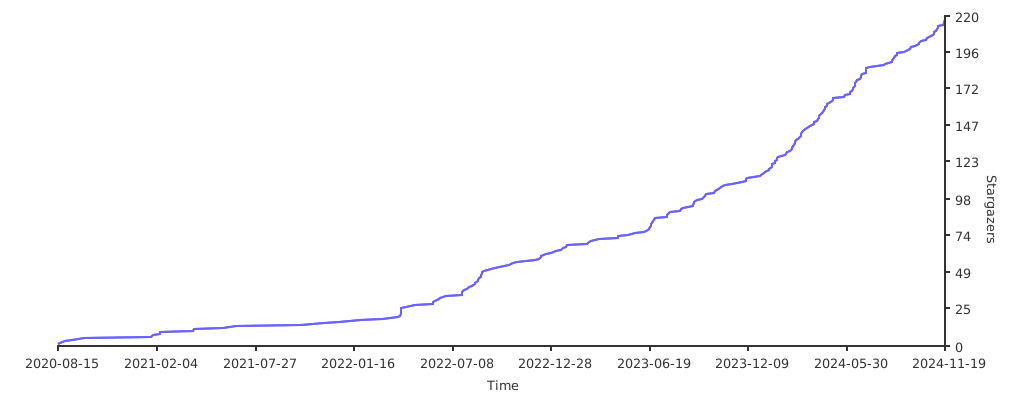
项目统计
开源协议
本项目采用 MIT 协议开源。
 Documentation

Documentation


There is no documentation for this package.
 Source Files
 Directories

Directories

| Path | Synopsis |
|---|---|
|
comi
command
|
|
|
comigo
command
|
|
|
tui/comi
command
|
|
|
htmx
module
|
|
|
templ
|
|
|
common
templ: version: v0.3.977
|
templ: version: v0.3.977 |
|
common/svg
templ: version: v0.3.977
|
templ: version: v0.3.977 |
|
pages/error_page
templ: version: v0.3.977
|
templ: version: v0.3.977 |
|
pages/flip
templ: version: v0.3.977
|
templ: version: v0.3.977 |
|
pages/login_page
templ: version: v0.3.977
|
templ: version: v0.3.977 |
|
pages/scroll
templ: version: v0.3.977
|
templ: version: v0.3.977 |
|
pages/settings
templ: version: v0.3.977
|
templ: version: v0.3.977 |
|
pages/shelf
templ: version: v0.3.977
|
templ: version: v0.3.977 |
|
pages/upload_page
templ: version: v0.3.977
|
templ: version: v0.3.977 |
|
plugins
templ: version: v0.3.977
|
templ: version: v0.3.977 |
Click to show internal directories.
Click to hide internal directories.